
Photo to cyanotype print: Qwen Image edit or a Pillow colorize?
A cyanotype look is two tones, so Pillow can do it free. Use qwen/qwen-image at $0.025 only when you want paper texture and brushed edges. Both steps here.
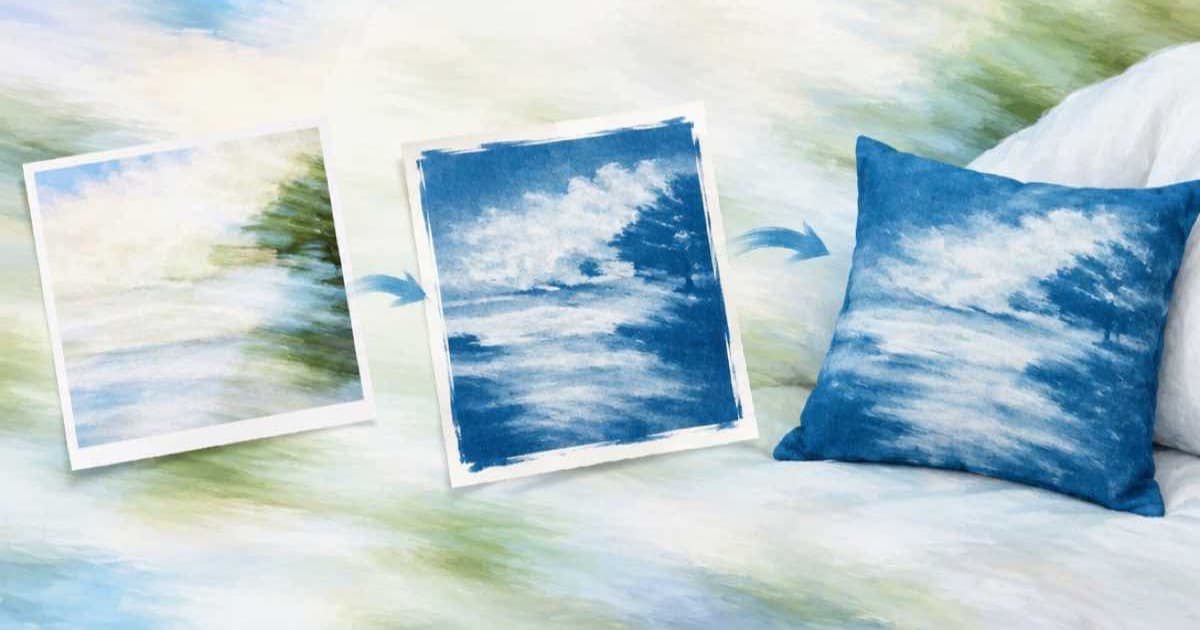
A cyanotype is a two-tone image, white highlights on Prussian blue, so you can make one from any photo with Pillow alone: grayscale, autocontrast, then ImageOps.colorize with a dark blue black point and a pale blue-white white point. That costs nothing. Use an image model, qwen/qwen-image at $0.025 per image in the Sume catalog I read, only when you want what Pillow cannot add: uneven brush edges, a paper border and visible exposure streaks.
What does the free Pillow route give me?
A clean, even, digital cyanotype. The mapping is deterministic, so every photo in a batch gets the same two inks. It will not invent a hand-coated border or fibre texture, which is why people reach for an edit model.
Pick the two colors once and reuse them. The script below also loops over a folder so a set of photos stays consistent.
from pathlib import Path
from PIL import Image, ImageOps

INK = "#0b2a5b"    # deep Prussian blue
PAPER = "#e8f1fb"  # pale blue-white

Path("cyano").mkdir(exist_ok=True)
for src in Path("photos").glob("*.jpg"):
    gray = ImageOps.grayscale(Image.open(src))
    gray = ImageOps.autocontrast(gray, cutoff=2)
    out = ImageOps.colorize(gray, black=INK, white=PAPER)
    out.save(Path("cyano") / f"{src.stem}.png")
    print("wrote", src.stem)
When is the Qwen edit worth the 2.5 cents?
When the print should look hand-made. Send the photo as one input_references entry to qwen/qwen-image and ask for a cyanotype with a rough brushed border and visible paper fibre. Sume's catalog lists this row as edit-capable with up to 10 references, PNG, JPEG or WebP output, and 1 to 4 images per call. It has no quality or resolution field, so a request that sends one gets 400 unsupported_parameter.
The aspect list for this row has no auto value, so pin the ratio yourself: 3:4 for a portrait photo, 4:3 for landscape. Sume's docs warn that leaving the field off on an edit is not the same as auto, and this row does not offer auto to begin with.
| Route | Cost per photo | Border and texture | Repeatable? |
|---|---|---|---|
Pillow colorize | $0 | None, flat two-tone | Identical every time |
qwen/qwen-image edit | $0.025 | Prompted, varies | Differs per run |
Edit, then Pillow colorize | $0.025 | Prompted, ink forced to your two colors | Ink identical, texture varies |
Should I run both?
Yes, if the edit comes back with a greenish or purple blue. Run the model's output through the same colorize step to force your two inks, and keep its texture. Qwen's own newer checkpoint, Qwen-Image-2.1-Turbo, is described on its model card as a 7B model that runs in 8 steps, but Sume does not say which Qwen version its qwen/qwen-image row runs, so judge it on the output, not the model card.
If a request exceeds the 30-second wait it returns 202; read the picture from the job result as described in Jobs and results.
Sources
Related posts
More in Use cases
- Photo to felt and knitted looks: three Grok Imagine calls, 7.5 cents
Grok Imagine on Sume returns one image per call and costs $0.025, so three craft looks of one photo are three requests and $0.075. One short script runs them.
- Photo to line drawing on a transparent background with GPT Image 2.5
Turn one photo into black line art with a real alpha channel: ChatGPT Image 2.5 edit, background transparent, PNG, and a Pillow check before you trust it.
- Photo to linocut print: Ideogram 4.5 edit and a 2-color threshold
A linocut look from a photo: one Ideogram 4.5 edit from $0.0375, then a Pillow threshold that makes it truly two-colour. Low, medium, high compared on Sume.
- Photo to oil painting with a style reference: Ideogram 4.5 edit
Send your photo first and a painting second to ideogram/ideogram-v4.5: image one is edited, up to 4 more guide style. Low, medium, high cost 3.75 to 27.5 cents.
Written by Sume