
Qwen Image edit with 10 references on Sume: four ratios for 10 cents
qwen/qwen-image on Sume bills about $0.025, takes up to 10 references and lists 13 ratios. Four ratio variants of one product shot cost 10 cents. Steps inside.
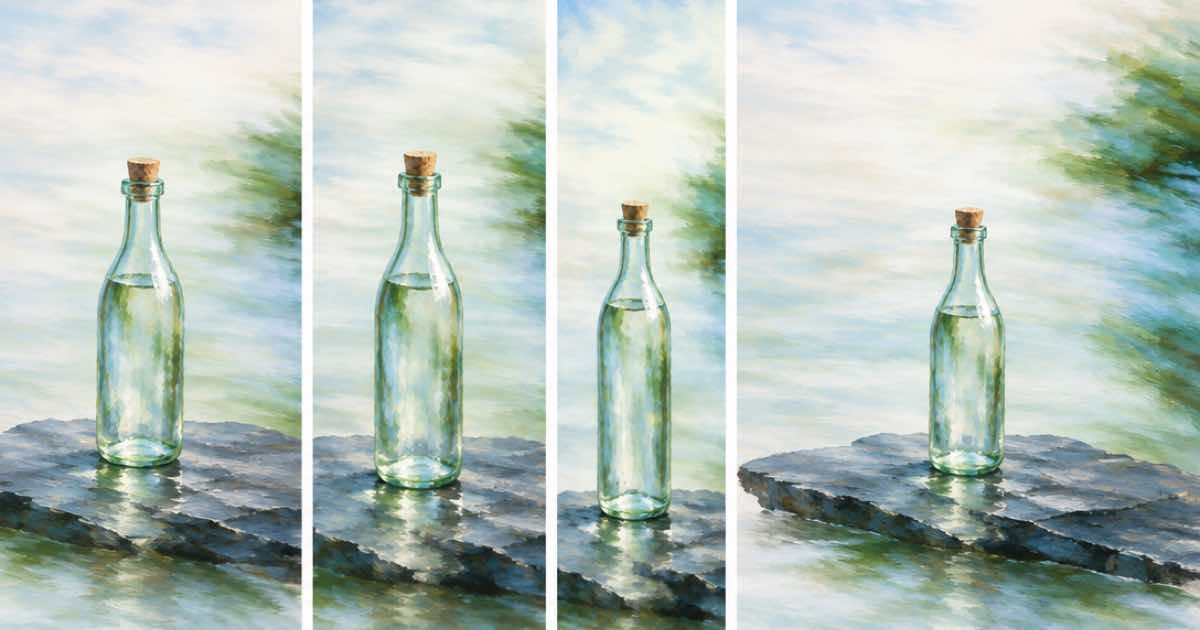
qwen/qwen-image on Sume is the low-cost way to restyle or recompose a photo: it bills about $0.025 per image, accepts up to 10 references and lists 13 aspect ratios. A product shot in four ratios, 1:1, 4:5, 9:16 and 16:9, costs about $0.10 in total. Its larger sibling, qwen/qwen-image-max, is text-only on Sume at about $0.09375, so use the plain row for edits.
This post gives the steps for one product photo and a short checklist for the output.
The four-ratio set
| Placement | aspect_ratio | Billed |
|---|---|---|
| Marketplace tile | 1:1 | $0.025 |
| Feed post | 4:5 | $0.025 |
| Story or reel cover | 9:16 | $0.025 |
| Web banner | 16:9 | $0.025 |
| Total | 4 images | $0.10 |
Steps
- Upload or host the product photo and keep a clean version without text.
- Pass it in
input_referencesand describe the new scene: surface, light and mood. Say what must stay: shape, color, label position. - Send one request per ratio. The row allows
nup to 4 if you want several takes at one ratio. - Check each result for changes to the product: logo, proportions and color are the usual drift.
- Keep the winning URL and the
usage.costwith the file name.
Request
{
  "model": "qwen/qwen-image",
  "prompt": "Keep the bottle exactly as shown. Place it on a wet slate surface, cool morning light",
  "input_references": [
    {"type": "image_url", "image_url": {"url": "https://example.com/bottle.png"}}
  ],
  "aspect_ratio": "4:5"
}
Budget
Ten products in four ratios is 40 images and about $1.00. Add two retries per product and the total is about $1.50. For the same job on Nano Banana 2.1 at 1K, 40 images cost $4.00, so use the Qwen row for a first pass and Nano Banana only for the hero image.
A failed generation is not billed, but an image that changes your label is, so inspect before you publish.
Checklist before you publish
Open each output next to the original at full size. Look at the label, the cap, the edges of the bottle and any reflection that suggests a shape the product does not have. Reject anything that has altered text, even slightly, because a wrong word on packaging is a support ticket later.
Name files by product and ratio, such as 'bottle-4x5', and keep the original reference next to them. When a client asks for a change, you can rerun one ratio for $0.025 instead of the whole set, and the file names tell you which one.
When to move up a model
If the Qwen result drifts on fine detail such as small print, repeat the same request on Seedream 5.0 Lite at about $0.04375 or on Nano Banana 2.1 at 1K for about $0.10, both of which take references on Sume. Compare on three products before you change your whole workflow, because a higher price is only worth it where the cheaper row actually fails.
What Sume does not do
Sume does not lock a product's logo or text in an edit, and it does not guarantee that the reference is reproduced. For legal or regulated packaging, check every image by eye. The Qwen row has no mask field; for masked edits, GPT Image 2.5 is the row that lists mask_url.
Sources
Related posts
More in Use cases
- Recap clip after a demo call: a 30 second avatar video for $5.52
Send a 30 second avatar recap after a live demo: $5.52 on Sume standard, $7.35 on plus, $16.50 on max. Script plan, scene split and the 60 second limit.
- Recast a 14-second spokesperson clip: $5.25 at 768p, $7.88 at 1080p
A 14-second clip sits one second under the 15-second shot cap of H3 Max Recast. Cost on Sume is $5.25 at 768p and $7.88 at 1080p; here is how the limits apply.
- Recast a 22-second explainer host: $8.25 at 768p, $12.38 at 1080p
Replace the host in a 22-second explainer video with H3 Max Recast on Sume: $8.25 at 768p, $12.38 at 1080p, plus the cut-every-15-seconds rule to check first.
- Recast a 28-second two-shot ad: $10.50 at 768p, $15.75 at 1080p
A 28-second video passes H3 Max Recast when no shot runs over 15 seconds. Two 14-second shots cost $10.50 at 768p or $15.75 at 1080p on Sume.
Written by Sume