
Guru Nanak Gurpurab on 24 Nov 2026: a community notice clip
Guru Nanak Jayanti is Tuesday 24 November 2026. How a gurdwara or community group can make a short notice clip from a hall photo with caption cues.
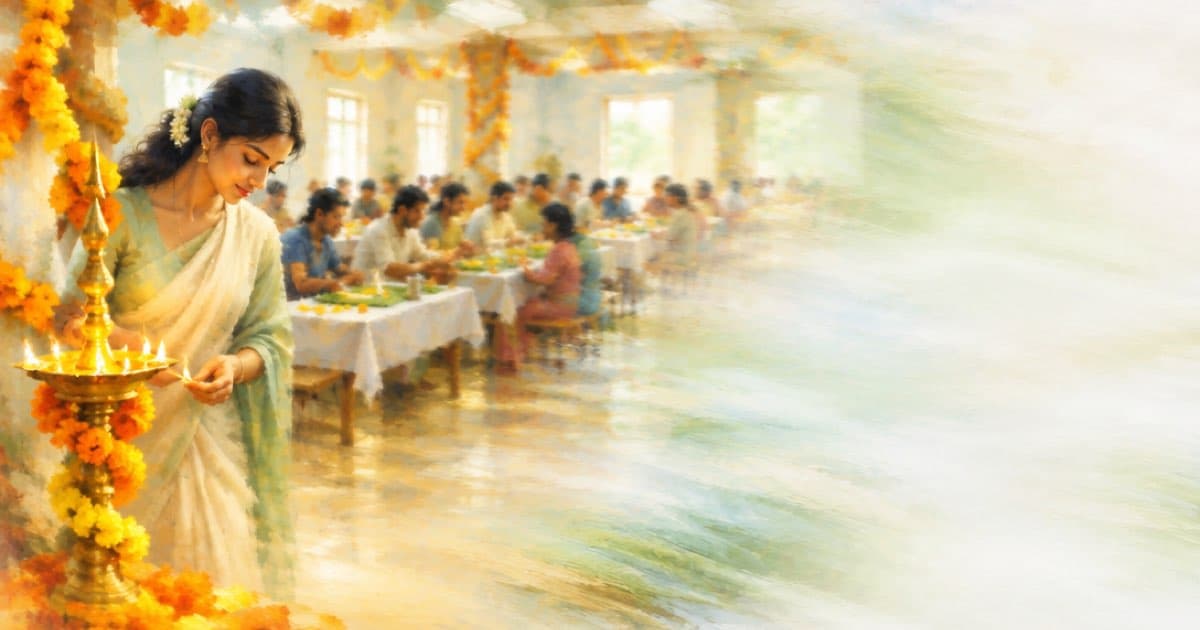
Guru Nanak Jayanti, also called Gurpurab, falls on Tuesday 24 November 2026 according to Drik Panchang, which numbers it as the 557th birth anniversary of Guru Nanak. A gurdwara or community group that wants a short notice for its members can turn one photo of its hall or entrance into a silent clip and burn the programme on as caption cues.
The date comes from Drik Panchang, read on 2026-10-13; the page publishes tithi times for one city's time zone, so this post does not use them, and your congregation's own calendar decides its programme. Everything about Sume comes from the docs pages under sources.
What does the calendar page say?
Drik Panchang gives the date as Tuesday 24 November 2026 and describes the day as the observance of Guru Nanak's birth on Kartik Purnima. The times it prints are for the viewer's selected city, so a gurdwara should use its own committee's announced times.
Treat the clip as a notice, not a depiction: the safest still is a plain photo of the hall, the entrance or the langar tables, and not an AI rendering of a person or a sacred figure.
| Date | What happens | Source |
|---|---|---|
| Tue 24 Nov 2026 | Guru Nanak Jayanti (Gurpurab), 557th birth anniversary | Drik Panchang |
Which Sume calls build the clip?
Step one is a video job at POST /v1/videos. Put your photo in frame_images with frame_type set to first_frame and Sume treats the job as image-to-video; send no photo and it is text-to-video. Before you pick a model, call GET /v1/videos/models and read supported_durations, supported_frame_images and supported_aspect_ratios for it, because limits differ by model. The docs state, for example, that wan-3.0 accepts 2 to 30 seconds.
Step two is POST /v1/video-captions with the finished clip's public HTTPS URL as video_url and a cues array of text, start and end. Because you send cues, Sume does not run speech-to-text and burns your text at those times. A silent clip with no cues fails with caption_no_speech, so the cues are not optional for a silent clip. Both calls are asynchronous jobs; poll or take a webhook for the result.
What should the cues say?
Keep cues in Latin script. The docs describe Latin display styles and Hangul styles and do not list Gurmukhi faces, so a Punjabi-script cue is not something this post can promise will render; test one before you rely on it. A five-cue plan for a 10-second clip:
| Start (s) | End (s) | Cue text | Why |
|---|---|---|---|
| 0 | 2 | Gurpurab, Tuesday 24 November | The date from the calendar page |
| 2 | 4 | Programme starts at 10:00 | Your committee's time, not the page's |
| 4 | 6 | Langar served after the service | Your own arrangement |
| 6 | 8 | All are welcome | A welcome line |
| 8 | 10 | Please bring a head covering | Your own hall rule |
How do you send the caption job?
This script builds the cue payload and prints it, so you can check the JSON before you post it with your own API key and the real clip URL.
import json

cues = [
    (0, 2, "Gurpurab, Tuesday 24 November"),
    (2, 4, "Programme starts at 10:00"),
    (4, 6, "Langar served after the service"),
    (6, 8, "All are welcome"),
    (8, 10, "Please bring a head covering")
]
payload = {
    "video_url": "https://example.com/gurpurab.mp4",
    "cues": [{"text": t, "start": s, "end": e} for s, e, t in cues],
}
print(json.dumps(payload, indent=2))
What can go wrong?
Host the clip at a public HTTPS URL first. Generated motion can warp text on a noticeboard or a nishan, so use a photo without lettering, and check the result before you caption it.
Times and arrangements change late. Keep the cues short and put the full programme in the post text, so a correction does not need a new render.
Sources
Related posts
More in Use cases
- Guy Fawkes Night 2026 is Thu Nov 5: a 9:16 bonfire clip from a photo
Bonfire Night falls on Thursday 5 Nov 2026. A work-back plan and a 6-second 9:16 clip from one photo, with TikTok and Reels limits from the platforms' pages.
- Halloween photo clips: 12 photos at 8 seconds on Grok Imagine
Animate 12 Halloween photos into 8-second clips on Sume's Grok Imagine row for $1.20 in total. Use a first frame per clip and one idempotency key per photo.
- Hanukkah 2026 starts Fri Dec 4 at sundown: finish clips by Thursday
Hanukkah 2026 runs from sundown Friday, Dec 4, to nightfall Saturday, Dec 12. Eight 6-second night clips cost about $6.00 on Sume at 720p.
- HelixWorld WASD camera moves as prompt words for Omni Flash
HelixWorld steers its camera with WASD and direction actions. Sume has no camera-key input, so write the move as a phrase and test it with a 3 s 360p draft.
Written by Sume