
Six flavor variants of one can: recolor and rename with Ideogram 4.5
One can render becomes six SKUs by editing color and flavor name in one Ideogram 4.5 call each: $0.225 at low, $0.45 at medium on Sume. Prompt and checks.
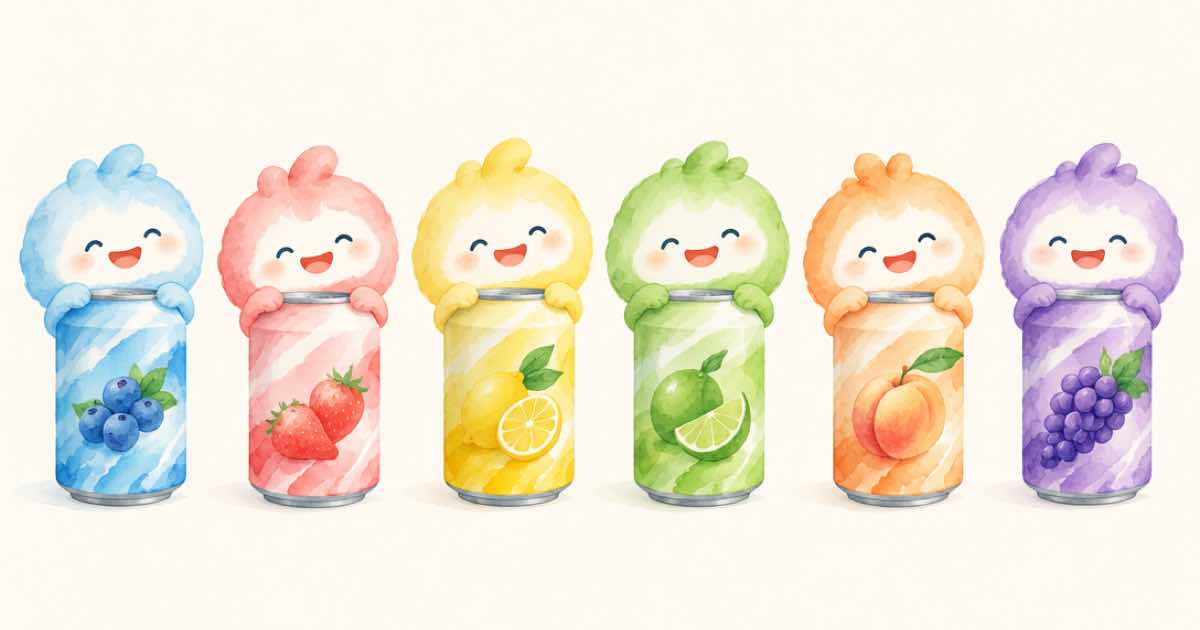
To make six flavor variants of one can, send the finished can render as the first input_references image to POST /v1/images six times, each with a prompt that names the new color and the new flavor name, using ideogram/ideogram-v4.5. Six edits cost $0.225 at low quality and $0.45 at medium on Sume.
Ideogram launched 4.5 on 2026-09-30 and describes it as "the most precise edit model" (Ideogram on X, read 2026-10-05). A can variant is a good test of that claim, because two things must change, the color and the words, while the shape, the logo and the lighting must not.
Why branch six edits from one original?
Every variant starts from the same source, so no variant inherits another's mistakes. If you chained lime to berry to mango, a small distortion in the lime can would be in every later one. Branching also means the six calls are independent and can run together.
What does the prompt say?
Give the old state, the new state, and the list of things to keep. Reuse the same template and change two slots, so the results are comparable.
Template: "Change the can color from silver to deep red and change the flavor name 'LIME' to 'CHERRY'. Keep the logo, the can shape, the lighting and the background unchanged." An edit without aspect_ratio keeps the source geometry according to the Image API docs, so every variant matches the original's frame and drops into the same layout.
| Variant | Color slot | Name slot |
|---|---|---|
| 1 | deep red | CHERRY |
| 2 | purple | GRAPE |
| 3 | orange | MANGO |
| 4 | teal | MINT |
| 5 | yellow | LEMON |
| 6 | pink | PEACH |
What does the set cost at each quality?
The price is per edit and the same at any size, so a variant at 2K costs what one at 1K does.
| Quality | Per variant | 6 SKUs | 40 SKUs |
|---|---|---|---|
| low | $0.0375 | $0.225 | $1.50 |
| medium | $0.075 | $0.45 | $3.00 |
| high | $0.275 | $1.65 | $11.00 |
What should I check before the cans go to the client?
Read the new name letter by letter at 100 percent, then compare four things against the source:
- The logo: same position, same shape, same colors where it should not change.
- The can: outline, rim and highlights unmoved.
- The color: a red can should not turn the white text pink; check that the text color stayed what you asked.
- The name: spelling, spacing and centering, because longer names push the type.
How do I run forty of them without hitting a limit?
Throughput depends on your plan. Generation admission lists processing, queue and accepted counts per plan: Pro runs 4 at once with 20 queued (24 accepted), Startup 8 and 40 (48), Scale 20 and 100 (120). Past that, 429 queue_full. Six variants fit anywhere, and a 40-SKU range goes in waves; the wave size post has the arithmetic.
Give each variant its own Idempotency-Key, for example can-cherry-v1, and bump the suffix when you change the prompt. A retry with the same key and body returns the same job and does not bill again. Save approved cans as PNG and never feed a JPEG back in.
What if one variant keeps failing?
Change the prompt, not the quality, first. Name the failure: "the lime color on the rim stayed" becomes "change the rim color to deep red as well". A new prompt needs a new Idempotency-Key. Only if two prompt fixes fail should you move that SKU to high at $0.275.
Keep a small log of prompt, key, job id and verdict for each SKU. When a client asks why variant four looks different, you can show exactly which prompt produced it and re-run it.
A small test before the full run
Before you scale this up, run it on two or three real files first and write down what you saw. A small test at low quality costs cents on Sume ($0.0375 per Ideogram 4.5 edit), and it tells you whether your prompt, your source files and your review step are ready.
Keep the originals untouched, name every output after its source and its prompt, and store the job id with each result. If a result is wrong later, you can find the exact request, fix the prompt and re-run only that item with a new Idempotency-Key.
Sources
Related posts
More in Use cases
- Floor-plan sketch to a furnished room render on GPT Image 2.5
Turn a floor-plan sketch into a furnished room render with GPT Image 2.5 at 16:9. The model does not measure, so name sizes in the prompt. Code and prices.
- Florist bouquet photo to a 5-second Reel clip: Wan 3.0 at 480p vs 720p
Animate a bouquet photo into a 5-second 9:16 clip with Wan 3.0 on Sume for 31 cents at 480p or 63 cents at 720p; a 12-bouquet weekly set costs $3.75 or $7.50.
- Keep a label intact while swapping a scene: anchor box or mask
BFL's FLUX 3 anchor box preserves a region; its doc example reports 85.5% pixel-identical unmodified regions. On Sume, use a ChatGPT Image 2.5 mask_url edit.
- FLUX 3 Image free editing demo: a 4-edit test list before you pay
Test recolor, move, replace and swap in the reported free FLUX 3 precise-editing demo, then carry the winners to an API. Sume has no FLUX 3.
Written by Sume