
Floor-plan sketch to a furnished room render on GPT Image 2.5
Turn a floor-plan sketch into a furnished room render with GPT Image 2.5 at 16:9. The model does not measure, so name sizes in the prompt. Code and prices.
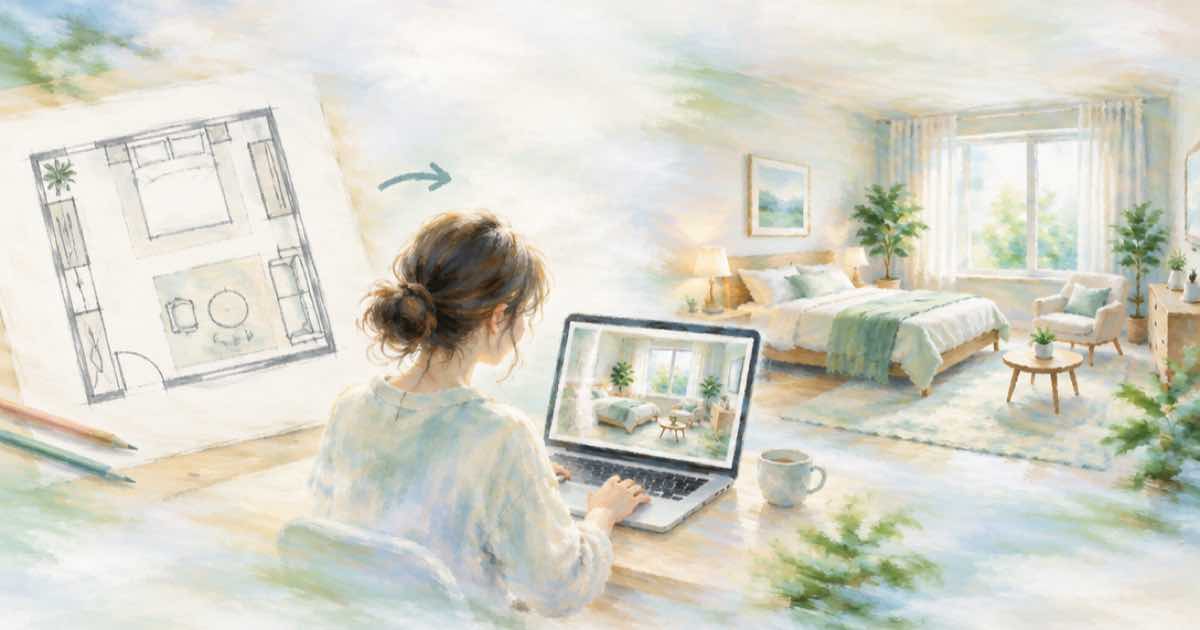
To turn a floor-plan sketch into a furnished room render, send the sketch as one reference to GPT Image 2.5, ask for 16:9 and say which room and camera angle you want. The render is a mood image, not a measured drawing: the model does not read dimensions from a sketch, so do not use it for fit or clearance decisions.
Tell it the view, not just the plan
A plan is a top view and the render is an eye-level view, so the model has to invent the camera. State it: "eye level from the doorway, looking at the sofa wall, daylight from the window on the left". Name each labelled item in text too, such as "sofa, 2.2 m", because handwriting on a sketch is easy to misread.
If a render puts the window on the wrong wall, fix it with a second call. Send the render as the reference and ask to move only the window, or send a mask_url over the area. The mask post in the related list covers that flow.
| Setting | Value | Note |
|---|---|---|
| aspect_ratio | 16:9 | Room view, landscape |
| input_references | 1 public HTTPS image | The plan sketch |
| quality | medium then high | Check layout at medium |
| prompt | Room, camera, light, materials | Name labelled items in text |
| use | Mood and style only | Not a measured drawing |
Request
Reference URLs must be public HTTPS, and Sume answers 400 input_media_unreachable when it cannot download one. A file on your laptop needs a public upload first, for example through the assets upload flow.
import os, requests
H = {"Authorization": f"Bearer {os.environ['SUME_API_KEY']}"}

def generate(body):
    r = requests.post("https://api.sume.com/v1/images", headers=H, json=body, timeout=60)
    if r.status_code != 200:  # 202 = still running, read data.status_url
        raise SystemExit(f"{r.status_code}: {r.text[:300]}")
    return r.json()["data"][0]["url"]
from io import BytesIO
from PIL import Image

url = generate({
    "model": "openai/gpt-image-2.5",
    "prompt": "Furnished living room render from this floor plan sketch. Eye level from the doorway, sofa wall ahead, window on the left with daylight, light oak floor, warm white walls.",
    "input_references": [{"type": "image_url", "image_url": {"url": "https://example.com/floor-plan.jpg"}}],
    "aspect_ratio": "16:9",
    "quality": "medium",
})
Image.open(BytesIO(requests.get(url, timeout=60).content)).save("room.png")
print("saved room.png")
Cost
GPT Image 2.5 is billed on tokens. The fal pages list $30 per million output image tokens, $8 per million image input tokens and $5 per million text input tokens. Sume bills the provider list price times 1.25. The table is output-only, so reference and prompt tokens add a little on top of it.
The table uses 1536x864, a 16:9 size where both edges are multiples of 16.
| Quality | Provider list | Sume at list x 1.25 |
|---|---|---|
| medium | $0.0084 | $0.0105 |
| high | $0.0323 | $0.0404 |
If the call returns 202
POST /v1/images waits up to 30 seconds and returns 200 with the images. A slow job falls back to a 202 job envelope, and you read the images from GET /v1/jobs/{id}/result. The code above exits on any non-200 so you notice, and a failed synchronous job returns 502 and is not billed.
What to use the render for
Use it to test a mood, a palette or a furniture style with a client. Do not use it to check that a sofa fits or a door can swing, because the model draws a plausible room and does not compute your plan. Keep the real drawings for any decision that needs a number. If a client asks for a second angle, send the first render back as a reference and ask for the same room from the opposite corner, so the furniture stays consistent between views.
Sources
Related posts
More in Use cases
- Florist bouquet photo to a 5-second Reel clip: Wan 3.0 at 480p vs 720p
Animate a bouquet photo into a 5-second 9:16 clip with Wan 3.0 on Sume for 31 cents at 480p or 63 cents at 720p; a 12-bouquet weekly set costs $3.75 or $7.50.
- Keep a label intact while swapping a scene: anchor box or mask
BFL's FLUX 3 anchor box preserves a region; its doc example reports 85.5% pixel-identical unmodified regions. On Sume, use a ChatGPT Image 2.5 mask_url edit.
- FLUX 3 Image free editing demo: a 4-edit test list before you pay
Test recolor, move, replace and swap in the reported free FLUX 3 precise-editing demo, then carry the winners to an API. Sume has no FLUX 3.
- Food truck weekly route poster: GPT Image 2.5 art, stops added in code
A weekly food truck poster costs $0.0129 for the art at medium on Sume, about $0.67 a year. Let GPT Image 2.5 draw the scene and print the stops with Pillow.
Written by Sume