
AI kitchen cabinet color preview from a photo of your kitchen
See cabinets in navy, sage or oak before you paint: one kitchen photo, a mask over the cabinet fronts, and one Sume image edit call per color option.
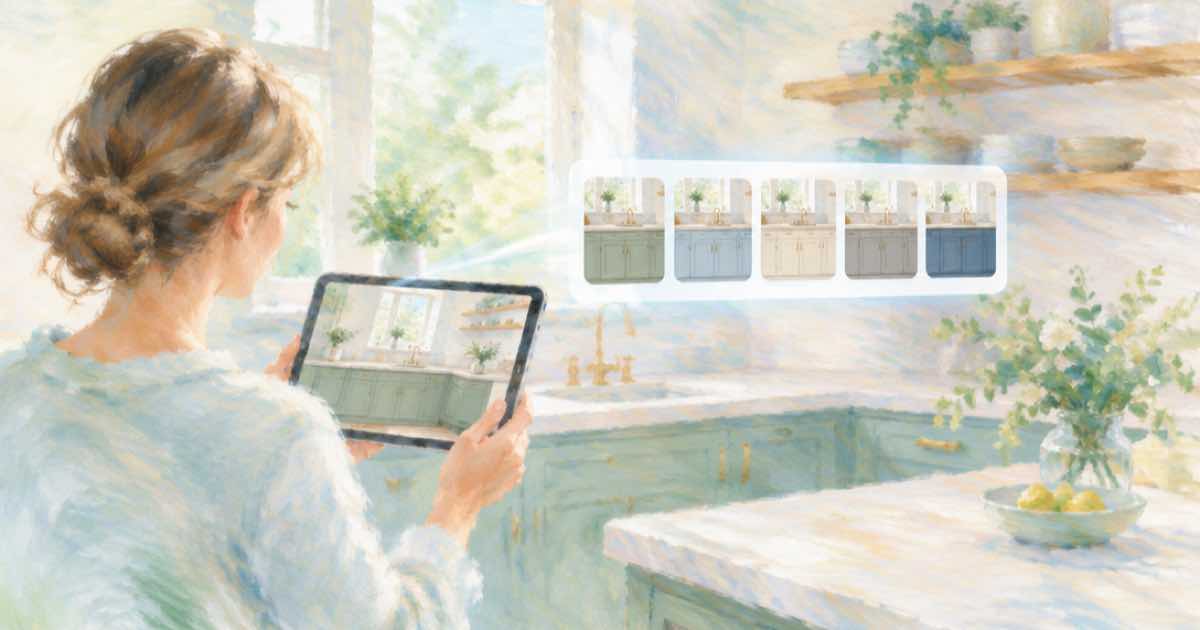
One photo, one call per color
Choosing a cabinet color from a paint chip is guesswork. A better preview is your own kitchen with only the cabinet fronts recolored. That is a masked image edit: the photo goes in as the reference, a mask marks the cabinets, and the prompt names the color.
Run one call per option and keep every other part of the request identical, so the three results differ in the one way you care about.
Sume Image API docs list ChatGPT Image 2.5 as openai/gpt-image-2.5 (Flare) and openai/gpt-image-2.5-sunburst. OpenAI's guide says to choose Sunburst where editing precision matters most and Flare for fast everyday generation, so these edits use Sunburst.
Describe the finish, not just the hue
Say matte or satin, say whether the hardware stays, and say that countertops, backsplash, floor and appliances must not change. A color name alone leaves the model free to repaint the walls to match. Mark the cabinet fronts with mask_url, a public HTTPS image URL; Sume accepts it on ChatGPT Image 2.5 only.
import os
import requests

REFS = [
    "https://example.com/kitchen.jpg",
]
resp = requests.post(
    "https://api.sume.com/v1/images",
    headers={"Authorization": f"Bearer {os.environ['SUME_API_KEY']}"},
    json={
        "model": "openai/gpt-image-2.5-sunburst",
        "prompt": "Repaint only the cabinet fronts deep navy with a satin "
                  "finish. Keep hardware, countertops, backsplash, floor and "
                  "appliances unchanged.",
        "aspect_ratio": "auto",
        "mask_url": "https://example.com/cabinet-mask.png",
        "input_references": [
            {"type": "image_url", "image_url": {"url": u}} for u in REFS
        ],
    },
    timeout=60,
)
print(resp.status_code)
print(resp.json())
What the mask has to satisfy
OpenAI's image generation guide lists the mask rules: an alpha channel, the same format and size as the photo, and under 50 MB. It also says masking is prompt-based and the model may not follow the mask shape with complete precision, so expect soft edges.
| Item | Detail |
|---|---|
| Calls for three colors | 3, one per color |
| Failed call | Not billed |
| Amount charged | usage.cost on each response |
| Price basis | Provider list price x 1.25 |
Use it as a preview, not a quote
Light, wood grain and the reflections in the room will differ from a real painted door. Treat the render as a way to rule out two colors, then test a sample door in the room before you buy paint for every cabinet.
What happens when a call runs long
Most image calls finish inside the 30-second wait that POST /v1/images holds open. When one does not, Sume answers 202 with a job envelope, and you poll GET /v1/jobs/{id}/status and read GET /v1/jobs/{id}/result. That result uses the standard job shape, not the image body, so check the status code first.
You only pay for a finished image. Failed and cancelled generations are not billed, and a request that ends early because the client disconnected is treated as a failed generation. The charged amount, provider list price times 1.25, comes back in usage.cost.
Sources
Related posts
More in Use cases
- AI Mastodon header 1500x500 and 400x400 avatar under 2 MB
Mastodon downscales headers to 1500x500 and avatars to 400x400, 2 MB max. Make both with the Sume image API: a 3:1 header, a square avatar, a crop script.
- AI meme image generator API: make the picture, then set the caption
For a meme, generate the image without words and add the caption in code, or quote it for GPT Image 2.5 and check the spelling. A Sume request.
- AI moodboard from one reference image via API: four variations a call
Make a moodboard from a single reference: the n parameter returns up to 4 images per call on 17 Sume rows; Grok Imagine returns 1. Cost per board and a script.
- AI mug wrap art for print on demand: wide ratios on Sume
A mug wrap is much wider than tall. See which Sume image models take 2:1, 3:1 and 21:9, what each costs per image, and how to check the art against a template.
Written by Sume