
AI accent wall wallpaper preview from a room photo and a pattern
Preview wallpaper on one wall: a bedroom photo, a photo of the wallpaper sample, a mask on that wall, and a Sume edit that keeps furniture in place.
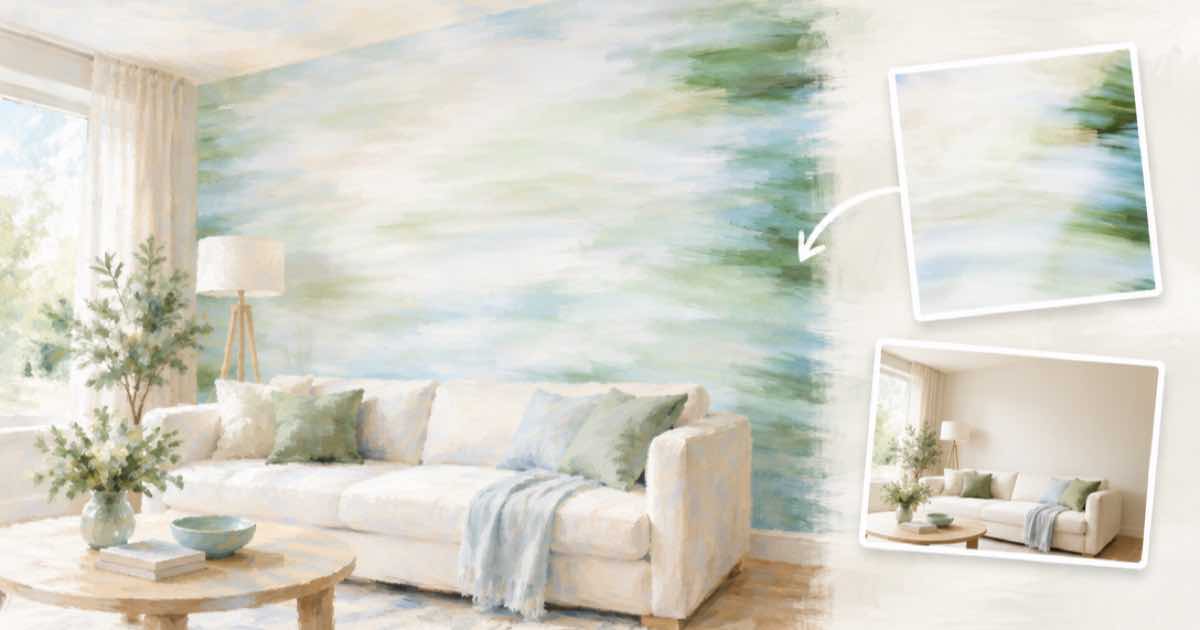
One wall, one pattern
Wallpaper samples are small and patterns are large. Photograph the wall straight on, add a picture of the sample as image 2, and mask the wall you want to cover.
Use mask_url on ChatGPT Image 2.5 and keep the headboard, lamps and window out of the mask area where you can. The mask drives the area; the prompt names the pattern source.
Sume Image API docs list ChatGPT Image 2.5 as openai/gpt-image-2.5 (Flare) and openai/gpt-image-2.5-sunburst. OpenAI's guide says to choose Sunburst where editing precision matters most and Flare for fast everyday generation, so these edits use Sunburst.
Say pattern scale and the seam rules
Give the pattern repeat: one repeat is about 50 cm wide. Ask for the pattern to run behind the furniture, not over it. Say the other walls, ceiling, bed and lamps stay as they are.
import os
import requests

REFS = [
    "https://example.com/bedroom.jpg",
    "https://example.com/wallpaper.jpg",
]
resp = requests.post(
    "https://api.sume.com/v1/images",
    headers={"Authorization": f"Bearer {os.environ['SUME_API_KEY']}"},
    json={
        "model": "openai/gpt-image-2.5-sunburst",
        "prompt": "Image 1 is a bedroom photo, image 2 is a wallpaper sample. "
                  "Cover only the wall behind the bed with image 2, one "
                  "pattern repeat about 50 cm wide, running behind the "
                  "headboard and lamps. Keep everything else unchanged.",
        "aspect_ratio": "auto",
        "mask_url": "https://example.com/accent-wall-mask.png",
        "input_references": [
            {"type": "image_url", "image_url": {"url": u}} for u in REFS
        ],
    },
    timeout=60,
)
print(resp.status_code)
print(resp.json())
Scale options
Same room, same sample, one repeat size per call.
| Option | Repeat width |
|---|---|
| A | About 25 cm |
| B | About 50 cm |
| C | About 75 cm |
Order a sample sheet next
Pattern scale and color shift under real light. Use the preview to choose between two designs, then tape a full sample sheet to the wall for a day.
Quality and the first try
On ChatGPT Image 2.5 the quality field takes auto, low, medium, high, xhigh or max, and leaving it out means high. For a first pass at a layout idea, a lower tier is a reasonable way to look at composition before you pay for a final render.
Keep the source photo, the prompt and the response together for each option. That makes it easy to rerun the one you pick at a higher quality tier.
What happens when a call runs long
Most image calls finish inside the 30-second wait that POST /v1/images holds open. When one does not, Sume answers 202 with a job envelope, and you poll GET /v1/jobs/{id}/status and read GET /v1/jobs/{id}/result. That result uses the standard job shape, not the image body, so check the status code first.
You only pay for a finished image. Failed and cancelled generations are not billed, and a request that ends early because the client disconnected is treated as a failed generation. The charged amount, provider list price times 1.25, comes back in usage.cost.
Sources
Related posts
More in Use cases
- AI airport sign photos: set arrows and words in code, not the model
Image models still bend arrows and misspell wayfinding text. Generate a sign with no text, then set the exact arrows and words in Pillow. Runnable script.
- AI app icon via API: generate 1:1, add a transparent option, resize
App icon art from the Sume image API: 1:1 text-free art, ChatGPT Image 2.5 for a transparent background, and a Pillow loop that exports the sizes you need.
- AI mockup of your app screenshot on a phone in a hand
Put an app screenshot on a hand-held phone photo with one Sume image edit: photo first, screenshot second, and a check that the UI text is intact.
- AI architecture concept render from a sketch via API on Sume
Turn a massing sketch or photo of a model into a concept render: reference edit rows on Sume from $0.025, 16:9 framing, and why you should label it a concept.
Written by Sume