
AI mockup of your app screenshot on a phone in a hand
Put an app screenshot on a hand-held phone photo with one Sume image edit: photo first, screenshot second, and a check that the UI text is intact.
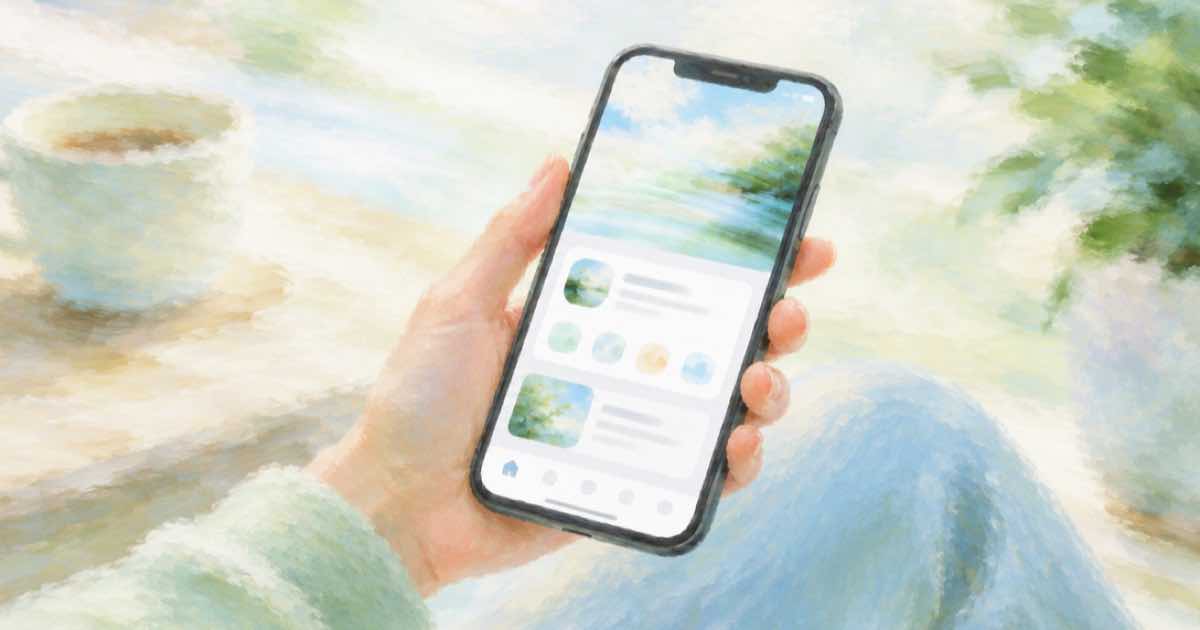
The phone photo plus the screenshot
A landing page or a press kit often wants a person holding a phone that shows your app. You can shoot or generate the hand-and-phone photo, then use an edit to put the real screenshot on the screen.
Send the phone photo first and the screenshot second in input_references, and name them as image 1 and image 2 in the prompt.
Sume Image API docs list ChatGPT Image 2.5 as openai/gpt-image-2.5 (Flare) and openai/gpt-image-2.5-sunburst. OpenAI's guide says to choose Sunburst where editing precision matters most and Flare for fast everyday generation, so these edits use Sunburst.
Keep the UI text readable
Screens are text-heavy, and OpenAI's guide says its image model can still struggle with precise text placement and clarity. After the edit, zoom in on labels and numbers. If any text changed, composite the original screenshot over the screen area in an image editor and use the edit result for lighting, reflection and hand position only.
import os
import requests

REFS = [
    "https://example.com/phone-in-hand.jpg",
    "https://example.com/screenshot.png",
]
resp = requests.post(
    "https://api.sume.com/v1/images",
    headers={"Authorization": f"Bearer {os.environ['SUME_API_KEY']}"},
    json={
        "model": "openai/gpt-image-2.5-sunburst",
        "prompt": "Image 1 is a photo of a hand holding a phone, image 2 is "
                  "an app screenshot. Show image 2 on the phone screen with "
                  "the right perspective and a faint screen reflection. Keep "
                  "the hand and background unchanged.",
        "aspect_ratio": "auto",
        "input_references": [
            {"type": "image_url", "image_url": {"url": u}} for u in REFS
        ],
    },
    timeout=60,
)
print(resp.status_code)
print(resp.json())
What to send
Reference URLs must be public HTTPS. The same call works with n set above 1 when you want a few angles; read the n range for the model from the catalog first, since per-model ceilings are lower than the overall limit of 10.
| Field | Value |
|---|---|
| input_references[0] | Phone-in-hand photo |
| input_references[1] | App screenshot |
| aspect_ratio | auto |
| n | Per-model range from GET /v1/images/models |
Verify before it goes on a store page
Store listings and ads often have rules about screenshots showing the real product. Keep the unedited screenshot file for those uses and treat the mockup as marketing art.
Quality and the first try
On ChatGPT Image 2.5 the quality field takes auto, low, medium, high, xhigh or max, and leaving it out means high. For a first pass at a layout idea, a lower tier is a reasonable way to look at composition before you pay for a final render.
Keep the source photo, the prompt and the response together for each option. That makes it easy to rerun the one you pick at a higher quality tier.
What happens when a call runs long
Most image calls finish inside the 30-second wait that POST /v1/images holds open. When one does not, Sume answers 202 with a job envelope, and you poll GET /v1/jobs/{id}/status and read GET /v1/jobs/{id}/result. That result uses the standard job shape, not the image body, so check the status code first.
You only pay for a finished image. Failed and cancelled generations are not billed, and a request that ends early because the client disconnected is treated as a failed generation. The charged amount, provider list price times 1.25, comes back in usage.cost.
Sources
Related posts
More in Use cases
- AI architecture concept render from a sketch via API on Sume
Turn a massing sketch or photo of a model into a concept render: reference edit rows on Sume from $0.025, 16:9 framing, and why you should label it a concept.
- AI avatar mock interview: live interviewer or question clips
Tavus lists an Interviewer PAL as a live use case. Sume can render each interview question as a short avatar clip with a thinking pause. Where each one fits.
- AI avatar of a real person: release checklist before the photo
Before you turn an employee's or creator's photo into a Sume avatar, get a written release. A checklist for scope, term and revocation, matched to the API.
- AI avatar sales agent: live SDR or personalised clips?
Tavus builds live SDR avatars on a per-minute plan. Sume renders one 4-60 second avatar clip per lead from a script. How to pick, plus a Python loop.
Written by Sume