
Recolor sneakers to sand suede, keep the laces white: prompt test
Four prompt wordings for a colorway edit that changes one part and keeps another, run on Ideogram 4.5 at the low tier on Sume for $0.15 in total.
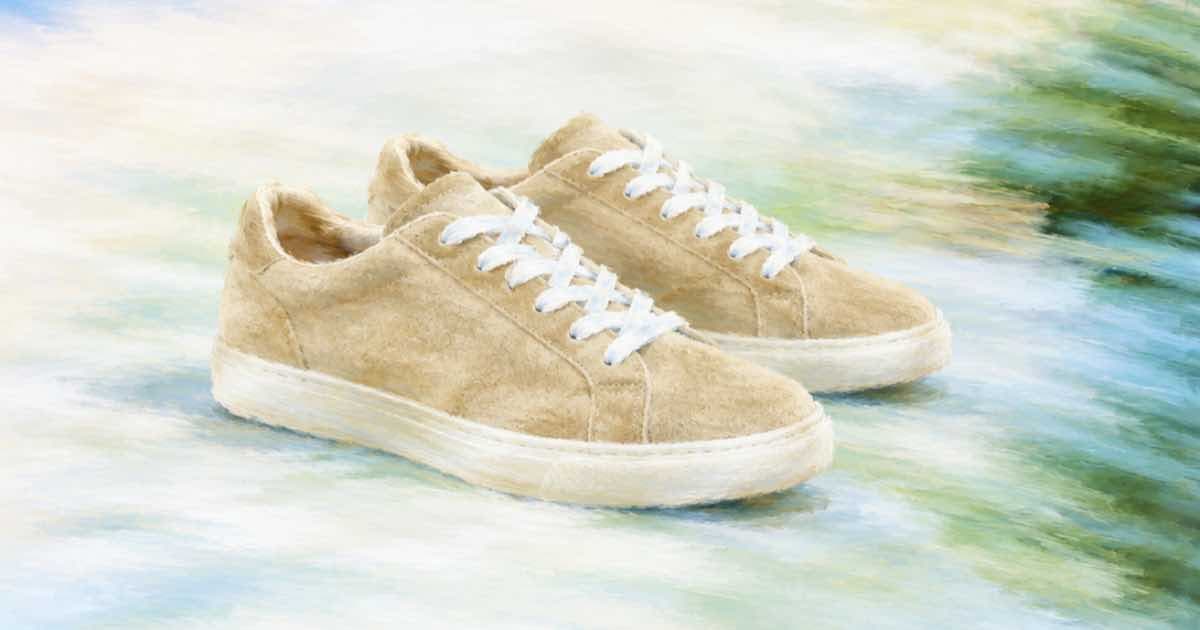
To recolor a product and keep one part unchanged, name both in one sentence: the part that changes with its new material, and the part that stays with the word "keep". Morphic's Ideogram 4.5 page uses exactly this shape in its examples: "Change the sneakers to sand suede, keep the laces white". Run four wordings at the low tier on Sume, $0.0375 each or $0.15 for all four, and choose the one that holds the laces.
The four wordings to compare
Use one source photo, the same quality and the same call settings each time. Only the wording varies, so any difference comes from it. Send the photo as the sole entry in input_references and omit aspect_ratio, as the Image API docs describe for an edit that keeps the source shape.
- A. "Change the sneakers to sand suede, keep the laces white." (the vendor's wording)
- B. "Change the upper to sand suede. Keep the laces, the sole and the logo exactly as they are."
- C. "Recolor only the suede upper to sand. Do not touch the laces."
- D. "Make the sneakers sand suede with white laces, white midsole, same stitching."
What to score
Colour edits fail quietly. The model may shift the whole picture's white balance, so the laces look cream next to the new upper and you blame the wording. Compare the laces to a white patch in the original, not to the new shoe. A grey card or a white wall in frame makes this easier.
Score each result on four things: did the laces stay white, did the sole and logo stay, did the material read as suede and not as flat colour, and did the shadow under the shoe stay. A tick list of four items per wording gives you a clear winner after 16 checks. Wording D lists the wanted result instead of the change, which sometimes behaves differently from the others; that is a reason to include it, not a prediction about which wins.
From test to colorway set
Keep suede in the prompt even for colours where you care only about hue. The material word tells the model to keep a matte nap and not a glossy leather look, which changes how highlights fall on the toe cap.
Once one wording holds, reuse it for each colour by changing only the colour and material word. Five colourways at medium quality are $0.375 in total on Sume ($0.075 each). If one colour fails, for example a light colour that washes out the stitching, rerun that one at high for $0.275.
| Step | Quality | Images | Cost |
|---|---|---|---|
| Wording test | low | 4 | $0.15 |
| Five colourways | medium | 5 | $0.375 |
| One retry | high | 1 | $0.275 |
For edits that start from a short list of products rather than one shoe, see the remove-and-recolor chain. Check the finished set against the original with the pixel diff, since a recolor that also moves the sole is easy to miss on a small preview.
Sources
Related posts
More in Use cases
- Remove a date stamp from a scanned photo: crop first, then a mask edit
Remove an orange date stamp from a scanned family photo: crop it for free in Pillow, or mask it and edit with openai/gpt-image-2.5 from $0.0094 an image.
- Remove a person or object from a finished clip with Gemini Omni edit
Delete a passer-by, a sign or a cable with one video_url request to Gemini Omni Flash 1.1. There is no mask field, so the prompt does the work. Cost per clip.
- Remove a price sticker from a product photo and check the label
Remove a sticker from a product photo with Ideogram 4.5 on Sume, then check the label text underneath. A small mask on GPT Image 2.5 limits the edit.
- Remove dust, lint and wrinkles from a product photo with an AI edit
Clean dust, lint and fabric wrinkles from a product photo with ideogram/ideogram-v4.5: one reference, no mask, $0.0375 to $0.275 per image on Sume.
Written by Sume