
One garment photo to five shop assets: a small clothing shop workflow
A small shop with one photo per garment can make a cut-out, on-model still, 4:5 post, 9:16 clip and try-on with Sume calls. Order and checks.
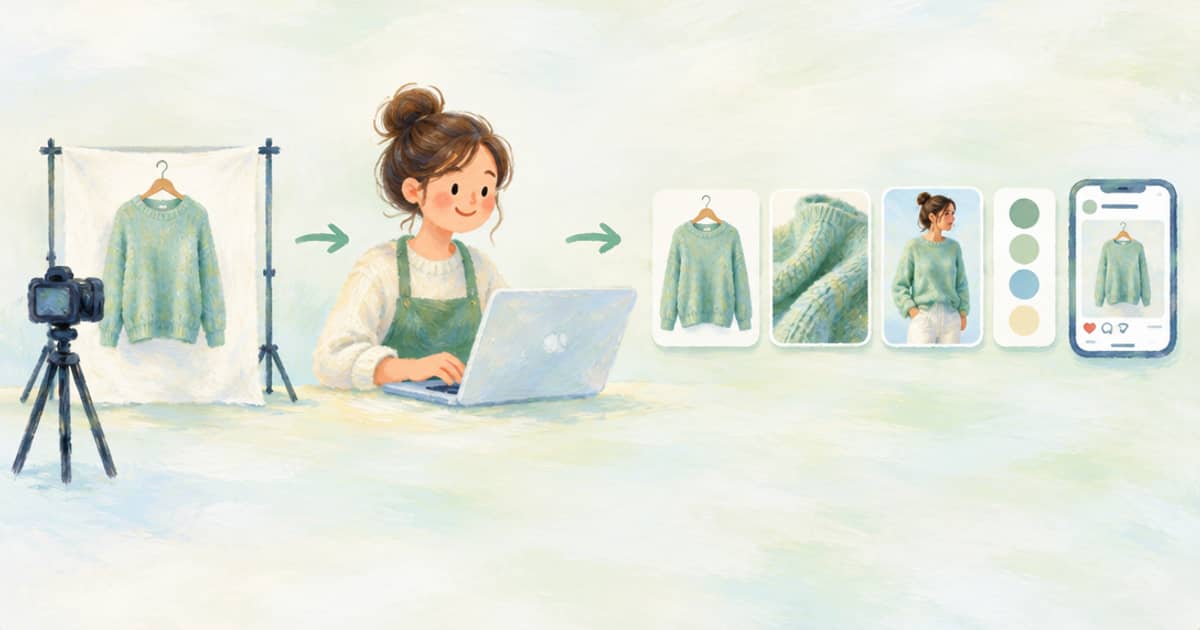
Start from one clean garment photo and make five assets in this order: a transparent cut-out, an on-model still, a 4:5 post image, a 9:16 clip and a try-on Format run. Each step reads the result of the one before, so you check one thing at a time and stop when something is wrong. Sume covers all five with its Image API, Video Router and Formats.
This is a small-shop workflow, not a studio one. ChatGPT's new Try on button on product listings (read 2026-10-03, OpenAI help page) means shoppers will expect to see a garment on a body, and a shop with one photo per item has to get there from what it has.
The five assets and the call behind each
Keep every step's output URL, since the next step reads it. Reference URLs must be public HTTPS, and Sume results are hosted on media.sume.com.
| Asset | Sume call | Key setting |
|---|---|---|
| Transparent cut-out | Image 1.0 POST /v1/image-1.0/generate | transparency: true |
| On-model still | POST /v1/images, openai/gpt-image-2.5 | aspect_ratio: auto |
| 4:5 post image | Same call, new framing | aspect_ratio: 4:5, 1080 by 1350 |
| 9:16 clip | POST /v1/video-router/generate | image_url, aspect_ratio: 9:16 |
| Try-on clip | POST /v1/formats/sume/sume-virtual-try-on/runs | Person and garment as attachments |
Order of work and what to check
Begin with the cut-out because it proves the garment photo is clean. Image 1.0 is the route the docs name for transparent stills today, with transparency: true; note that Image 1.0 is the older family and is being retired, so check the docs before building a long-lived pipeline on it. Then make the on-model still with gpt-image-2.5, passing the garment as an input_references entry. Check the print, the neckline and the length against the original.
Reuse the same still for the 4:5 post by asking for that aspect ratio; the Sume docs name 4:5 as Instagram portrait, 1080 by 1350. For the clip, send the on-model still as image_url to a model on the Video Router that supports image-to-video, and keep the motion small. gemini-omni-flash-1.1 accepts 3 to 10 seconds in 16:9 or 9:16 and has audio always on.
curl -X POST https://api.sume.com/v1/video-router/generate \
  -H "Authorization: Bearer $SUME_API_KEY" \
  -H "Content-Type: application/json" \
  -H "Idempotency-Key: shop-garment-88-clip-v1" \
  -d '{
    "model": "gemini-omni-flash-1.1",
    "prompt": "The model turns slowly, fabric moves naturally. Soft daylight, quiet room.",
    "image_url": "https://media.sume.com/img/EXAMPLE/0.png",
    "duration": 6,
    "resolution": "720p",
    "aspect_ratio": "9:16",
    "mode": "async"
  }'
When to use the Format instead
If you have a person photo as well, the sume-virtual-try-on Format does the still and the clip in one run, which is less work than wiring the steps yourself. See virtual fitting versus virtual try-on for which apparel Format suits an ad and which suits a preview. For a two-stage image-then-reveal, the before-after Format post is the closest match.
Costs differ a lot between these assets: a still is cheap, a clip is dearer and a Format run adds orchestration. Read usage.cost or the receipt's usage.billable_amount_usd_micros after each, and stop when a step does not look right. A weak on-model still is cheaper to fix than a weak clip made from it.
Keep a spreadsheet row per garment with the five URLs and what you approved; it doubles as your record of which images are generated.
A realistic schedule for one afternoon
For a shop with twenty garments, do the cut-outs for all twenty first, since they are cheap and expose bad photos early. Then do on-model stills for the garments whose cut-outs look clean. Pick the five best sellers for clips and a try-on run, and leave the rest as stills. You end up with a tiered catalogue rather than a uniform one, which matches how shoppers actually browse.
Keep an approval column in your sheet with one of three values per asset: approved, retry, dropped. Retry means the prompt needs a named correction, and dropped means the source photo was the problem. After a few garments you will see which photos fail and can improve the shoot instead of the prompt.
Where this breaks down
The workflow assumes the garment photo is clean and flat. A photo with heavy shadows, a busy background or a wrinkled garment will carry those problems into every asset. If the first cut-out looks poor, reshoot rather than prompting around it. Time spent on the first photo pays back five times.
Sources
Related posts
More in Use cases
- Nine portraits in one AI image call: 3x3 grid prompt and slicer
Generate a 3x3 grid in one request and slice it into nine tiles. The pixel math at the 8.29 MP cap, what you give up in resolution, and when nine calls win.
- One MP4 for Instagram Reels, Facebook Reels, Stories and Threads
One 9:16 export can pass Instagram Reels and Stories, Facebook Reels and Page stories, and Threads: 60 s, 100 MB, 24-60 fps. The shared spec and Sume settings.
- Open house invite video for Thanksgiving weekend, from listing photos
Thanksgiving is Nov 26, 2026, so the open house weekend is Nov 28 and 29. Turn six listing photos into one vertical invite with the date and address burned in.
- Open house promo reel: date, time and address over listing photos
Make a vertical open house reel from listing photos: a silent Timeline 1.0 render, then burn date, time and address as caption cues. Rates and limits included.
Written by Sume