
Coffee roaster iced-coffee ad: GPT Image 2.5 still, then a clip
A coffee roaster can design one hero still with GPT Image 2.5 on Sume, check the bag and glass, then use it as the first frame of a short video. Two steps.
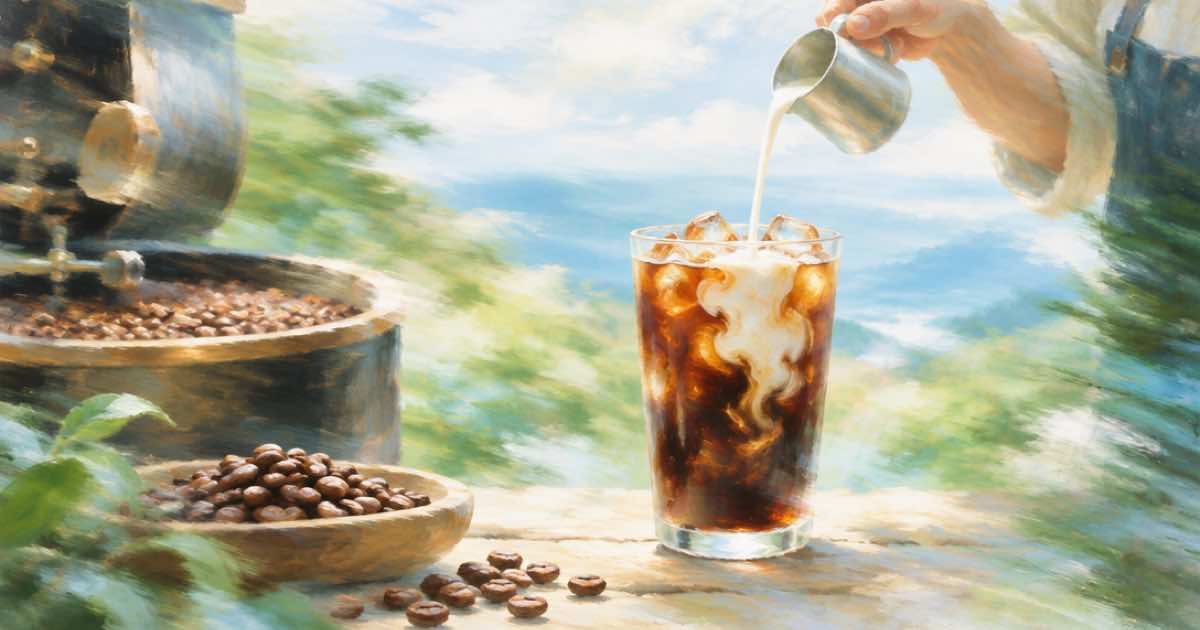
A coffee roaster can make an iced-coffee ad in two steps: generate one hero still with openai/gpt-image-2.5 on POST /v1/images, then pass that still as the first frame of a short clip on POST /v1/videos. Making the still first lets you fix the bag, the glass and the light cheaply before any motion is paid for.
The order matters because a bad still is a bad video. A still costs less to redo than a clip.
Step 1: the still
Sume lists ChatGPT Image 2.5 as openai/gpt-image-2.5 (Flare) and openai/gpt-image-2.5-sunburst. Both support text-to-image, up to 16 image references, an optional mask_url, and background. Quality accepts auto, low, medium, high, xhigh and max, with high as the default when you omit it.
Attach your real bag photo as an input_references entry so the label survives, and ask for the glass, the ice and the light. Use aspect_ratio of 9:16 if the clip is for stories, or 4:5 for a feed still (Sume documents 4:5 as Instagram portrait, 1080 by 1350).
curl -X POST https://api.sume.com/v1/images \
  -H "Authorization: Bearer $SUME_API_KEY" \
  -H "Content-Type: application/json" \
  -d '{
    "model": "openai/gpt-image-2.5",
    "prompt": "Iced coffee in a tall glass beside our coffee bag on a sunlit cafe counter, condensation on the glass, keep the bag label exactly as in the reference",
    "input_references": [
      { "type": "image_url", "image_url": { "url": "https://example.com/our-bag.jpg" } }
    ],
    "aspect_ratio": "9:16",
    "quality": "high"
  }'
Check the label
Image models can rewrite small text. Zoom into the bag label, the roast name and any weight on the pack, and compare them with your real packaging. If any letter is wrong, edit with a mask or regenerate, and do not move on to video with a wrong label in frame one.
A response of 200 is the image; 202 is a job envelope for slow configurations, which you then poll like any job.
Step 2: motion from the still
Take the finished still's media.sume.com URL and send it as frame_images with frame_type: first_frame to POST /v1/videos. Pick a model whose supported_frame_images includes first_frame: seedance-2 does in Sume's docs. Describe small motion, such as ice settling and condensation sliding, and keep the camera still.
This month's roundups point to short controlled clips and synced audio as the practical sweet spot for generated video (AI Video Generation Trends, read 2026-10-07). A 5 to 8 second loop fits.
| Step | Endpoint and model | Key setting |
|---|---|---|
| Still | POST /v1/images, openai/gpt-image-2.5 | input_references up to 16, quality default high |
| Still shape | Same call | aspect_ratio 9:16 or 4:5 |
| Clip | POST /v1/videos, seedance-2 | frame_images with first_frame |
| Clip length | seedance-2 | 4 to 15 seconds |
| Both | Async jobs | Poll /v1/jobs/{id}/status |
Cost control
Read each model's price lines in its catalog (GET /v1/images/models and GET /v1/videos/models) before a batch. Iterate on the still at medium quality, then raise it for the final.
Sources
Related posts
More in Use cases
- Construction time-lapse from two photos with Omni first/last frame
Turn a site photo from week one and a photo of the finished building into an 8-second progress clip. Request shape, prompt, cost, and what to check.
- Construction time-lapse from two site photos: Wan 3.0, $1.25
Use a start photo and a finished photo as first and last frame on Sume's wan-3.0. 10 seconds is $0.63 at 480p, $1.25 at 720p, $2.50 at 1080p.
- Crop a 21:9 Seedance clip for TikTok: 1120x630 passes, 630x630 misses
A 720p 21:9 Seedance frame is 1470x630. Cropped to 16:9 it is 1120x630, above TikTok's 960x540 floor. Cropped to a square it is 630x630, ten pixels short.
- Customer onboarding email series with an avatar: 5 clips, cost by tier
Five 20-second onboarding clips from one Sume avatar cost $18.40 on standard, $24.50 on plus and $55.00 on max. How to plan the series and when to re-render.
Written by Sume