Media tools
Sume media tools by API: trim, filter, captions, frames, inspect, speech-to-text, upscaling, background removal, transitions, and Timeline assembly.
Start with Video editing API limits: Sume media tool caps in one table

Roku ad frame rates: only three allowed, probe first
Roku ads reportedly accept 23.98, 25 or 29.97 fps. Probe your clip before upload with Sume's video inspect, and cut it to length if it is outside 6 to 92 s.

WebP with transparency: output and import rules
Synthesia's editor now accepts WebP with transparency kept. On Sume, set output_format and background explicitly and check the result for alpha.

Faithful vs generative upscale: which to pick
The key question for any upscaler is whether it may invent detail. Compare Real-ESRGAN and SeedVR scale ranges, then run a test through Sume's upscale tools.

LTX-2.5 48 fps option: conform frame rate on Sume
LTX-2.5 offers 24/25 fps or 48/50 fps. Sume's video catalog has no fps field, but Timeline output.fps conforms a clip to 24, 25, 30 or 60.

Mercado Libre Clips: 61 s needs two clips in Timeline
Mercado Libre Clips run 10 to 61 seconds. Some Sume models make 30 s clips, so two in Timeline give a 60 s vertical Clip for one billed minute.

Gemini 3.8 Flash TTS voices for a Sume Timeline cut
Gemini 3.8 Flash TTS went GA with voice design and replication. How to bring a voiceover into Sume as the Timeline audio spine, or make it with tts_create.

Change the caption highlight colour without changing the style
Cheap transcription made captions routine; brand colour is what is left. One design field changes the spoken-word colour and keeps everything else in the style.

Fix one wrong word in burned-in captions without a re-transcribe
One misheard word in a burned-in caption? Re-burn with source_caption_id and a words list instead of running speech-to-text again. Request body included.

Meta Reels ads convert non-9:16 media: send your own 9:16 clip
Meta says Reels placement can apply automatic templates that convert non-9:16 media. Render the 9:16 yourself with Sume timeline fit modes and keep the framing.

Swapped the voice? Re-time the visuals from word timestamps
A new voice speaks at a new pace, so cuts set for the old one drift. Take each scene's start from the new take's word timestamps and re-plan the timeline.

Split one recording into many audio clips: detach once, then split
Twenty ranges from one talking-head video need one audio detach and one split job, not twenty cuts. Wav or mp3, overlap rules, and what each clip returns.

Stabilize shaky video by API: Sume has no deshake, so do this
Sume's video filter refuses deshake and vidstab as unknown filters. Prove it with the free check, stabilize upstream, then use Sume for trim, crop and captions.

Trim the silent lead-in: first spoken word from STT, then video trim
A clip that starts with two seconds of nothing loses viewers. Read the first word's start time from STT, then cut with video trim, exact or keyframe.

WCAG 1.4.4 resize text: do burned-in captions need it?
WCAG 1.4.4 exempts captions and images of text, so burned-in captions need no resize. You still choose their size: use design.typography on Sume.

YouTube Shorts 2x playback: will your burned-in captions still read?
Viewers can double the speed of a Short. Burned-in captions play at that speed too. Halve each phrase's time, then tune Sume caption phrasing to fit.

Email-sized preview image from an avatar clip: video-frames max_edge
Pull the first frame of a Sume avatar clip as a 600-pixel jpeg for an email or a link card: one video-frames call with at [0] and max_edge 600.

Skim a 20-minute video: video inspect seek fast vs precise
Use seek fast to sample 24 stills from a long video quickly, up to one keyframe interval early, and seek precise when a timestamp must match. Sume docs, read.

Holiday text-message promo: pull a poster frame from your ad clip
For a text promo with a link, pick a still from the finished clip with Sume video frames, host it on media.sume.com, and use the clip as the landing page asset.

Logo on a Seedance 2.5 clip: reference image or an exact overlay
Generative video can warp a logo. Send it as a reference image to get it in-scene, or overlay the real file with Sume timeline compose for $0.02.

QC a 30-second Seedance 2.5 clip with six stills first
Extract six stills with Sume video frames at fps 0.2 and check subject, text, hands, logo and continuity before a client sees a generated 30-second clip.

Restyle one captioned clip into three looks with source_caption_id
Pass source_caption_id to video-captions to re-burn the same clip in a new style without a second speech-to-text run. A restyle is still a billed render.

Caption a silent Seedance 2.5 clip with authored cues
A clip with no speech fails Sume caption jobs as caption_no_speech. Pass cues with text, start and end seconds instead; $0.20 per job up to 60 seconds.

Inspect old Sora mp4s before mixing them with new clips
Saved Sora files may not match new clips in size, length or frame rate. Probe them with Sume video inspect, read the facts, then decide what needs re-rendering.

Reels ad safe zone at 1080x1920 in pixels and the caption anchor
Meta says leave 14% top, 35% bottom and 6% per side clear. At 1080x1920 that is 269, 672 and 65 px; here is the anchor_ratio that keeps a caption inside.

YouTube Shorts ad text limits: 90 and 40 characters vs burned captions
Google Ads caps Shorts ad text at a 90-character description and a 40-character CTA headline. Burned-in captions are pixels and fall outside those counts.

Burn feature text onto silent product clips with caption cues
A silent product clip fails speech captions. Pass your own cues (text, start, end) to Sume's video-captions endpoint and burn feature text on for TikTok Shop.

Transparent-background product cutouts with GPT Image 2.5
Make a PNG product cutout with a transparent background through Sume's Image API, then place it on each marketplace's own background. Request fields and checks.

Turn six product stills into a 30-second vertical video
When 12 million AI listings share the same still images, a short video stands out. Stitch six stills into a 1080x1920 clip with Sume Timeline 1.0 for $0.10.

Remove old burned-in subtitles by cropping, then re-caption
Sume has no subtitle inpainting. If old captions sit in a bar at the edge, crop it with the video filter, test with the free check, then burn new cues.

Amazon audio ads, 3 MB cap: 30 s mono WAV fits, stereo does not
Amazon audio ads allow 10 to 30 seconds and 3 MB. In 16-bit PCM, 30 s mono at 44.1 kHz is 2.65 MB and stereo is 5.29 MB. Detach it with Sume audio-detach.

Spotify and Amazon audio ads share one loudness target: -14 RMS
Spotify's video ad page and Amazon's audio ad page both ask for RMS at -14 dBFS and peak at -0.2 dBFS. Where Sume's gain_db helps and where you must measure.

Samsung Ads mobile video, 10 MB recommended: bitrate for 15 and 30 s
Samsung recommends 10 MB for mobile and tablet video, 30 MB for desktop. That caps a 30-second spot near 2.7 Mbps. The math, plus a Sume render and size check.

AI music for a 30-second video: no duration field, so prompt it
Sume's Music Router rejects duration and duration_seconds. Steer length in the prompt, then cut the track to your video with a timeline audio split.

Keep a sub-3-minute video out of YouTube Shorts: render it 16:9
YouTube treats square or vertical videos up to 3 minutes as Shorts. To keep a short clip as regular video, make it 16:9 on Sume with 1920 by 1080 Timeline.

Caption a dubbed video: script_text and the Hangul style rule
After you dub a video, burn captions with script_text so the words match your script. Sume uses speech only for timing. A Korean script needs a Hangul style.

Detach a 16 kHz mono wav from a video for speech-to-text
One call to Sume audio detach returns a 16 kHz mono wav from a video for $0.01. Cap rules, the range field for long videos, and what transcription then costs.

How big is a TTS mp3 per minute at 32 to 192 kbps?
Sume TTS mp3 bit rates are 32, 64, 96, 128 and 192 kbps. A constant-rate size table per minute, and which rate fits a short-video voiceover.
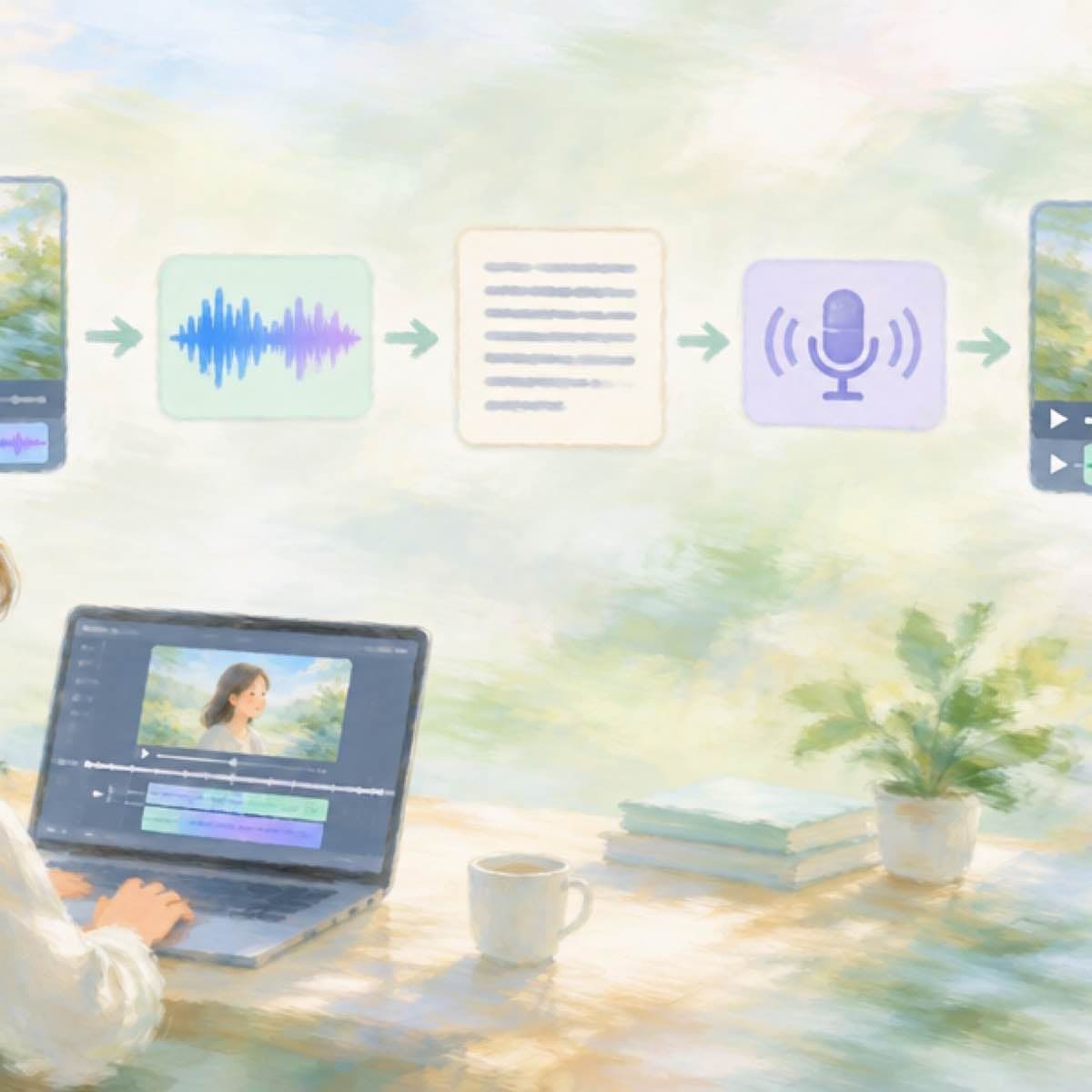
Replace the voice in a finished video: detach, transcribe, TTS, render
Four Sume calls swap the narration in a finished video: detach the audio, transcribe it, voice your edited script, render. About 17 cents for one minute.

Timeline renders 1080x1920 by default: set size for square or 16:9
Sume Timeline 1.0 outputs 1080 by 1920 MP4 unless you set output.width and height, even integers 256 to 2160. Sizes for 1:1, 4:5 and 16:9 shown.

Upscale before or after an image edit? Order and cost on Sume
Edit at working size, then upscale once. Sume's image upscale reserves 20 cents per image, so upscaling between every pass multiplies the bill.

Lip-sync a 20-second line: H3 Max takes 14.8 s of audio, so split it
MiniMax H3 Max lip sync on Sume accepts 5 to 14.8 seconds of audio. How to cut a 20-second line into two takes, or use Fabric for a longer face-to-camera line.

Kids video background music: a Lyria prompt that stays instrumental
A copy-ready music prompt for a children's video bed: seven brief axes, a 'no vocals' ending, and one $0.125 Sume generation, with length set in the prompt.

SRT or WebVTT? What Vimeo, Spotify, Apple and Cloudflare accept
Vimeo, Spotify and Apple Podcasts take SRT or WebVTT; Cloudflare Stream documents WebVTT. A table read 2026-10-03 and a script writing both from Sume segments.

Vimeo "Invalid Caption File": build clean WebVTT from Sume
Vimeo rejects a cue that starts at the previous cue's end. Sume sentence segments touch, so trim 1 ms, write UTF-8 WebVTT and upload. Script included.

Spotify podcast transcript upload: VTT, 5MB and Sume STT parts
Spotify takes VTT or SRT up to 5MB, with timestamps. Build one from Sume STT in 10-minute parts, stitch the cues, and upload from Spotify for Creators.

WebVTT cue settings (line, size) vs Sume anchor_ratio and width
WebVTT line:78%,center and size:90% have close matches in Sume's caption design fields. A converter script, and what per-cue settings a burned render loses.

Vertical video subtitles: BBC's 3-line rule and Sume settings
BBC guidance for 9:16 subtitles: up to 3 lines, 90% width, placed a little high. How to set safe_width_ratio and anchor_ratio on Sume burned-in captions.

Turn a ChatGPT try-on image into a video with Seedance 2.5
Saved a try-on image to your ChatGPT Library? Host it, then use it as the first frame of a 9:16 clip on seedance-2.5 through POST /v1/videos. A working script.