
AI patio furniture preview: place a product photo in your patio
See a patio set in your own space before you buy: your patio photo first, the catalog product photo second, and one Sume image edit call that sets scale.
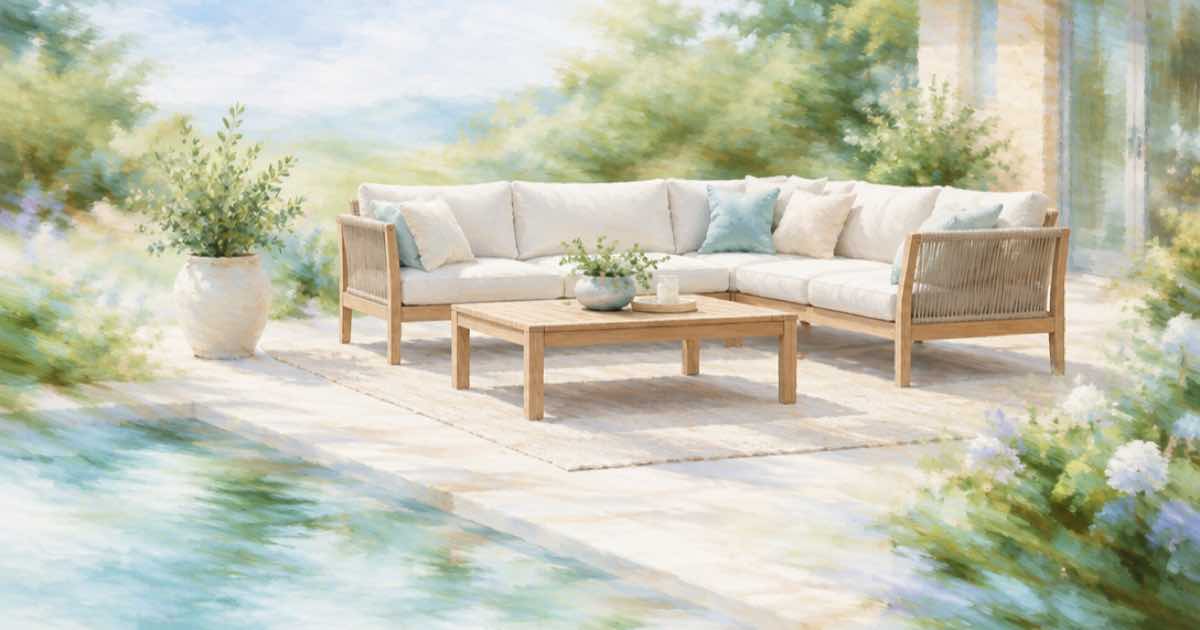
Your patio and the product shot
Retailers show furniture on white backgrounds. Buyers want it on their own patio. With a photo of the space and the catalog image of the set, one edit call places it.
Send the patio first and the product second in input_references, and name them. ChatGPT Image 2.5 takes up to 16 references, so you can add more angles of the set.
Sume Image API docs list ChatGPT Image 2.5 as openai/gpt-image-2.5 (Flare) and openai/gpt-image-2.5-sunburst. OpenAI's guide says to choose Sunburst where editing precision matters most and Flare for fast everyday generation, so these edits use Sunburst.
Give scale and position
Say where the set goes and about how large it is compared with the patio: on the stone area, left of the door, the table about 1.8 m long. Tell the model to keep the house, plants and ground unchanged and to match the light and shadows.
import os
import requests

REFS = [
    "https://example.com/patio.jpg",
    "https://example.com/patio-set.jpg",
]
resp = requests.post(
    "https://api.sume.com/v1/images",
    headers={"Authorization": f"Bearer {os.environ['SUME_API_KEY']}"},
    json={
        "model": "openai/gpt-image-2.5-sunburst",
        "prompt": "Image 1 is a patio photo, image 2 is a patio dining set. "
                  "Place the set on the stone area left of the door, table "
                  "about 1.8 m long, with matching light and soft shadows. "
                  "Keep house, plants and ground unchanged.",
        "aspect_ratio": "auto",
        "input_references": [
            {"type": "image_url", "image_url": {"url": u}} for u in REFS
        ],
    },
    timeout=60,
)
print(resp.status_code)
print(resp.json())
Check list for placement
One variable at a time is easier to judge.
| Check | What to look for |
|---|---|
| Scale | Table length against door width |
| Shadows | Same direction as the rest of the photo |
| Product | Chair count and color match the catalog image |
| Ground | Pavers and plants unchanged |
Do not skip the tape measure
A render cannot guarantee that the set fits. Measure the area and compare it with the product dimensions from the retailer's page before buying.
Inputs Sume checks before it spends anything
Reference and mask URLs must be public HTTPS; localhost, private-network and non-HTTPS URLs are rejected. Sume also checks every field against the model's catalog entry, so a field the model does not list returns 400 unsupported_parameter instead of being dropped without a word.
If you are unsure which fields a model accepts, GET /v1/images/models lists them, and GET /v1/images/models/{id}/endpoints returns the per-endpoint capabilities and pricing.
Cost, retries and slow calls
Each edit is one billed image when it completes, and nothing when it fails. Sume's docs say the amount in usage.cost is what the wallet is charged, with the 1.25 multiplier on provider list price already applied. That makes a retry cheap to reason about: a failed attempt costs zero.
Slow settings, such as 4K output, high quality or a large n, can push a call past the 30-second wait. Then the response is 202 with a job envelope rather than the image, and you fetch the result from the job endpoints.
Sources
Related posts
More in Use cases
- AI holiday card from your dog's photo: keep the pet, change the scene
Turn one photo of your dog or cat into a holiday card scene with a Sume image edit: keep the pet unchanged, change the setting, and add the greeting yourself.
- AI phone case art: tall ratios 9:16, 9:19.5 and 9:21 on Sume
Phone case art is tall and narrow. Compare the tall ratios Sume image models list, the prices per image, and a request that asks for a safe zone for the camera.
- AI phone wallpaper API: Sume models for 9:16, 9:20 and 9:21
Taller phones need more than 9:16. Grok Imagine lists 9:20 and 9:19.5; Qwen Image, both Flux rows and Recraft V4 list 9:21. Prices and a batch request.
- AI pitch video: Seedance 2.5 shots for a concept or previs
BytePlus lists previs and pitch videos as a Seedance 2.5 use. How to build a concept reel from 4-30 s shots: 480p drafts, references, one Timeline.
Written by Sume