
AI outfit builder: three garments, one model, reference order
Put a top, trousers and shoes from three separate product photos onto one model in a single gpt-image-2.5 edit on Sume, with a reference order that holds.
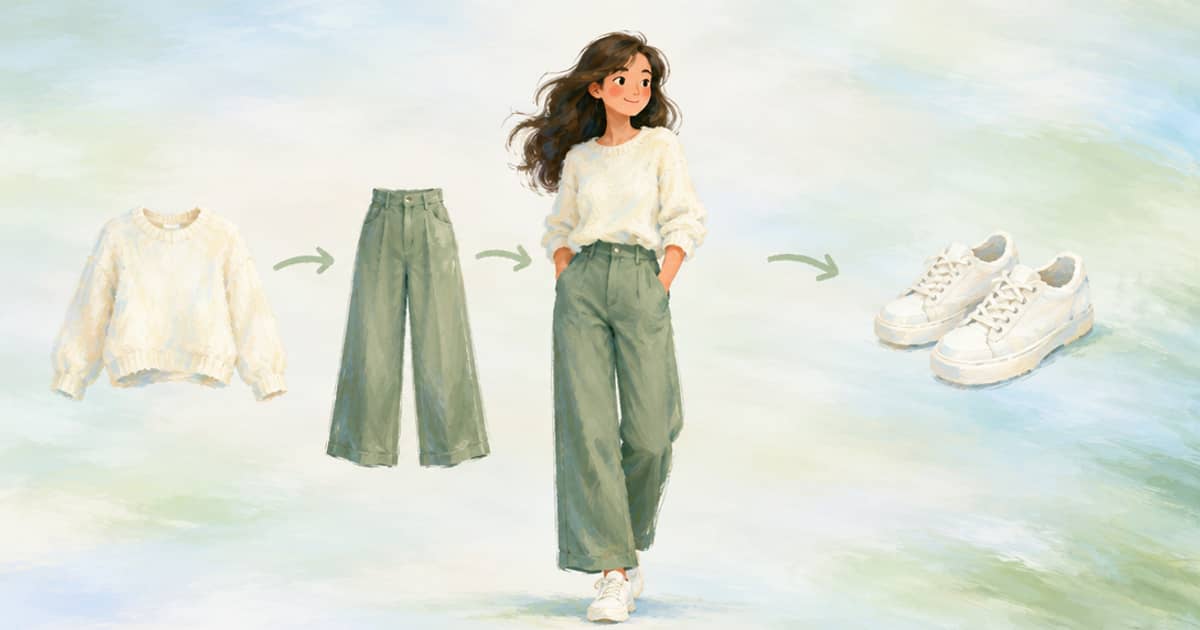
Send the model photo as image 1 and each garment as the next images in a single POST /v1/images call to openai/gpt-image-2.5, then name each image by number and by role in the prompt: image 1 is the person, image 2 is the top, image 3 is the trousers, image 4 is the shoes. The Sume docs list up to 16 references on this model, so a full outfit fits in one request with room to spare.
ChatGPT's new Try on button covers clothing and accessories one listing at a time (read 2026-10-03, OpenAI help page). A shop that sells outfits rather than single items needs the combined view, and this is how to build it with your own product photos.
Why numbered roles beat descriptions
The model sees pixels and text, not file names. A prompt like "put the blue trousers on her" makes it guess which of three images holds the blue trousers. A prompt that says "image 3" removes the guess. Keep the order stable between calls: person, then upper body, then lower body, then footwear, then accessories. If you generate outfits in bulk, a stable order also makes your own logs readable.
Say what must not change for each item. A print on the top, the wash of the trousers and the colour of the shoes are the details a shopper will compare against the product page, so list them.
| Position | Role | What to state in the prompt |
|---|---|---|
| Image 1 | Person | Keep face, pose and background |
| Image 2 | Top | Keep print, neckline and sleeve length |
| Image 3 | Trousers | Keep wash, rise and length |
| Image 4 | Shoes | Keep colour and sole shape |
| Image 5 (optional) | Accessory | Keep size relative to the body |
The request
Reference URLs must be public HTTPS. Use aspect_ratio: "auto" so the output follows the person photo, or 4:5 if the destination is an Instagram portrait.
{
  "model": "openai/gpt-image-2.5",
  "prompt": "Image 1 is the model. Image 2 is the cream knit top, image 3 the black wide-leg trousers, image 4 the white sneakers. Dress the model in all three items, full body, standing, plain studio wall. Keep every item's colour, shape and details as shown.",
  "aspect_ratio": "auto",
  "quality": "high",
  "input_references": [
    {"type": "image_url", "image_url": {"url": "https://cdn.example.com/m/01.jpg"}},
    {"type": "image_url", "image_url": {"url": "https://cdn.example.com/p/top.jpg"}},
    {"type": "image_url", "image_url": {"url": "https://cdn.example.com/p/trousers.jpg"}},
    {"type": "image_url", "image_url": {"url": "https://cdn.example.com/p/sneakers.jpg"}}
  ]
}
When one call is not enough
Three or four items is usually fine. If an item gets lost, such as shoes that are cropped out of frame, say "full body, shoes visible" or run a second pass that edits only that item. The mask field mask_url is accepted on 2.5 edits as an optional public HTTPS mask, which helps for a targeted fix; check the API reference for the mask convention before you build one.
For a clip instead of a still, take the finished outfit image and continue with the seed-frame post. For a hands-off route that takes a person and one garment and returns a video, the Formats attachments post shows how many images a run can carry.
A last practical point on cost: each extra reference adds input image tokens, which the Sume docs price at $8 per million at the underlying Fal rate. Four references cost little next to the output, but if you are rendering thousands of outfits, test the price on a small batch first and read usage.cost on the response.
Checking an outfit render
An outfit has more ways to go wrong than a single garment, because the items interact. A long top can hide the waistband of the trousers, a hem can cover shoes, and layered items can merge into one. Look at each junction: neck and collar, waist, hem and ankle. If an item changed colour next to another, tighten the wording for that item and re-run at a lower quality first.
Keep a small table of results while you tune the prompt: which order of references you used, which wording, and what failed. Two or three rounds usually settle a template, and after that the same prompt works across the catalogue with only the image URLs changed.
Do not present the result as the shopper's own fit unless the person photo is theirs and they asked for it; for a generic model, say so on the page.
Sources
Related posts
More in Use cases
- AI phone case art: tall ratios 9:16, 9:19.5 and 9:21 on Sume
Phone case art is tall and narrow. Compare the tall ratios Sume image models list, the prices per image, and a request that asks for a safe zone for the camera.
- AI phone wallpaper API: Sume models for 9:16, 9:20 and 9:21
Taller phones need more than 9:16. Grok Imagine lists 9:20 and 9:19.5; Qwen Image, both Flux rows and Recraft V4 list 9:21. Prices and a batch request.
- AI pitch video: Seedance 2.5 shots for a concept or previs
BytePlus lists previs and pitch videos as a Seedance 2.5 use. How to build a concept reel from 4-30 s shots: 480p drafts, references, one Timeline.
- AI presenter video for job postings: 25 roles, 20 seconds each
25 twenty-second hiring clips from one recruiter avatar cost $122.50 on Plus or $92.00 on Standard, plus $0.95 once, at Sume's listed rates.
Written by Sume