
AI action figure box from a selfie: a gpt-image-2.5 reference edit
Make the AI action-figure-in-a-box image from one selfie: send it as an input reference to gpt-image-2.5, then letter the name on the box in code.
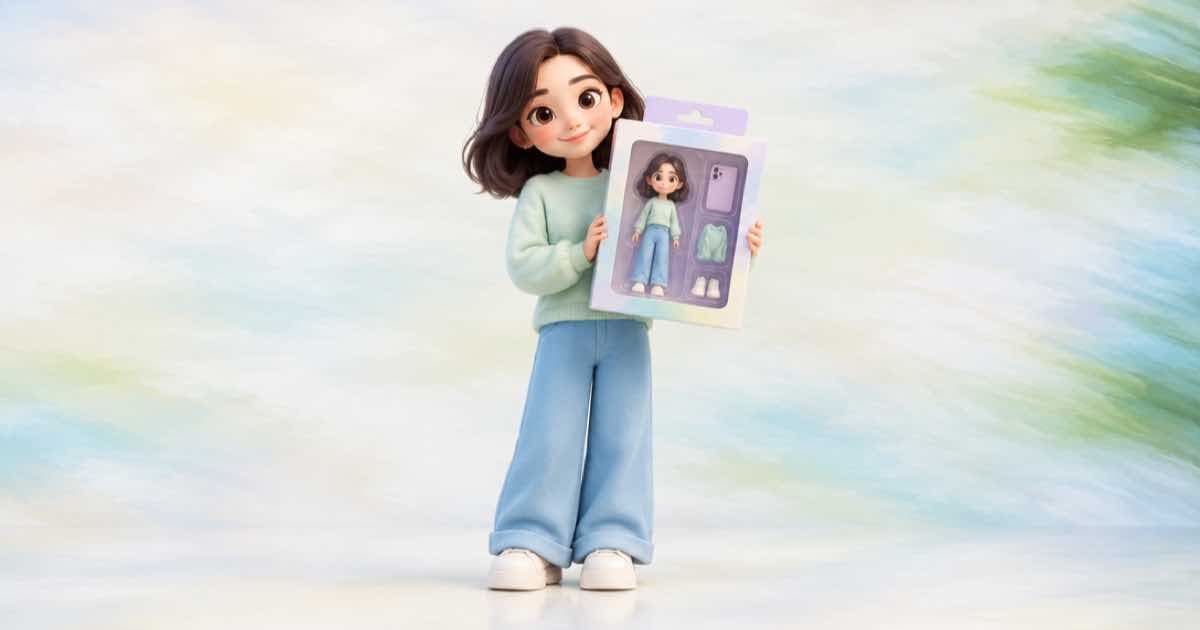
To make the action-figure-in-a-box image from a selfie, call POST /v1/images with model: "openai/gpt-image-2.5", put the selfie in input_references, and describe the toy, the blister pack and the card in the prompt. Ask for a blank name panel and add the name yourself afterwards, because exact lettering is the part of a packaging image most worth proofreading.
The selfie has to be a public HTTPS image URL. Sume's Image API docs reject localhost, private-network and non-HTTPS references before submission, so host the photo somewhere fetchable first.
The request
gpt-image-2.5 takes up to 16 references, so the selfie can travel with a second image per accessory (a mug, a camera, a pet). Use aspect_ratio: "auto" on edits so the output follows the reference; the docs state that omitting the field is not the same as auto. Ask for n: 4 and pick the best likeness; read the n range descriptor in the catalog first, since per-model ceilings sit below the 10-per-call maximum.
{
  "model": "openai/gpt-image-2.5",
  "prompt": "A collectible action figure of the person in the reference photo, sealed in a retro blister pack on a printed card. Keep the face, hair and glasses from the reference. Leave the name panel at the top of the card blank. Studio product photo, soft light.",
  "input_references": [
    {"type": "image_url", "image_url": {"url": "https://example.com/selfie.jpg"}}
  ],
  "aspect_ratio": "auto",
  "quality": "high",
  "n": 4
}
Put the name on the card in code
A name, a tagline and a 'Series 1' line are exact strings. Drawing them in Pillow or in HTML over the generated image means the spelling is whatever you typed. If you do ask the model to render them, put the text in quotes in the prompt and read the result letter by letter before you share it.
import os
import requests


def generate(payload):
    response = requests.post(
        "https://api.sume.com/v1/images",
        headers={"Authorization": f"Bearer {os.environ['SUME_API_KEY']}"},
        json=payload,
        timeout=60,
    )
    response.raise_for_status()
    return response.status_code, response.json()

# status 200: body["data"][i]["url"] are the four images
# status 202: the 30-second wait ran out; poll the job instead
status, body = generate({
    "model": "openai/gpt-image-2.5",
    "prompt": "Collectible action figure in a blister pack, blank name panel",
    "input_references": [{"type": "image_url", "image_url": {"url": "https://example.com/selfie.jpg"}}],
    "aspect_ratio": "auto",
    "n": 4,
})
print(status)
Fields this recipe uses
| Field | Value | Why |
|---|---|---|
| model | openai/gpt-image-2.5 | Up to 16 image references |
| input_references | selfie URL, optional prop URLs | Public HTTPS only |
| aspect_ratio | auto | Keeps the reference's shape on edits |
| quality | high (the default when omitted) | xhigh and max exist on 2.5 |
| n | 4 | Pick the best likeness |
Cost and rules
Sume's docs give the gpt-image-2.5 output estimate at 1024x1024 as $0.09366 for xhigh and $0.21072 for max before input tokens and Sume pricing. Read the cost_usd pricing line from the model's endpoint record for what you will actually pay, and multiply by n. A generation that fails is not billed.
Use photos of yourself or of people who agreed to appear in the image, and keep the final wording of the card (series name, any trademarked franchise) your own.
Sources
Related posts
More in Use cases
- AI animated short film pipeline: shots, Timeline, and a score
Higgsfield published a guide to AI animated shorts. Here is the job as a Sume API pipeline: shots from /v1/videos, a Timeline cut and a Music Router score.
- AI baby announcement card via API: art from the model, name from code
Make a baby announcement card: generate illustrated art at 3:4, crop to 5x7, and set the name, date and weight in code. Plus a privacy check on photo URLs.
- AI background music for a one-minute video: brief and cost
Generate a one-minute bed with the Music Router at $0.125 and render it under the video at $0.10 per output minute: about $0.225 in total.
- AI bingo cards: 24 pictures once, unique cards shuffled in code
Generate 24 picture squares with the image API one time, then produce as many unique bingo cards as you need by shuffling in Pillow. Code and a cost check.
Written by Sume