
Watch product photography with AI: dial, glass reflections, case size
Watches need exact dials. Make lifestyle watch photos with Sume's image API from one reference, and check hands, markers, crown and glare before publishing.
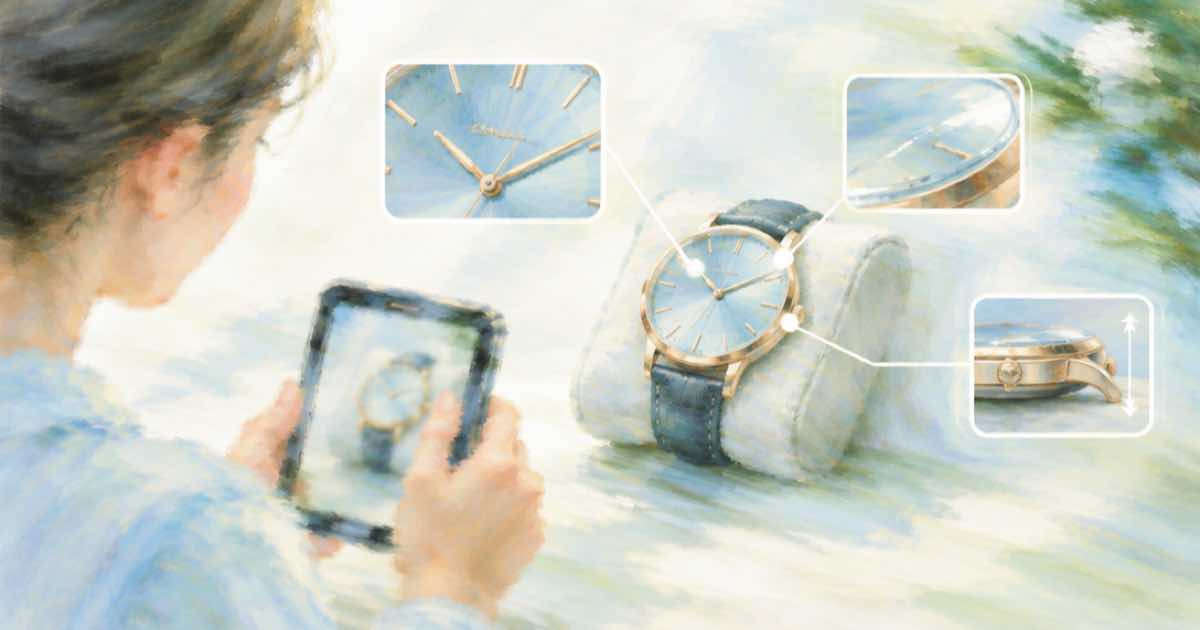
A watch is a small product with a large amount of text and geometry on it: twelve markers, three hands, a date window, a brand name. Model output tends to be good at mood and weaker at counting. The photograph has to be treated like a spec drawing.
With Sume's Image API, you can give the studio shot as a reference and request an environment: a wooden desk, a rainy window, a leather glove. The quality field accepts auto, low, medium, high, xhigh and max, with high as default. Detail like a dial benefits from higher tiers, and you should compare two on a sample before running a catalog.
A prompt that protects the dial
Describe the glass: a soft reflection from the left, no glare across the dial. State that the time must match the reference.
import os, requests

H = {"Authorization": f"Bearer {os.environ['SUME_API_KEY']}"}
resp = requests.post("https://api.sume.com/v1/images", headers=H, timeout=90, json={
    "model": "openai/gpt-image-2.5",
    "prompt": "Photograph this exact watch on a dark wooden desk beside a notebook, soft light from the left. Keep the dial, hands, markers, date window, crown and bracelet exactly as in the reference. The hands show the same time as the reference. No glare across the dial.",
    "input_references": [
        {"type": "image_url", "image_url": {"url": "https://example.com/watch-studio.jpg"}}
    ],
    "aspect_ratio": "auto",
    "quality": "xhigh",
})
resp.raise_for_status()
if resp.status_code == 202:
    raise SystemExit("job envelope: poll data.status_url")
body = resp.json()
print([d["url"] for d in body["data"]], body.get("usage"))
Check list
| Feature | Look for | Reject if |
|---|---|---|
| Markers | Twelve evenly spaced | A marker is missing or doubled |
| Hands | Same time as reference | Different time or an extra hand |
| Crown | Right side, same shape | Left side or missing |
| Glare | Dial legible | A reflection hides the numbers |
Cost per review
The docs give $0.09366 for a 1024 by 1024 xhigh output and $0.21072 for max at fal token rates, before input tokens and Sume's pricing. Use usage.cost on your own calls for actual numbers, and test with xhigh before paying for max.
Before you run a catalog
Run one SKU end to end first. POST /v1/images returns the images directly when it finishes within 30 seconds; past that it returns a 202 envelope with status_url and result_url, which the jobs and results guide explains. Handle that branch before you loop over a catalog, and write each result's URL and usage.cost to a file keyed by SKU, so a failed run restarts where it stopped and nothing is paid for twice.
Sources
Related posts
More in Use cases
- Avatar script CTA: no click the green button, WCAG 1.3.3
An avatar that says click the green button on the right fails WCAG 1.3.3 for some viewers. How to write the spoken call to action so it still works.
- Autoplay avatar welcome video with sound: WCAG 1.4.2 rule
Can an AI avatar welcome video autoplay with sound? WCAG 1.4.2 allows it only with a pause or volume control once audio runs past 3 seconds.
- Looping avatar video on a page: WCAG 2.2.2 pause rule
A looping avatar clip beside other content must be pausable under WCAG 2.2.2 once it moves for more than 5 seconds. How to meet it with a Sume MP4.
- Wedding highlight video music: an original score, not a pop song
A wedding highlight film needs music that fits its length. Generate an original instrumental with Sume's Music Router and place it under the clips.
Written by Sume