
Turn a drawing into live-action video with Gemini Omni Flash
DeepMind lists drawings to realistic footage for Omni. How to send a sketch as a reference image on Sume, write the prompt, and what to compare afterward.
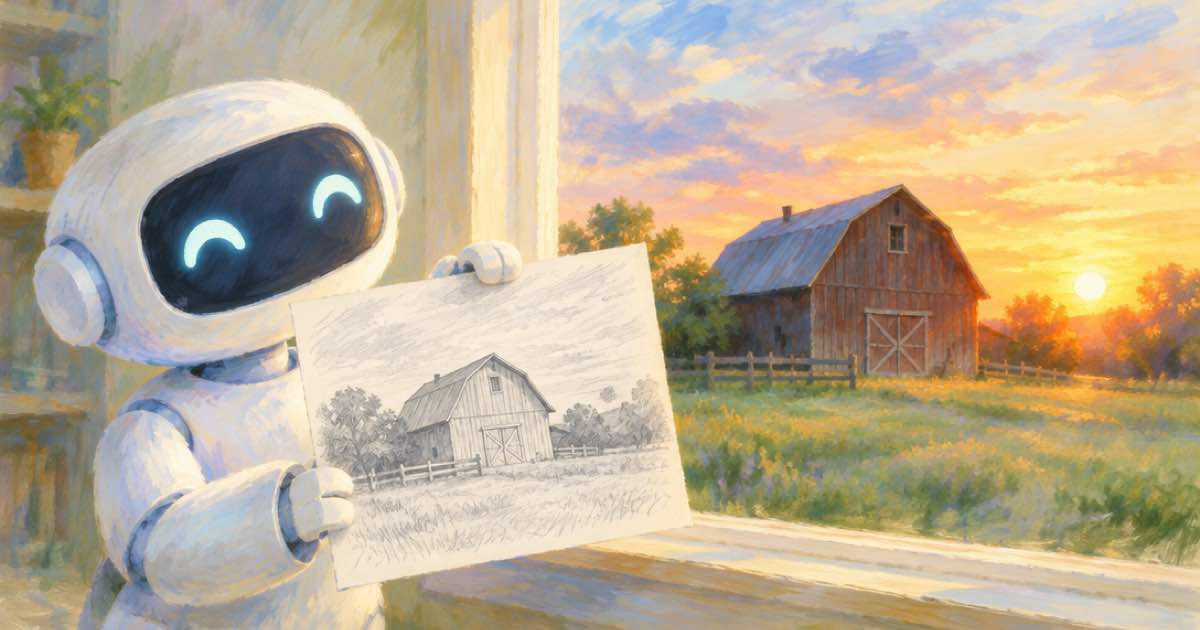
To turn a drawing into live-action-style video with Gemini Omni Flash 1.1, send the drawing as image_url for image-to-video, or as a reference image, and describe the real-world version of the scene in the prompt. Google DeepMind's Omni page lists turning drawings into realistic footage as a capability, but publishes no fidelity measure, so compare the output to your sketch.
Sources are DeepMind's Omni page, its prompt guide and the Gemini API Omni docs (read 2026-10-03), plus Sume's Video Router docs.
Image-to-video or reference
The two routes behave differently. Image-to-video treats your drawing as the start frame; a reference image treats it as a guide to subject and style. For a sketch, the reference route usually fits better, because a start frame keeps the pencil look in the first frame. Test both at 360p.
| Route | Sume field | Best for |
|---|---|---|
| Image-to-video | image_url (optional end_image_url) | Keep the drawing's composition as frame one |
| Reference-to-video | reference_image_urls, tag <IMAGE_REF_0> | Use the drawing as a guide for a realistic scene |
Prompt
Describe materials, light and camera, not the line work. "A realistic version of <IMAGE_REF_0>: a red barn at sunset, live-action, natural light, slow push in." If the model keeps the sketch look, say "photographic, no outlines".
Request
The image URL must be public HTTPS.
curl -X POST https://api.sume.com/v1/video-router/generate \
  -H "Authorization: Bearer $SUME_API_KEY" \
  -H "Content-Type: application/json" \
  -H "Idempotency-Key: omni-drawing-001" \
  -d '{
    "model": "gemini-omni-flash-1.1",
    "prompt": "A realistic live-action version of <IMAGE_REF_0>: a red barn at sunset, natural light, slow push in.",
    "reference_image_urls": ["https://example.com/barn-sketch.png"],
    "resolution": "360p",
    "duration": 4,
    "aspect_ratio": "16:9",
    "mode": "async"
  }'
Compare to the sketch
Check that the subject count, layout and colors you drew survive. Fix drift by naming the missing elements. Once the 360p draft is right, rerun at 720p or higher; Google describes 1080p and 4K as upscaled. See the Video Router docs for limits.
Sources
Related posts
More in Use cases
- Two video models in one episode: match their colour with video filter
Clips from different models may not share a grade. Test an eq or colortemperature pass for free with /v1/video-filter/check, then encode at $0.02 a clip.
- UGC ad casting test: one script across three AI avatars
Test which AI spokesperson sells your script: create three Sume previews with the same copy, pick a still, then render only the winner. Curl loop and costs.
- Put customer review text in a Format's input, not instruction
For UGC testimonial variants, send review text in a Format run's input object, not instruction. Input is carried whole as a file the agent treats as data.
- UGC-style AI video ad: model checklist for 9:16, audio, product photo
For a vertical UGC-style ad, check four things on the model: 9:16, audio, a first-frame or reference photo, and the clip length. Sume rows that pass.
Written by Sume