
Sume MCP OAuth in six steps: from the first challenge to a call
Hosted Sume MCP OAuth takes six steps: challenge, authorize redirect, consent page, Write toggle, PKCE code exchange, then a bearer call to the MCP endpoint.
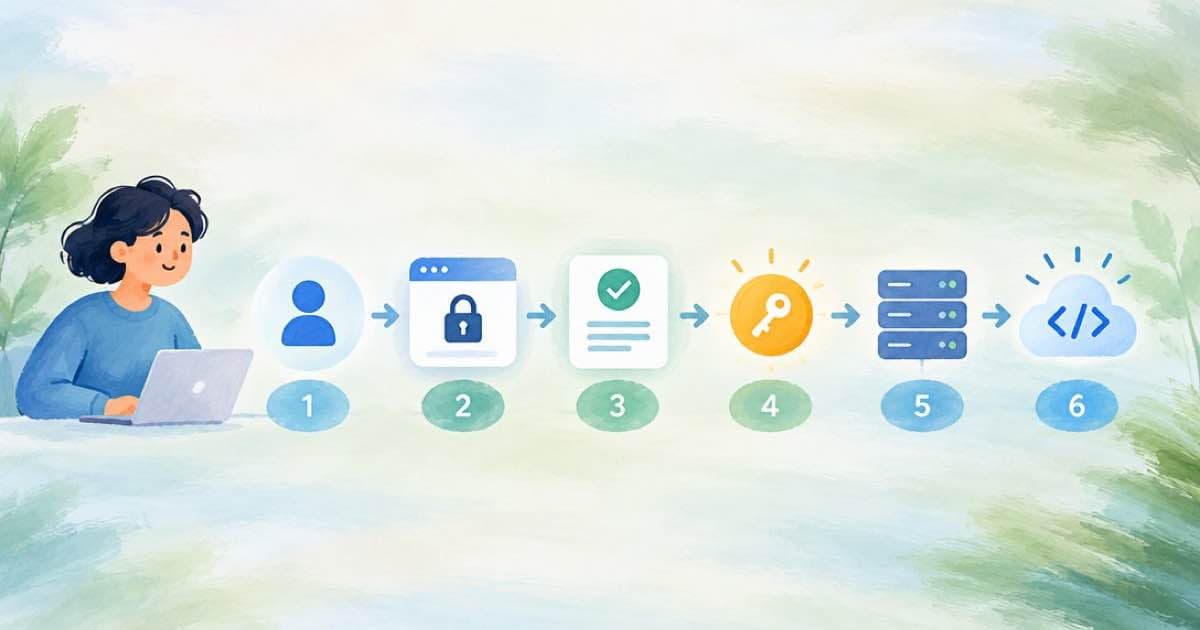
Hosted Sume MCP OAuth is six steps: the client connects and receives an OAuth challenge, sends you to https://mcp.sume.com/oauth/authorize, lands on the consent page on the MCP host, shows a Write toggle that is off by default, exchanges the code with PKCE, and then calls https://mcp.sume.com/mcp with the bearer token. Nothing in that path runs on app.sume.com.
That last detail matters when a login loop breaks. Per the OAuth page, the authorization server named in the metadata is the MCP origin, and www.sume.com is a secondary, deprecated surface that the protected-resource metadata no longer advertises. If your client sends the browser to the app host, the configuration is wrong.
The flow as documented
Each row maps to a line in the Sume OAuth page, read 2026-10-09.
| Step | What happens | Where |
|---|---|---|
| 1 | Client connects to the MCP endpoint | https://mcp.sume.com/mcp |
| 2 | Sume returns an OAuth challenge and protected-resource metadata | /.well-known/oauth-protected-resource/mcp |
| 3 | Client opens the authorize URL, which redirects to the consent page | /oauth/authorize then GET /oauth/consent |
| 4 | You sign in; Read is locked on, Write is off; Continue posts the decision | POST /oauth/consent/decision |
| 5 | Client exchanges the authorization code (PKCE) for an access token | MCP host |
| 6 | Client calls the endpoint with the bearer token | https://mcp.sume.com/mcp |
What each credential can do afterward
The token's scope decides which tools your agent sees. With mcp:read only, the session sees read-only tools and calls to anything that changes data return insufficient_scope. Turn Write on and you also get the write and paid tools; paid submits still need an idempotency_key, and spending is governed by wallet and admission, not by an OAuth scope. An API key is the other path and exposes the full tool set.
An OAuth token is not an API key, and you cannot swap one for the other. Do not mint API keys for a hosted OAuth client as a workaround, and note that sume login does not broker hosted MCP tokens.
Quick checks when it fails
Work through these in order before you rotate anything.
- Open the protected-resource metadata URL in a browser; it should return JSON.
- Confirm the client's server entry points at
https://mcp.sume.com/mcpand not a dev host (mcp.dev.sume.comis for Sume development environments). - After connecting, call
mcp_healthand look forauthenticated.auth_sourceofmcp_oauth. - If a paid call is refused, check whether Write was granted at consent.
Dev versus production
Development uses the same shape on https://mcp.dev.sume.com, but public docs and customer configs must use mcp.sume.com. If you copy a config from an internal note, check the host before you debug anything else. A token minted for one host is not a token for the other, because the audience is the exact MCP resource URL.
Sources
Related posts
More in Developers
- pricing_skus has three key shapes: one Python function for the total
GET /v1/videos/models returns per-video-second-<res>, per-video-second and per-1000-video-tokens. A Decimal function totals a 30 s clip and flags token pricing.
- Sume SDK errors by status: which class for 401, 402, 403, 404, 409
The @sume-com/sdk error classes by HTTP status, which fields they carry, and how run helpers differ from generated operations that resolve instead of throwing.
- Sume TTS language field: set ja or ko, or the voice reads in English
Omit language on Sume TTS and the provider defaults to English; Sume infers ko or ja only from a Hangul- or kana-only script. Set it on non-English scripts.
- A known-answer test for the Sume webhook signature: one body, one hex
A fixed secret, timestamp, and body give a fixed sume-v1 value. Use it to unit-test your verifier: valid, stale, empty secret, and rotation cases in Python.
Written by Sume