
Lipstick shade preview with image edit: what a render cannot promise
A shade preview from gpt-image-2.5 on Sume is a picture, not a colour match. How to build it with a mask, and what to tell shoppers.
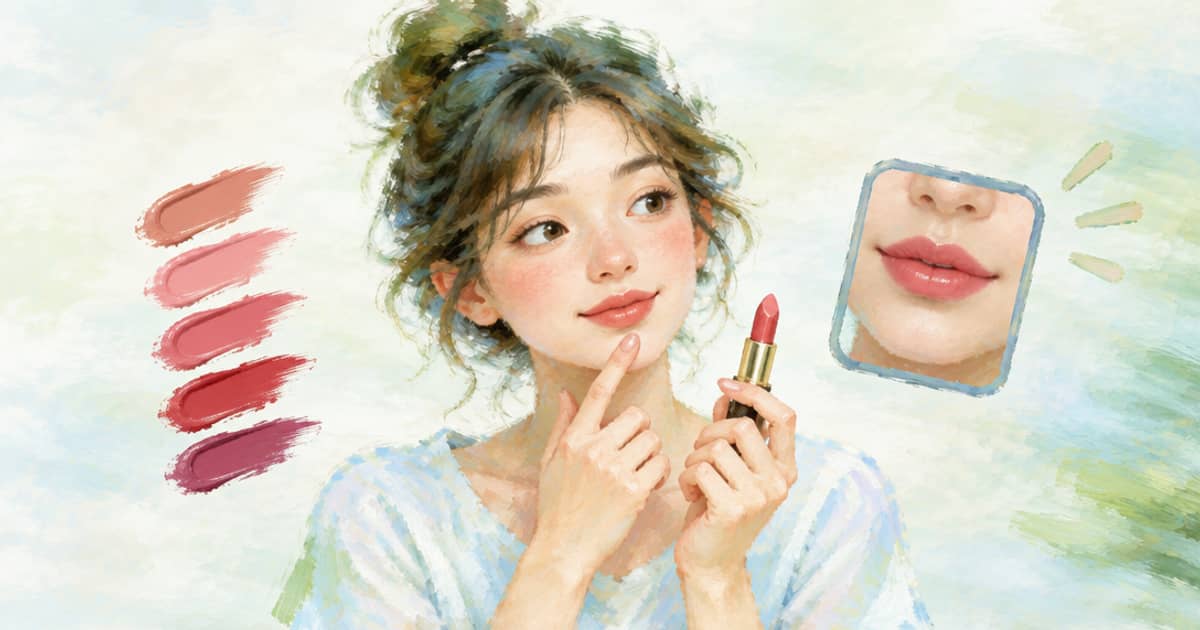
You can preview a lipstick shade on a selfie by sending the selfie and a swatch photo to openai/gpt-image-2.5 on Sume, with an optional mask_url around the lips, but the result is an illustration of the shade, not a colour measurement. Screens, lighting and the model's own choices all move the colour. Build the preview, label it a preview, and keep the real swatch next to it.
The reason this question is live is ChatGPT's Try On launch on October 1, 2026. OpenAI describes it for clothing and accessories, with a selfie or full-body photo as the input (read 2026-10-03, OpenAI help page). Beauty is outside that description, so a cosmetics shop that wants a shade preview has to build its own.
Building the preview
Send the selfie as image 1 and the swatch or product shot as image 2. Say which area changes and which stays the same: lips only, same finish, same face, same light. Name the shade the way you name it on the product page and describe the finish in plain words, matte or glossy, because the model reads text as well as pixels.
The Sume docs list mask_url as an optional public HTTPS mask for openai/gpt-image-2.5 edits. A mask limits the edit to the area you mark, which helps keep skin, eyes and hair as they were. The docs do not spell out the mask convention in the guide, so check the API reference and try one image first.
| Field | Value | Note |
|---|---|---|
model | openai/gpt-image-2.5 | Edits with up to 16 references |
input_references | Selfie, then swatch | Public HTTPS only |
mask_url | Optional lip mask | Public HTTPS; check convention |
aspect_ratio | auto | Match the selfie's framing |
quality | high | Default when omitted |
import os, requests

body = {
    "model": "openai/gpt-image-2.5",
    "prompt": ("Image 1 is a selfie. Image 2 is a swatch of a deep berry satin lipstick. "
               "Colour only the lips with that shade, satin finish. "
               "Keep skin, eyes, hair and lighting exactly as in image 1."),
    "aspect_ratio": "auto",
    "input_references": [
        {"type": "image_url", "image_url": {"url": "https://cdn.example.com/selfies/21.jpg"}},
        {"type": "image_url", "image_url": {"url": "https://cdn.example.com/swatches/berry.jpg"}},
    ],
}
r = requests.post("https://api.sume.com/v1/images", json=body, timeout=90,
                  headers={"Authorization": f"Bearer {os.environ['SUME_API_KEY']}"})
print(r.status_code, r.json())
What the render cannot promise
A rendered lip colour can be too saturated, too light or the wrong undertone. Phone screens differ, and the model may shift the shade to suit the lighting it sees in the selfie. So the preview cannot claim to match the product, and you should not write copy that says it does.
Be careful with anything about skin. A cosmetic preview is a look, and you should not describe effects on skin or health. Where a marketplace or region has rules on the use of generated images in beauty advertising, read those rules yourself; this post does not state them.
- Show the real swatch photo next to the preview.
- Label the image as a generated preview.
- Do not use a preview as the main product image on a listing.
- Re-run with a corrected prompt if the shade is off, not by adjusting the picture by hand.
- Keep the selfie private to the shopper and delete it on your schedule.
A review loop that stays cheap
Run a first pass at a lower quality to check the mask and the area, then move to high for the version a shopper sees. A request returns 200 with the image or 202 with a job envelope after the 30 second blocking budget, and failed or cancelled generations are not billed. Store the Sume-hosted result URL per shopper and shade, and use the QC checklist idea of fixed checks, adapted to lips: edges, teeth, skin tone, shine.
For the screenshot input route, which lets a shopper start from a product picture, see the screenshot try-on post. For aspect handling see aspect ratio auto versus omitted.
If the shade looks right, keep that prompt as a template and change only the swatch URL and the shade name for the rest of the range. That is the part you can automate.
One more guard
Do not let the preview feed any claim about how the product wears or lasts. The picture shows colour only. Keep the copy on the page about what the product is, and let the shopper decide from the swatch and the preview together.
Sources
Related posts
More in Use cases
- Live AI avatar for streaming: pre-rendered clips instead
Streamers asking for a live AI avatar get conversation APIs. Sume cannot go live, but renders avatar intros, stingers and ad reads. Tavus greenscreen vs Sume.
- LIVE GMV Max wants 50-70 videos in queue: how to supply them
TikTok says add at least 50-70 videos in the In queue status for stable LIVE GMV Max exploration. One Sume bulk queue can cover it; here is the order of work.
- LIVE GMV Max Creative Boost: $10 minimum, 24h default, prep clips
Creative Boost in LIVE GMV Max needs allowlisting, In queue or Not delivering videos and a $10 daily minimum. How to prepare variant clips with Sume first.
- LLM-written script to Sume TTS: speak only the approved draft
Draft with Gemini 3.8 Flash or any LLM, approve, then send hash-keyed paragraphs to Sume TTS so unchanged lines never bill twice. $0.0475 per 1,000 characters.
Written by Sume