
Flat-lay garment photo to on-model image with GPT Image 2.5
Turn a flat-lay or hanger photo into an on-model image with openai/gpt-image-2.5 on Sume: reference order, aspect ratio auto, and a quality ladder.
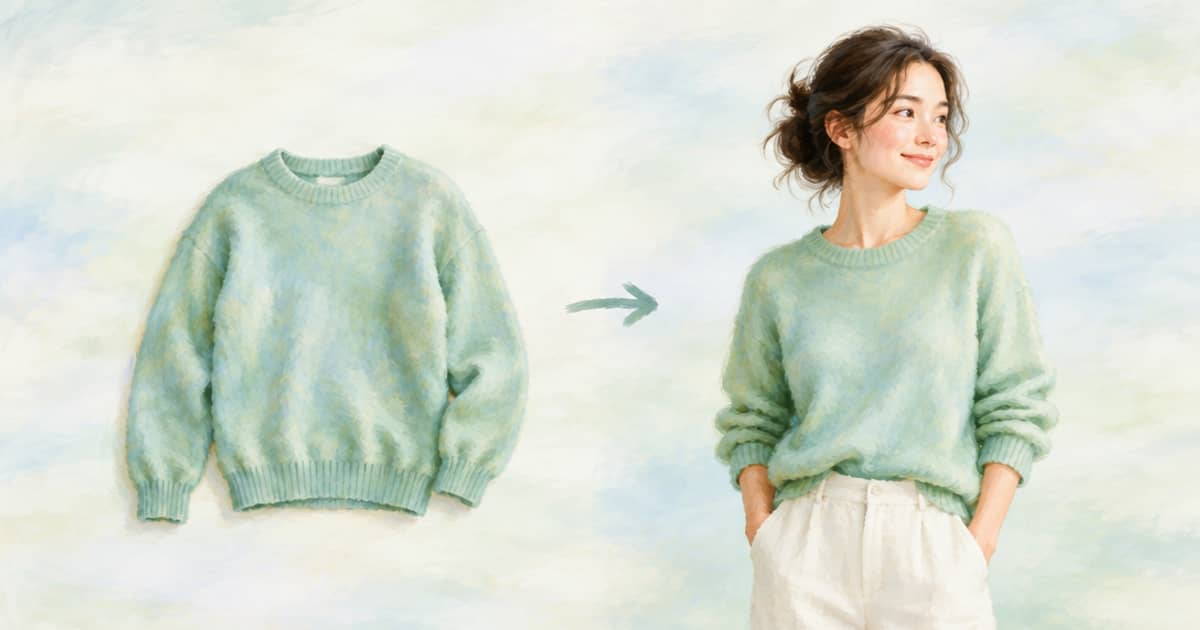
To get an on-model image from a flat-lay or hanger photo, call POST /v1/images with openai/gpt-image-2.5, pass the garment photo as an input_references entry together with a photo of the person or a styling reference, set aspect_ratio to auto, and say in the prompt which image is the garment and which is the model. Sume's docs list up to 16 image references for this model.
The reason to do this now is the shopping change in ChatGPT. On October 1, 2026, OpenAI added a Try on button on clothing and accessory listings, powered by its Images 2.5 model (read 2026-10-03, OpenAI pages). Shoppers will start to expect that a listing shows the item on a body, and a small store with only flat-lay photos has a gap. A draft on-model image is one way to close it, as long as you label it honestly and check it.
Reference order and wording
A flat-lay carries no information about drape, so say what you want and keep the instructions short. Name each image by its position: image 1 is the garment, image 2 is the person. Say what must stay fixed, such as the garment's print and colour, and what may change, such as how the fabric falls. If you have only the garment, omit the person photo and describe the model in text; the model then invents a person, which is fine for a catalogue but not for a personal try-on.
On edits, the Sume docs recommend aspect_ratio: "auto" rather than omitting the field, because omitting it is not the same as auto. Use 4:5 instead when you need Instagram portrait output, which is 1080 by 1350 pixels.
| Field | Value | Why |
|---|---|---|
model | openai/gpt-image-2.5 | Flare; Sunburst is the other 2.5 id |
input_references | Garment first, optional person second | Up to 16 references are accepted |
aspect_ratio | auto to follow the inputs, or 4:5 | Omitted is not the same as auto |
quality | medium for drafts, high default, xhigh for finals | Omitted quality means high |
background | opaque, transparent or auto | Use transparent only for cut-outs |
The call
Reference URLs must be public HTTPS. A flat-lay on your own CDN is fine; a signed or login-gated URL will fail with an image_not_fetchable style error, which the error post covers.
import os, requests

body = {
    "model": "openai/gpt-image-2.5",
    "prompt": ("Image 1 is a flat-lay of a green linen shirt. Image 2 is the model. "
               "Show the model wearing the shirt, untucked, standing in a bright room. "
               "Keep the shirt colour, collar and buttons exactly as in image 1."),
    "aspect_ratio": "auto",
    "quality": "medium",
    "input_references": [
        {"type": "image_url", "image_url": {"url": "https://cdn.example.com/flat/shirt.jpg"}},
        {"type": "image_url", "image_url": {"url": "https://cdn.example.com/models/a.jpg"}},
    ],
}
r = requests.post("https://api.sume.com/v1/images", json=body, timeout=90,
                  headers={"Authorization": f"Bearer {os.environ['SUME_API_KEY']}"})
print(r.status_code)
print(r.json())
What to check before it goes on a listing
A request returns 200 with the image, or 202 with a job envelope if it takes longer than the 30 second blocking budget. Poll the job and store the Sume-hosted URL when it finishes. Failed or cancelled generations are not billed.
- Is the print or logo the same as the flat-lay, letter for letter?
- Do the sleeves and hem match the product's real length?
- Are hands and fingers correct, and does the collar sit naturally?
- Does the colour match the product photo, not a warmer version of it?
- Is the result labelled as a rendering where your marketplace's rules require it? Check the marketplace's own policy; this post does not state one.
Quality ladder and cost
Start at medium and look at one image. Move to high or xhigh only for the images that earn it. The docs list the Fal token rates behind the 2.5 models: at 1024 by 1024, xhigh output is $0.09366 and max output is $0.21072 before input tokens and Sume pricing. For a larger comparison, see the QC checklist for fake-looking try-ons.
A small test plan
Do not judge the method on one image. Pick five garments that cover your range: a plain tee, a printed dress, a knit, something with a collar and something with a pattern. Run each at medium, look at the results at full size, and note where the model fails. Printed and patterned items are the usual weak point, because the model has to carry detail from a flat photo onto a curved body.
Then decide per category. If plain items come out clean and patterns do not, use the method for the plain items and keep shooting the rest. A partial rollout that you trust is worth more than a complete one you have to re-check by hand. Record the prompt, the model id and the result URL for each approved image, so that a change in the model later does not silently change an image you already published.
Sume returns the cost in usage.cost on every response, so you can add up what the test cost before you commit to a catalogue run.
Sources
Related posts
More in Use cases
- Flyer to video: turn a promo flyer into a vertical clip
Make a 10-second vertical clip from a flyer image and a short clip of the shop, using Timeline 1.0 and a compose overlay for the offer.
- Run 100 ad hook variants in one Sume Format bulk run
Sume Format bulk runs take 1-100 items with concurrency 1-16. What to put in each item, and what bulk runs do not offer: no queue webhook, no cancel-queue call.
- A 40-clip season on each Sume plan: how many rounds of jobs
Eight episodes of five clips is 40 video jobs. Pro runs 4 at a time, Scale 20. Rounds per plan, plus a submitter that survives queue_full.
- Freesound effect in a video ad: CC0, CC BY or CC BY-NC?
Which Freesound licenses clear a sound effect for an ad, what the credit must list, and why Sume's Timeline only takes audio already on media.sume.com.
Written by Sume