
Fashion lookbook video: ten looks in 9:16 for $7.50
Ten outfit clips of 6 seconds in 9:16 with Gemini Omni Flash on Sume cost $7.50 at 720p. It takes up to 10 reference images per request. Veo 3.1 takes 3.
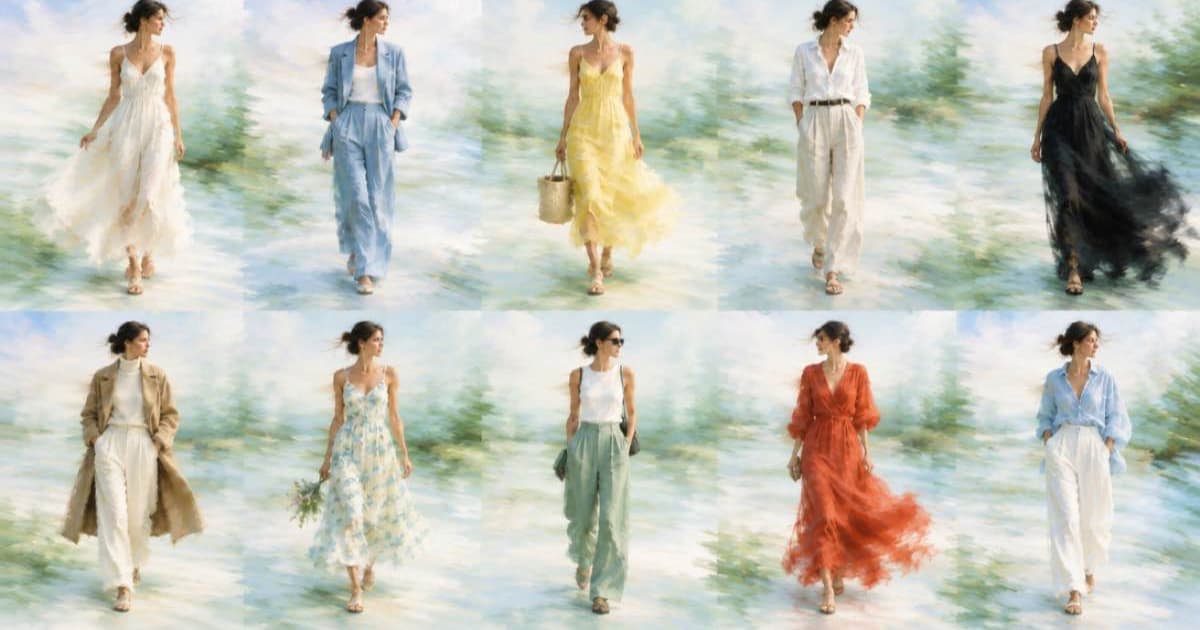
A lookbook of ten looks at 6 seconds each in 9:16 costs $7.50 at 720p on Sume with Gemini Omni Flash 1.1 ($0.75 per clip). Each request can carry up to 10 reference images and up to 3 reference videos of at most 3 seconds, so one garment shot, one model shot and one location can ride along with every look. Google's Veo 3.1 page, read 2026-10-08, allows 3 reference images.
The money is small. The work is keeping the model, the fabric and the light consistent from look to look.
How to build one look
Put the references first in the list and name them in the prompt. Tokens are 0-based and follow list order: <IMAGE_REF_0>, <IMAGE_REF_1>, and <VIDEO_REF_0> for a reference clip.
<IMAGE_REF_0>: the same model photo in every look, to hold the face and build steady.<IMAGE_REF_1>: the garment on a plain background.<IMAGE_REF_2>: the location, if it is the same across the lookbook.- Prompt:
<IMAGE_REF_0> wears the jacket from <IMAGE_REF_1>, walking toward camera in <IMAGE_REF_2>, handheld, no dialogue.
Cost of ten looks
The table prices ten 6-second looks, with no re-rolls. Veo is not in Sume's catalog, so its row is the Google direct list for the Fast tier.
| Route | Per second | Per look | Ten looks |
|---|---|---|---|
| Omni 1.1 on Sume, 360p draft | $0.0375 | $0.225 | $2.25 |
| Omni 1.1 on Sume, 720p | $0.125 | $0.75 | $7.50 |
| Omni 1.1 on Sume, 1080p | $0.1875 | $1.125 | $11.25 |
| Veo 3.1 Fast, Google, 720p (8 s required with reference images) | $0.10 | $0.80 | $8.00 |
Limits that matter for fashion
Google's Omni page says uploading images of certain recognizable people is unsupported, and that filters apply to the prompt and the generated video. Use your own models and have the releases on file. Omni outputs are 16:9 or 9:16 only, so a 4:5 feed crop is a later step.
Text on a garment can come out wrong. Google's Omni page says text rendering works when you spell out the text, placement and style in the prompt, so write the exact words for any logo you need to read.
Keeping the garment accurate
Reference images guide the look but do not pin every detail, so check seams, prints and logos in each draft. If a pattern drifts, use a closer reference image of the fabric and name it in the prompt. Keep the number of references low: a garment, a model and a setting are usually enough, even though Sume accepts up to 10.
Shoppers compare a video with the product page. If the clip shows a color the garment does not come in, the clip is a liability. Review each 360p draft against the product photo before the 1080p final.
Submit with an Idempotency-Key header so a retry after a dropped connection returns the original job instead of a second charge; the same key with a different payload returns 409. Then poll GET /v1/jobs/:id/status and fetch GET /v1/jobs/:id/result when it finishes.
Sources
Related posts
More in Use cases
- A first-frame still plus a 30-second Wan 3.0 clip: the pair's cost
Generate the opening frame with Higgsfield Soul, Seedream 5 Lite or Nano Banana 2.1, then animate it for 30 seconds on Wan 3.0. Totals at 480p to 1080p.
- Fitness studio class teasers: 8 clips a month with a music bed
A small studio's monthly teaser plan: eight 15-second Wan 3.0 clips, a Music 1.0 bed, and one Timeline render each. Cost at 480p and 720p, with the render body.
- Five sermon clips from one recording: transcript, trim, captions
Find five 45-second moments in a 25-minute sermon from its transcript, trim them, and burn captions. Calls and a $1.37 total at Sume's published rates.
- Fix wrong text on a product label with ideogram-v4.5 and references
ideogram-v4.5 edits the first image and takes up to four more as references, five in total. Send a label photo plus a type sample; cost per edit by quality.
Written by Sume