
Edit once and crop three ways, or edit three times: 4:5, 1:1, 9:16
Crop one 4:5 edit to 1:1 and 9:16 in Pillow, or edit per shape. A crop keeps 80% of the height or 70.3% of the width; three edits cost three times as much.
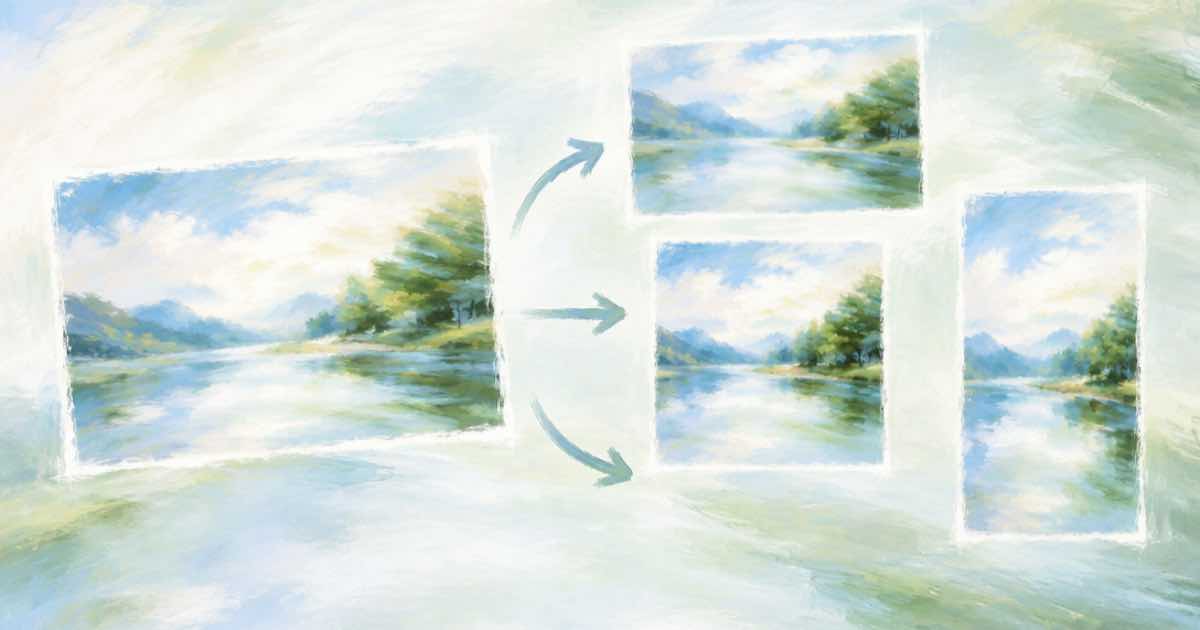
Edit once and crop, if the subject sits in the middle of the frame; edit three times, if a square or a story-shaped crop would cut it off. A 4:5 frame cropped to 1:1 keeps 80% of its height, and cropped to 9:16 keeps about 70.3% of its width. On Ideogram 4.5 at medium quality on Sume, one edit is $0.075 and three are $0.225.
The crop arithmetic
Take a 4:5 image, 1080 wide by 1350 high. A 1:1 crop is 1080x1080, which keeps 1080 of 1350 rows, or 80%. A 9:16 crop at full height is 759x1350, since 1350 x 9 / 16 is 759.4; that keeps 759 of 1080 columns, 70.3%, so almost a third of the width is cut. Anything near the left or right edge disappears.
| Target | Pixel size from 1080x1350 | Share kept | Cost on Sume (Ideogram 4.5, medium) |
|---|---|---|---|
| 4:5 | 1080x1350 | 100% | $0.075 |
| 1:1 | 1080x1080 | 80% of height | $0 extra |
| 9:16 | 759x1350 | 70.3% of width | $0 extra |
| Three separate edits | three files | each full frame | $0.225 |
When to edit separately
The Image API docs say Ideogram 4.5 keeps the source shape on an edit when aspect_ratio is omitted, and per Morphic the model supports ratios from 1:6 to 6:1. Setting aspect_ratio on an edit asks for a new shape; check the first result before running the batch.
- The new object sits near an edge of the 4:5 frame, where a 9:16 crop would cut it.
- The result needs breathing room above or below, which a tall story format has and a square does not.
- You want the model to compose for the shape instead of trimming a finished picture.
The workflow
Edit the 4:5 hero first, since it is the shape most feeds display. Crop 1:1 and 9:16 in Pillow with a box centred on the subject, and look at both. Where a crop fails, run an edit for that shape only. In practice you rarely need all three edits: a product on a plain surface can be cropped, while a scene with props at the edges needs the second pass.
Check the crop on a phone-sized preview, not only on a desktop monitor. A 9:16 story is viewed small, and interface elements can cover the bottom of the frame, so a product that sits low in the picture can be hidden. Keep the subject in the middle third of the height and leave the lower edge empty.
A simple rule for batches: edit at the shape of the hardest placement, which is usually 9:16 because it loses the most width, then crop wider shapes from it. A 9:16 frame cropped to 1:1 keeps 56.25% of its height (9 of 16), so check that your subject survives that crop too before you pick the master.
Crop from a lossless file. Save the edit as PNG, crop, and only then export JPEG for the placement, so the crop does not add a second round of compression to an already compressed file.
A related question, whether to edit the original large file or a downsized one, is covered in editing a high-resolution photo without downsizing.
Sources
Related posts
More in Use cases
- How do I make AI announcer intros for conference speakers?
Ten 25-second speaker intros with one shared sting cost about 43 cents on Sume: 2 cents of TTS and a 1-cent join each, plus a $0.125 track made once.
- How do I make a safety briefing audio in three languages with TTS?
One 1,800-character briefing in English, Spanish and Polish is three TTS jobs: 9 cents each, 27 cents in all on Sume. Set language on every job and review it.
- How do I narrate a family history video with AI voice and photos?
Narrate a family history from old photos: 1,800 characters of script is $0.09 on Sume TTS, plus a $0.125 music bed and a $0.30 Timeline render.
- What does a first-time home buyer video series cost with an avatar?
Six 30-second avatar tips cost $33.12 at standard, $44.10 at plus or $99.00 at max on Sume, plus $0.95 once for the avatar. Rates and script limits.
Written by Sume