
Car detailing before-after clip: first and last frame on Seedance 2
Use a dirty-car photo as the first frame and a finished-car photo as the last frame in one Seedance 2 job on Sume. Limits, request body, and what to check.
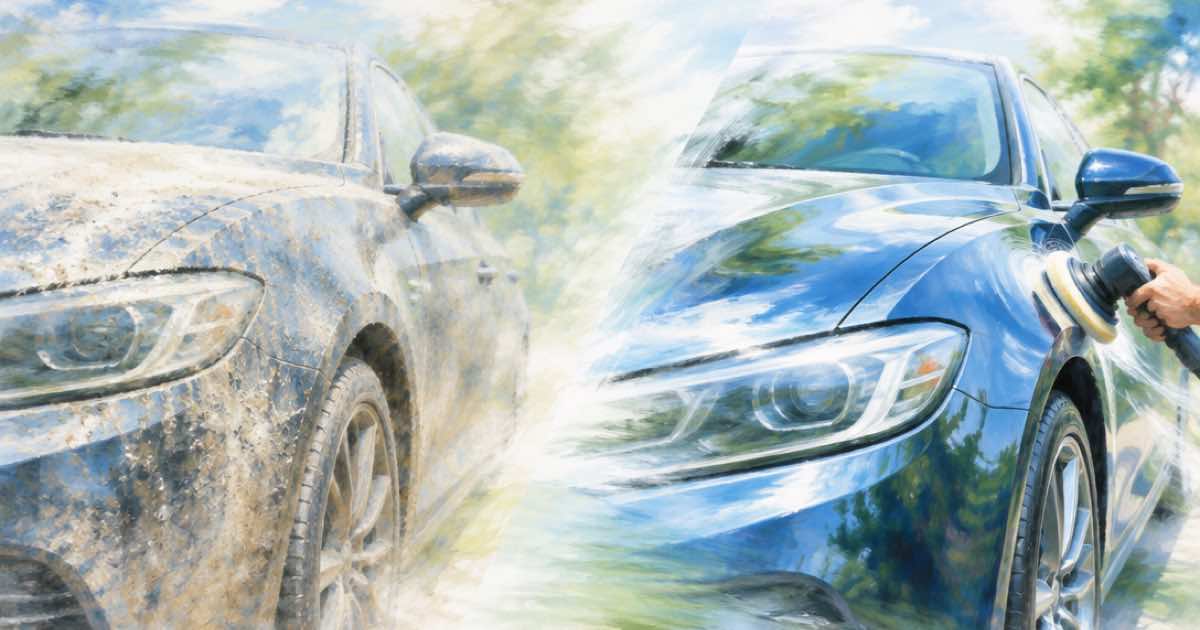
To make a detailing before-and-after clip in one job, send the dirty-car photo as first_frame and the finished-car photo as last_frame to POST /v1/videos with model: "seedance-2". Sume's model list shows Seedance 2 accepting first and last frames, 4 to 15 seconds, and 480p, 720p or 1080p.
The model fills the motion between your two real photos. That is useful for a transformation shot, and it is also the risk: the in-between frames are generated, so they should not be presented as a record of the work.
Why first and last frame suits detailing
A detailer sells a state change. Controlled clips with a defined start and end are where this month's tools are strongest: the trend roundups point to short controlled clips, better consistency and synced audio as the features making AI video usable (AI Video Generation Trends, read 2026-10-07).
Sume's frame_images array carries both frames. If you send frame_images and input_references together, frame_images wins and the request runs as image-to-video.
The request
Shoot both photos from the same angle, distance and height, with the car in the same spot. The model can interpolate between two nearly identical compositions; it cannot reconcile a front three-quarter view with a rear one.
Ask for a plain motion in the prompt, such as a soft light sweep across the paint, rather than a complicated camera move. Keep the duration short; a 6 to 8 second clip is enough for a reveal.
curl -X POST "https://api.sume.com/v1/videos" \
  -H "Authorization: Bearer $SUME_API_KEY" \
  -H "Content-Type: application/json" \
  -d '{
    "model": "seedance-2",
    "prompt": "A soft highlight sweeps across the paint as the dull, dusty car becomes glossy and clean; fixed camera",
    "frame_images": [
      { "type": "image_url", "image_url": { "url": "https://example.com/car-before.jpg" }, "frame_type": "first_frame" },
      { "type": "image_url", "image_url": { "url": "https://example.com/car-after.jpg" }, "frame_type": "last_frame" }
    ],
    "aspect_ratio": "9:16",
    "resolution": "1080p",
    "duration": 6
  }'
Limits to know
Pick a duration inside the model's range, and read GET /v1/videos/models for the live aspect ratios and price lines before you submit. The job is asynchronous: poll the polling_url until completed, then download unsigned_urls[0].
| Item | Value | Note |
|---|---|---|
| Duration | 4 to 15 seconds | Whole seconds |
| Resolutions | 480p, 720p, 1080p | 1080p is listed for seedance-2 |
| Frame images | first_frame and last_frame | Both can be sent together |
| Aspect ratios | 21:9, 16:9, 4:3, 1:1, 3:4, 9:16 | 9:16 for reels |
| Audio | generate_audio is true for the model | Check the clip's sound before posting |
Check before you post
Scrub the result for warped badges, plates, wheels and reflections, which are the usual drift points on a car. If the in-between frames look wrong, try a shorter duration, or use the two photos as a simple slideshow instead and say nothing generated about the work itself. A clip you can stand behind is better than a longer one that needs an apology.
Sources
Related posts
More in Use cases
- Change one of three identical bottles: position words or a mask
Edit one of three identical products in a photo. Flux 3 Image gives each element an id; on Sume, use position words (Ideogram 4.5) or a GPT Image 2.5 mask.
- Change prices on a chalkboard menu photo with Ideogram 4.5
Update dish prices on a chalkboard menu photo with ideogram/ideogram-v4.5: list old and new text, one change set per call, check each digit. $0.075 at medium.
- Change the background behind a person in a video with AI (Omni edit)
Swap the backdrop behind a person in an existing clip with Gemini Omni Flash 1.1 edit on Sume: a keep-the-subject prompt, limits, and a 10-second price table.
- Change the name and number on a jersey photo, keep the lettering
Edit the name and number on a jersey or sign photo with Ideogram 4.5 on Sume: the prompt wording, the reference rules and what a low-tier test costs.
Written by Sume