
AI sneaker product photo on a colored backdrop, from one packshot
Keep the sneaker, change the set: a prompt, a preserve list and a reference photo give colored-backdrop product stills. Request, ratio and checks on Sume.
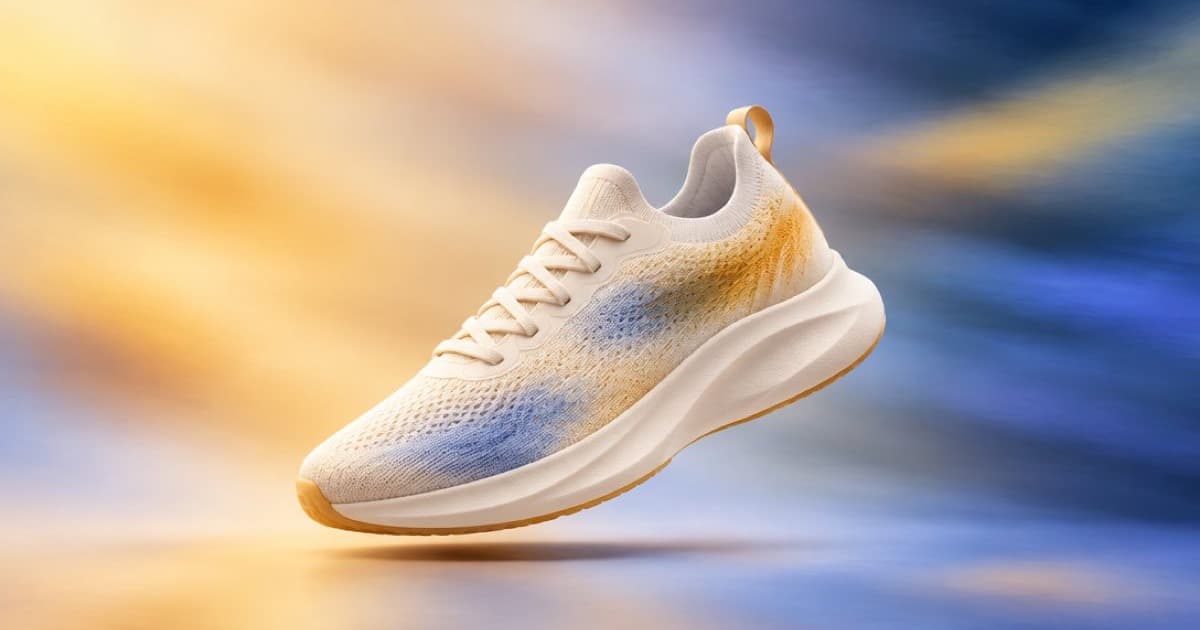
To put a sneaker on a coloured studio backdrop, send your real packshot as a reference and tell the model to keep the shoe unchanged while it replaces the background. On Sume that is one edit call with openai/gpt-image-2.5 or another reference model. The shoe is the product, so the prompt must protect its stitching, logo, sole and laces, and you must check each output against the original.
Prompt structure
Order the prompt as scene, subject, details, constraints. Open with the backdrop and light, then say the shoe in Image 1 stays exactly as photographed, then list what must not change.
A preserve list works better than a vague "keep it the same": name the logo, sole pattern, lace colour and stitching, and say not to add text or a second shoe.
curl -X POST https://api.sume.com/v1/images \
  -H "Authorization: Bearer $SUME_API_KEY" \
  -H "Content-Type: application/json" \
  -d '{
  "model": "openai/gpt-image-2.5",
  "prompt": "Place the sneaker from Image 1 on a seamless coral studio backdrop, soft key light from the left, gentle shadow on the floor. Keep the shoe exactly as photographed: logo, sole pattern, laces, stitching. No added text, one shoe only.",
  "input_references": [
    {"type":"image_url","image_url":{"url":"https://example.com/sneaker-packshot.jpg"}}
  ],
  "aspect_ratio": "4:5",
  "quality": "high"
}'
Sizes and checks
Ratio depends on where the still goes. Instagram portrait is 4:5 and is available on the GPT family; a square marketplace image is 1:1 (Image API). A GPT custom size needs both edges as multiples of 16, so 1080x1350 is not a legal box; ask for 4:5 and resize afterwards.
Check the logo shape, sole pattern and laces against the packshot at full zoom. If one detail drifted, mask only that region and redo it (masked edits).
| Check | How |
|---|---|
| Logo and text | Zoom to 200 percent and compare to the packshot |
| Sole and stitching | Compare pattern, not just colour |
| Shoe count and pose | One shoe, same orientation |
| Shadow | Contact shadow touches the sole |
Sources
Related posts
More in Use cases
- AI sonic logo generator: a short audio sting by prompt, then trim
Make a 2 to 4 second sonic logo with AI: write the sting into the prompt, then cut it with Timeline audio. Sume has no duration field and no fade on the cut.
- AI trading card art: generate at 2:3, then crop to a 5:7 card
Sume has no 5:7 ratio. Ask for 2:3, keep art out of the margins, and crop 6.7 percent off the height. Models, request and crop math.
- AI try-on for sunglasses, bags and scarves from a photo
ChatGPT Try On covers accessories as well as clothes. The same edit on Sume: several photos of the item as references, and what to check on scale and shape.
- AI virtual try-on looks fake? A QC checklist for print and hands
AI try-on can drift from the real garment. Check print, colour, sleeves and hands, and pull exact frames from a clip with Sume's video frames endpoint.
Written by Sume