
AI deck stain color preview from a photo of your deck
See cedar, grey or dark walnut stain on your own deck before you buy a gallon: one deck photo, an optional mask, and one Sume edit call per stain color.
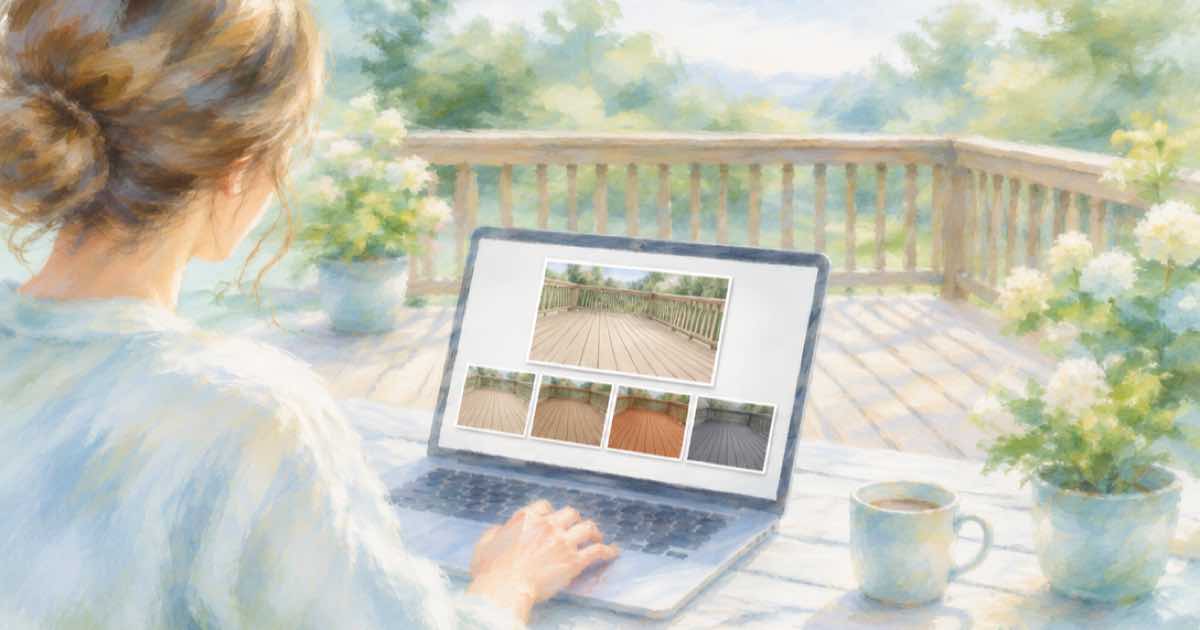
Recolor the boards, not the yard
A stain can is a small swatch and a big commitment. Photograph the deck in even light, then recolor only the wood surface: boards, rail caps and steps, with the lawn, house and furniture unchanged.
Use one call per stain color. If the prompt alone repaints the fence or siding, add a mask_url over the deck; Sume documents the field on ChatGPT Image 2.5.
Sume Image API docs list ChatGPT Image 2.5 as openai/gpt-image-2.5 (Flare) and openai/gpt-image-2.5-sunburst. OpenAI's guide says to choose Sunburst where editing precision matters most and Flare for fast everyday generation, so these edits use Sunburst.
Keep wood grain in the prompt
Ask for a semi-transparent stain that keeps visible wood grain, and name the color and sheen. List the parts that stay put: house wall, railing balusters if painted, furniture, lawn and sky.
import os
import requests

REFS = [
    "https://example.com/deck.jpg",
]
resp = requests.post(
    "https://api.sume.com/v1/images",
    headers={"Authorization": f"Bearer {os.environ['SUME_API_KEY']}"},
    json={
        "model": "openai/gpt-image-2.5-sunburst",
        "prompt": "Restyle the deck boards and steps with a semi-transparent "
                  "dark walnut stain that keeps the wood grain visible. Keep "
                  "the house, balusters, furniture, lawn and sky unchanged.",
        "aspect_ratio": "auto",
        "mask_url": "https://example.com/deck-mask.png",
        "input_references": [
            {"type": "image_url", "image_url": {"url": u}} for u in REFS
        ],
    },
    timeout=60,
)
print(resp.status_code)
print(resp.json())
Stain colors
The same source photo goes in each time.
| Option | Color | Look |
|---|---|---|
| A | Natural cedar | Warm, grain visible |
| B | Weathered grey | Cool, grain visible |
| C | Dark walnut | Deep, grain visible |
Test on the deck
A render cannot show how your wood takes a stain. Always brush a test patch on a hidden board and let it dry before choosing, because old and new boards soak up color differently.
Quality and the first try
On ChatGPT Image 2.5 the quality field takes auto, low, medium, high, xhigh or max, and leaving it out means high. For a first pass at a layout idea, a lower tier is a reasonable way to look at composition before you pay for a final render.
Keep the source photo, the prompt and the response together for each option. That makes it easy to rerun the one you pick at a higher quality tier.
What happens when a call runs long
Most image calls finish inside the 30-second wait that POST /v1/images holds open. When one does not, Sume answers 202 with a job envelope, and you poll GET /v1/jobs/{id}/status and read GET /v1/jobs/{id}/result. That result uses the standard job shape, not the image body, so check the status code first.
You only pay for a finished image. Failed and cancelled generations are not billed, and a request that ends early because the client disconnected is treated as a failed generation. The charged amount, provider list price times 1.25, comes back in usage.cost.
Sources
Related posts
More in Use cases
- AI exterior house paint colors: preview three options from one photo
Try three siding and trim color schemes on one photo of your house with Sume image edits, keeping the roof, windows, lawn and sky untouched in each version.
- AI garden design preview from a photo of your yard
Preview new garden beds, a patio or a lawn from one yard photo: a single Sume image edit call, an optional mask for the area, and a check that the house stays.
- AI person in a Meta ad: is the label next to Sponsored?
Meta puts AI info next to Sponsored when its own tools make a photorealistic human. For outside tools it describes About this ad. How to add your own cue.
- AI hoodie logo mockup: put your logo on a blank hoodie photo
Show your logo on a real blank hoodie photo with one Sume image edit: the hoodie first, the logo second, and a prompt that keeps the folds and the color.
Written by Sume