
AI character sheet with turnaround and expressions via API
Build a character sheet with front, side, back and expression views: pick one anchor image, then feed it back as a reference per view on gpt-image-2.5.
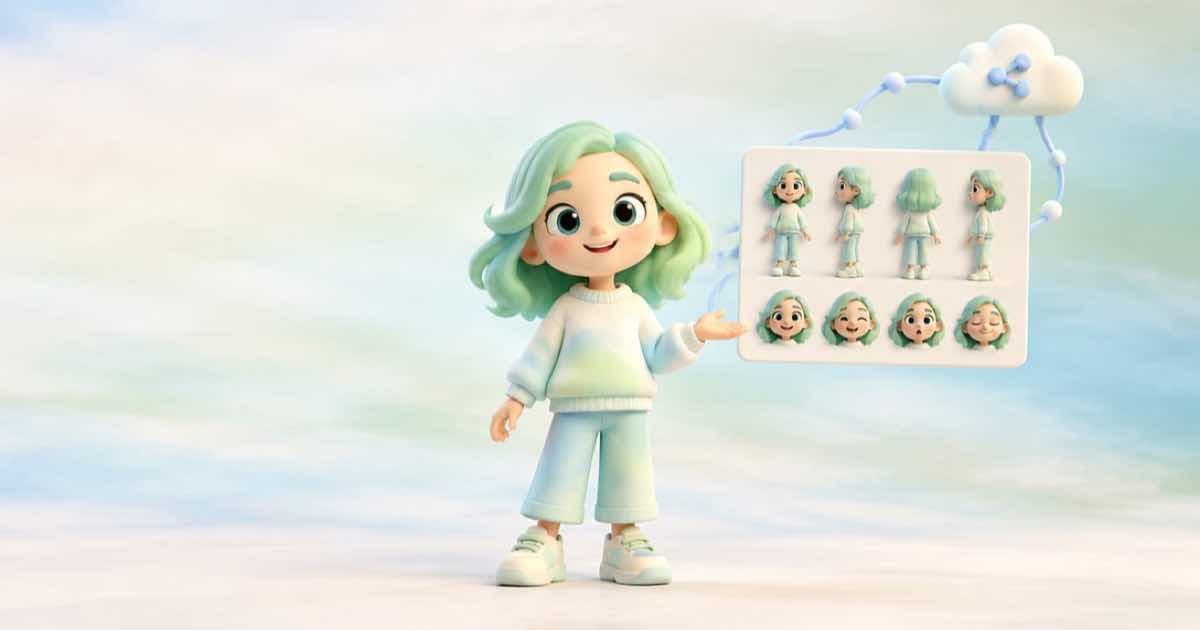
The reliable way to get a character sheet is one call per view, not one call for the whole sheet: generate and choose a single anchor image, then send that anchor as an input_reference for the front, side, back and each expression, repeating the same keep-list in every prompt. Assemble the sheet yourself in Pillow so the labels and the grid are exact.
Asking for the whole sheet in one image is cheaper in calls but gives the model the job of keeping five faces the same inside one canvas. One call per view keeps each view at full size.
Step 1: the anchor
Call openai/gpt-image-2.5 with a text prompt and n set to the range your catalog lists. Choose the take you like, then copy it to a public HTTPS URL of your own: Sume's Media inputs page rejects signed and private URLs as inputs, and generated results are returned as Sume-hosted signed URLs.
Step 2: one request per view
Each view is the same request with a different pose line. The reference carries the identity; the prompt carries the pose.
import json

ANCHOR = "https://example.com/anchor.png"
KEEP = "Keep the face, hairstyle, jacket and colours exactly as in the reference."
views = ["front view, neutral", "side view, facing left", "back view", "three-quarter view, smiling"]

requests_to_send = [
    {
        "model": "openai/gpt-image-2.5",
        "prompt": f"Character model sheet panel: {view}, full body, plain white background. {KEEP}",
        "input_references": [{"type": "image_url", "image_url": {"url": ANCHOR}}],
        "aspect_ratio": "auto",
    }
    for view in views
]
print(json.dumps(requests_to_send[0], indent=2))
print(len(requests_to_send), "requests")
Choosing the panel size
If you do ask for several views in one image, the canvas has to be a legal gpt-image-2.5 size. The docs and OpenAI's guide agree on the custom rule: both edges multiples of 16, a maximum edge of 3840, aspect ratio at most 3:1, and 655,360 to 8,294,400 pixels.
| Canvas | Pixels | Legal |
|---|---|---|
| 1536x1024 | 1,572,864 | yes |
| 2880x960 (3:1) | 2,764,800 | yes |
| 3000x1000 (3:1) | 3,000,000 | no: 3000 is not a multiple of 16 |
| 3840x1152 (10:3) | 4,423,680 | no: wider than 3:1 |
Cost shape
Four views at the default high quality is four calls; each is billed at its endpoint pricing line, and a failed call is not billed. Run them with an Idempotency-Key per view so a retry after a timeout does not pay twice.
Sources
Related posts
More in Use cases
- AI chibi figurine from a photo: one reference edit, four takes
Turn a portrait into a glossy chibi figurine render with one reference edit on gpt-image-2.5, four takes per call, and a plain background for the cutout.
- AI worksheet clip art set: 12 transparent PNGs for $3.37 at xhigh list
Twelve transparent clip-art items, three takes each, is 36 images: $3.37176 at gpt-image-2.5's xhigh list estimate of $0.09366, before Sume pricing.
- AI coaster set: four designs in one call, circle-cropped in Pillow
Generate a four-design coaster set with n=4 at 1:1, then crop each to a circle with a Pillow mask. Request, crop code and a bleed note, with the cost to check.
- AI coat of arms or crest as a transparent PNG, with alpha check
Generate a family crest or team badge as a transparent PNG with gpt-image-2.5's background parameter, then verify the alpha channel before it goes on merch.
Written by Sume