
AI building mural preview: put a mural design on a real wall photo
Preview a mural on a real wall: the wall photo first, the mural artwork second, a mask over the wall surface and one Sume edit call to check scale and colors.
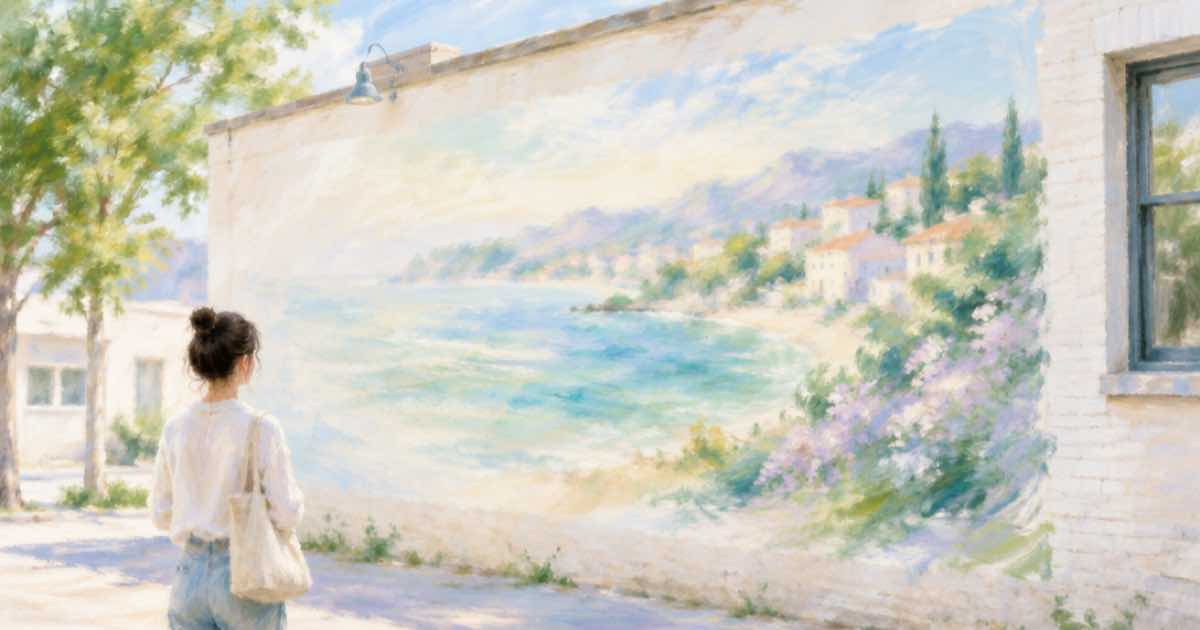
A wall photo, a design and a mask
Councils, schools and businesses approve murals from a picture of the finished wall. If you have the artist's sketch and a photo of the wall, one edit call can show the result in context.
Send the wall photo first and the sketch second in input_references. Mask the wall surface with mask_url, which Sume documents on ChatGPT Image 2.5 only; that keeps windows, doors and the street out of the edit.
Sume Image API docs list ChatGPT Image 2.5 as openai/gpt-image-2.5 (Flare) and openai/gpt-image-2.5-sunburst. OpenAI's guide says to choose Sunburst where editing precision matters most and Flare for fast everyday generation, so these edits use Sunburst.
Say how it wraps the wall
Describe the coverage: the mural fills the full height of the left two thirds of the wall and stops at the window frames. Ask the model to follow the brick or render texture and the lighting. Ask for no changes to the sign, windows and sidewalk.
import os
import requests

REFS = [
    "https://example.com/wall.jpg",
    "https://example.com/mural-sketch.jpg",
]
resp = requests.post(
    "https://api.sume.com/v1/images",
    headers={"Authorization": f"Bearer {os.environ['SUME_API_KEY']}"},
    json={
        "model": "openai/gpt-image-2.5-sunburst",
        "prompt": "Image 1 is a photo of a building wall, image 2 is a mural "
                  "sketch. Paint image 2 on the wall surface only, filling "
                  "the left two thirds and stopping at the window frames, "
                  "following the brick texture and daylight.",
        "aspect_ratio": "auto",
        "mask_url": "https://example.com/wall-mask.png",
        "input_references": [
            {"type": "image_url", "image_url": {"url": u}} for u in REFS
        ],
    },
    timeout=60,
)
print(resp.status_code)
print(resp.json())
What the mask needs to match
OpenAI's guide says the mask needs an alpha channel and the same size and format as the photo, and that the model uses it as guidance and may not follow its shape with complete precision.
| Field | Value |
|---|---|
| input_references | Wall photo, then sketch |
| mask_url | Wall surface only |
| aspect_ratio | auto |
| model | openai/gpt-image-2.5-sunburst |
Show it as an approximation
A render of a mural cannot show how paint takes to rough brick. Present it to the approval panel as a color and scale preview, and keep the artist's sketch as the approved design.
Quality and the first try
On ChatGPT Image 2.5 the quality field takes auto, low, medium, high, xhigh or max, and leaving it out means high. For a first pass at a layout idea, a lower tier is a reasonable way to look at composition before you pay for a final render.
Keep the source photo, the prompt and the response together for each option. That makes it easy to rerun the one you pick at a higher quality tier.
Sync, jobs and the bill
Treat the response code as the switch. 200 means the image body is in the response. 202 means a job was created because the 30-second wait ran out, and the image is read later from GET /v1/jobs/{id}/result.
A completed image is billed in full and a failed or cancelled one is not. The charge shown in usage.cost is provider list price times 1.25, so you can log it per edit and sum a batch from those numbers.
Sources
Related posts
More in Use cases
- AI business card design: generate art, set contact text yourself
A card needs perfect phone numbers, so generate text-free artwork at 3:2 or 16:9 and add the contact lines in layout. Request and print notes on Sume.
- AI candle product photos: glass jar, flame and wax on Sume
Photograph a candle without a studio: edit one packshot with reference images on Sume, pick 1:1 or 4:5, and compare prices from $0.025 to $0.10 per image.
- AI car color preview: try a wrap or paint color on your car photo
Try a satin wrap or a new paint color on a photo of your car with a Sume image edit: mask the body panels, keep glass and wheels, and compare three colors.
- AI caricature from a photo via API: reference edit on Sume
Turn your own photo into a caricature with a reference edit: which Sume rows take a photo, what a call costs from $0.025, and why n=4 helps. Python example.
Written by Sume