
Tumbler or water bottle photos with AI: composite the logo in code
Brand logos on bottles drift in generated images. Make the scene with Sume's image API, then paste your transparent logo with Pillow so the mark is exact.
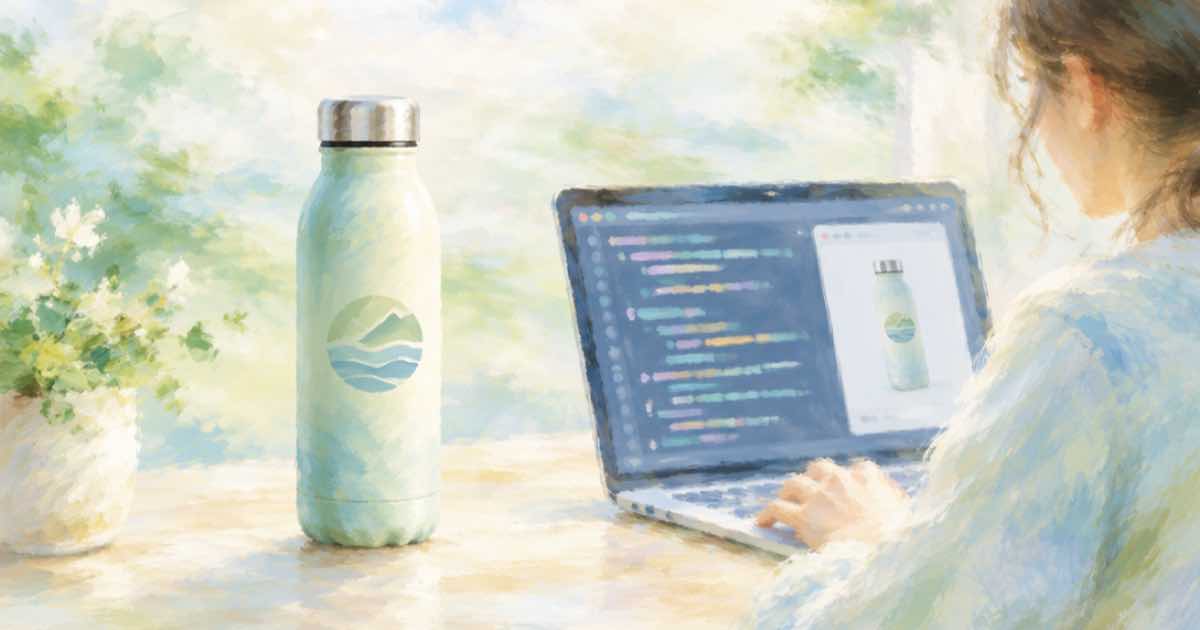
A plain stainless tumbler is easy to render, and then the buyer wants their logo on it. Models redraw logos from memory, which changes a curve or a letter. A logo is an exact asset, and the right tool for exact assets is code.
The split: generate the bottle scene with Sume's Image API, then place your transparent PNG on the bottle.
Generate the blank bottle
Send a clean photo of the blank tumbler as a reference and ask for a gym bag, desk or hiking scene. Say the bottle has no printing, so there is nothing to garble.
import os, requests

H = {"Authorization": f"Bearer {os.environ['SUME_API_KEY']}"}
resp = requests.post("https://api.sume.com/v1/images", headers=H, timeout=90, json={
    "model": "openai/gpt-image-2.5",
    "prompt": "Place this exact blank stainless tumbler on a desk beside a laptop, soft light. The tumbler has no printing or logo.",
    "input_references": [
        {"type": "image_url", "image_url": {"url": "https://example.com/tumbler-blank.jpg"}}
    ],
    "aspect_ratio": "auto",
})
resp.raise_for_status()
if resp.status_code == 202:
    raise SystemExit("job envelope: poll data.status_url")
body = resp.json()
print([d["url"] for d in body["data"]], body.get("usage"))
Place the logo
Measure the logo area on the saved image, fit the logo to it and paste with the PNG's alpha channel. A slight reduction in opacity helps it sit on shiny metal.
from PIL import Image

scene = Image.open("tumbler-scene.png").convert("RGBA")
logo = Image.open("logo.png").convert("RGBA")

w = 180
logo = logo.resize((w, int(logo.height * w / logo.width)), Image.LANCZOS)
alpha = logo.getchannel("A").point(lambda a: int(a * 0.92))
logo.putalpha(alpha)
scene.alpha_composite(logo, (455, 610))
scene.convert("RGB").save("tumbler-final.jpg", quality=92)
print("ok")
When the bottle curves
A flat paste suits the front of a straight tumbler. For a wide logo on a rounded body, squeeze the logo horizontally toward the edges, or generate with the logo side turned three quarters to the camera and accept a smaller mark. Check the result against the logo file at 100 percent, and keep usage.cost from the image call with the final asset.
Before you run a catalog
Run one SKU end to end first. POST /v1/images returns the images directly when it finishes within 30 seconds; past that it returns a 202 envelope with status_url and result_url, which the jobs and results guide explains. Handle that branch before you loop over a catalog, and write each result's URL and usage.cost to a file keyed by SKU, so a failed run restarts where it stopped and nothing is paid for twice.
Sources
Related posts
More in Use cases
- Turn a drawing into an image with GPT Image 2.5
Wikipedia says GPT Image 2.5 added Sketch, which turns drawings into images. Sume exposes GPT Image 2.5 with image references; here is how to send a drawing.
- Turn a Short into podcast audio with audio detach for $0.01
Audio detach extracts the sound of a hosted video into a wav or mp3 for $0.01 per job. Use it to turn a clip of up to 3 minutes into a podcast cut.
- Tutor intro video: approve the first frame, then pick the tier
A tutor can approve an avatar intro's first frame before paying for the full render, then choose standard, plus or max at generate-video without a new preview.
- 2-second YouTube intro sting: Wan 3.0 has the lowest floor
The shortest clip length Sume's docs list for the Video Router is 2 seconds on wan-3.0. Seedance 2.5 starts at 4. Here is a request and how to trim for less.
Written by Sume