
Supplement bottle ad photo with a legible label: Pillow composite
AI scenes garble small label print. Generate the bottle scene with Sume's image API, then paste the real label crop back with Pillow so claims stay exact.
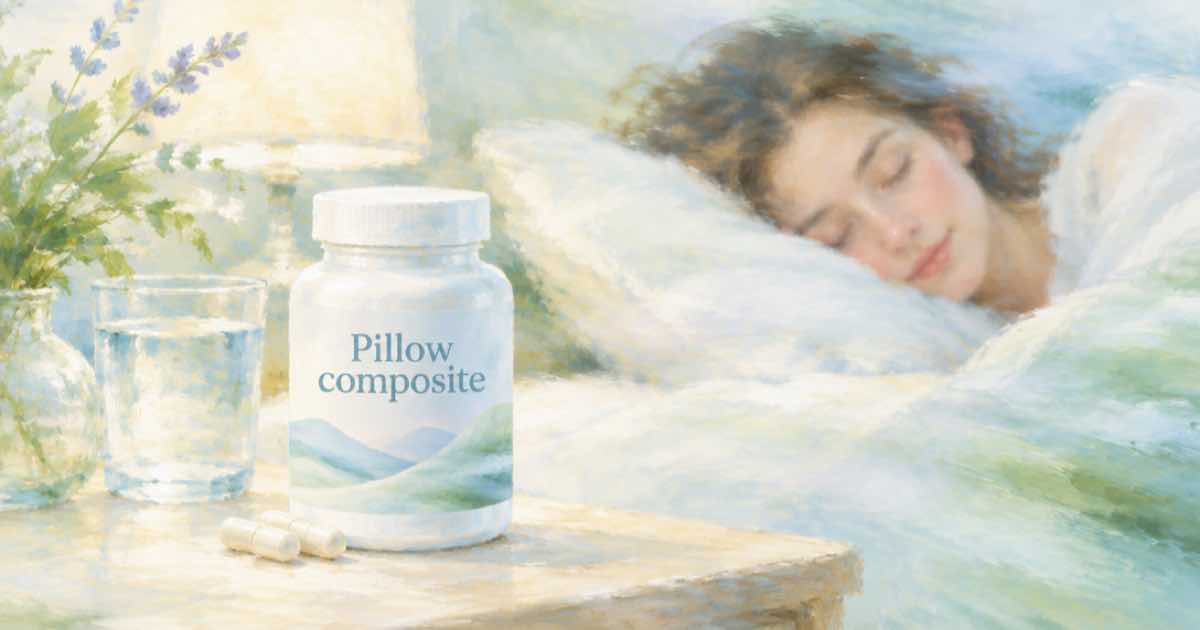
Label text on a supplement bottle is regulated copy: ingredient lists, serving size, directions. An image model can reproduce the layout and still change a digit. In an ad that is a compliance problem, not a style problem.
The reliable pattern splits the job: let the model make the scene and the bottle, and let code put the real label back. Sume's Image API handles the first half; Pillow handles the second.
Step 1: the scene
Send the product photo as a reference with openai/gpt-image-2.5 and ask for the bottle in a kitchen or gym scene, label facing the camera. Expect the label to be approximately right. You will cover it, so ask for a plain label area when you can.
Step 2: paste the real label
Crop the label from your own flat artwork, resize it to the label rectangle you measured in the generated image, and paste it. This version handles a flat, front-facing label; a strongly curved bottle needs a perspective transform.
from PIL import Image

scene = Image.open("scene.png").convert("RGBA")
label = Image.open("label-front.png").convert("RGBA")

# Rectangle of the label area in the generated scene, in pixels.
left, top, right, bottom = 412, 530, 612, 790
label = label.resize((right - left, bottom - top), Image.LANCZOS)
scene.alpha_composite(label, (left, top))
scene.convert("RGB").save("ad-final.jpg", quality=92)
print("saved ad-final.jpg")
Why not edit with a mask instead
Sume's docs list a mask_url for GPT Image 2.5 edits, which is useful for repainting a region. It still asks the model to draw the label's text, so for exact copy code is the safer tool. Use masks for the background and the lighting instead.
Final check
Zoom to 100 percent and read every line of the label against the approved artwork. Keep the approved file and the job's usage.cost together in your records. Any health claims in the ad copy outside the label still need your own compliance review.
Before you run a catalog
Run one SKU end to end first. POST /v1/images returns the images directly when it finishes within 30 seconds; past that it returns a 202 envelope with status_url and result_url, which the jobs and results guide explains. Handle that branch before you loop over a catalog, and write each result's URL and usage.cost to a file keyed by SKU, so a failed run restarts where it stopped and nothing is paid for twice.
Sources
Related posts
More in Use cases
- Swap the person, then the product: Recast and Omni edit in turn
One ad clip, two changes: Recast replaces the presenter from a photo, then Gemini Omni Flash 1.1 swaps the product by prompt. Two jobs, two prices.
- SynthID on every Gemini Omni Flash video: check it after you edit
Google says SynthID is applied to all Gemini Omni Flash output. A short plan for confirming the mark and recording it before and after a trim or re-encode.
- Boss fight music for a tabletop game: one prompt, $0.125
Write a three-phase boss fight track for your next session with section markers in one Music Router call. $0.125 per generation on Sume, no duration field.
- Tabletop session recap video: narration, 5 stills, 57 cents
Turn your session notes into a 90-second "last time" recap: 900 characters of narration, five stills, a music bed and one Timeline render. About $0.57 on Sume.
Written by Sume