
Reel auto-captions misspell names and brands: fix with script_text
Auto captions stumble on names and brands. Send your script as script_text so Sume keeps the speech timings and prints your spelling. Errors and the $0.20 job.
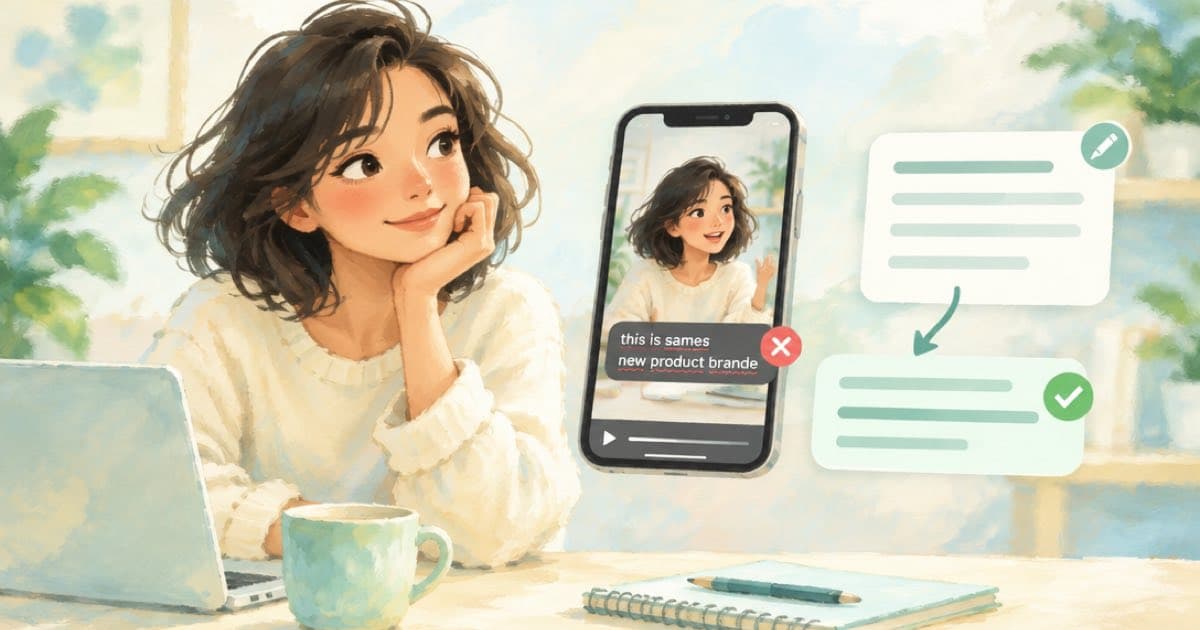
Send the correct text as script_text when you burn captions: Sume keeps the speech-to-text word timings as the source of truth for time and aligns your spelling to them. Machine captions are weakest on names, slang, idioms and technical terms, which is exactly where a brand cannot afford a typo.
GrowthViral's review of Instagram's bilingual captions says the same of automated captions in general: names, slang, idioms and technical terms need manual review (GrowthViral, read 2026-10-07). A burned-in caption cannot be corrected after posting, so the fix belongs before the render.
The call
On video captions, script_text is optional. The clip must have audible speech and be a public HTTPS URL. Sume still transcribes the audio to get timings and then lays your text over them.
curl -X POST https://api.sume.com/v1/video-captions \
  -H "Authorization: Bearer $SUME_API_KEY" \
  -H "Content-Type: application/json" \
  -H "Idempotency-Key: launch-reel-script-001" \
  -d '{
    "video_url": "https://media.sume.com/artifacts/example/clean.mp4",
    "style": "punch",
    "script_text": "Meet the Sume developer platform."
  }'
What can go wrong
Alignment can fail if your script differs a lot from what was spoken. The docs name two typed errors and the next step for both.
| Error code | Meaning | Next action |
|---|---|---|
| script_alignment_mismatch | Script and speech do not line up | simplify_script_text_or_omit |
| script_alignment_failed | Alignment did not complete | simplify_script_text_or_omit |
| caption_no_speech | Clip is silent | use_overlay_captions (send cues) |
Three ways to correct, by situation
- You wrote the script and read it: send
script_texton the first burn. - You ad-libbed and only a few words are wrong: burn once, then restyle with
source_caption_idand sendwordswith the corrected text. Speech-to-text does not run again. - A silent or music-only clip: skip speech entirely and send
cueswithtext,startandend.
What to check before posting
Read the burned text against your script once, out loud. Names and numbers first. Only one of script_text, words, cues and segments is accepted per request, and each accepted job is $0.20 for videos of up to 60 seconds, so three corrected passes cost $0.60. A free check is cheaper: read a transcript from video inspect ($0.01 per audio minute plus compute) before you burn.
Write the script to match the speech
Alignment works best when the script is close to what was said. Write it as you speak, including contractions, and leave out stage directions. If you read a script on camera and changed a few words, edit the script to match the take rather than the other way around. A small mismatch is usually fine; a large one raises script_alignment_mismatch.
If a take has a long ad-lib in the middle, burn the first part with the script and the second part from speech-to-text, as two clips joined later. That is more work, but it prevents a failed alignment over a sentence you never wrote.
Keep a name list
Keep a short list of the names, brands and product terms you use most, and paste it into the top of every script. It is also a handy review checklist: before you post, search the burned captions for each name and confirm the spelling on screen.
Sources
Related posts
More in Media tools
- Reel series: keep one product's look across five AI video episodes
How to keep one product looking the same across a five-episode Reel series by pinning a frame or passing references on Sume, and which models accept which.
- Reels image ad with auto music, or your own video? Still to 9:16
Meta's Advantage+ Creative can add music to Reels image ads. When to instead turn the still into a 9:16 video with image-to-video on Sume.
- Reels on the Instagram TV app: caption for a living room
Reels on a TV autoplay with sound, but a screen across the room needs bigger text. Raise font_size_ratio in a Sume caption job and test one frame first.
- Reels picture-in-picture test: check the four corners first
Instagram is reported to be testing picture-in-picture. Crop each corner of your 1080x1920 Reel with video-filter, free to check, $0.02 to encode.
Written by Sume