
Qwen-Image 2.1 subject extraction vs Sume's RMBG 1.0 cutout
Qwen-Image 2.1 lists subject extraction and native RGBA. For a product cutout on Sume, use the RMBG 1.0 background-removal route, which returns PNG with alpha.
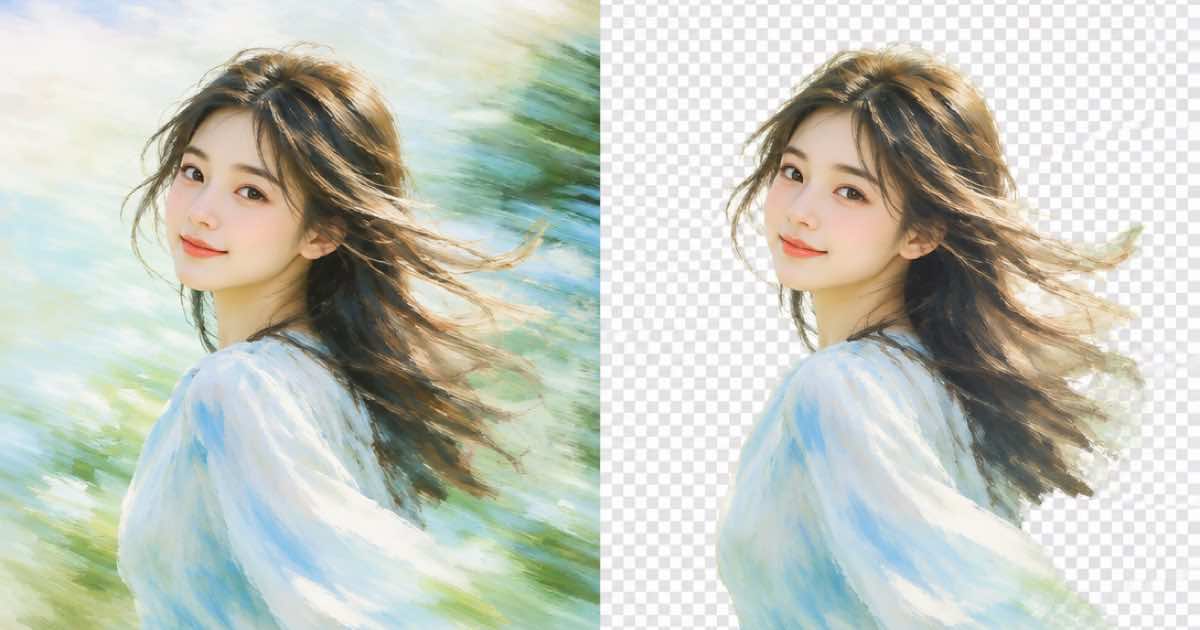
Qwen-Image 2.1's model card lists subject extraction from photographs and native transparent (RGBA) output. Sume does not list Qwen-Image 2.1 in the image catalog. For a product cutout today, send the photo to Sume's RMBG 1.0 route, POST /v1/rmbg-1.0/remove, which returns a PNG artifact with alpha.
What the Qwen model card says
The Hugging Face card for Qwen-Image-2.1 describes a model with 7B parameters in its visual generation component. It lists text-to-image, editing with up to 10 reference images, native RGBA generation and subject extraction. It is released under the Qwen Research License Agreement, which the card describes as proprietary rather than open source, so check the license before any commercial use.
| Capability | Qwen-Image 2.1 card | On Sume |
|---|---|---|
| Subject extraction | listed | RMBG 1.0 route (sume/rmbg-1.0) |
| Transparent output | native RGBA | background field on GPT Image 2.5; RMBG alpha PNG |
| Reference images | up to 10 | 10 default, 16 on GPT Image 2.5 |
| Qwen image ids in the catalog | not applicable | qwen/qwen-image and qwen/qwen-image-max |
The Sume cutout route
The OpenAPI spec describes RMBG 1.0 as a background-removal route that takes a public HTTPS image_url and returns mirrored PNG artifacts with alpha. It supports the standard mode values: async, sync, subscribe and webhook. The sync wait is capped at 30 seconds, and results are read from the job result endpoint.
curl -X POST "https://api.sume.com/v1/rmbg-1.0/remove" \
  -H "Authorization: Bearer $SUME_API_KEY" \
  -H "Content-Type: application/json" \
  -d '{"image_url":"https://media.sume.com/uploads/sneaker.jpg","mode":"async"}'
Cutout or generate a transparent image
Use RMBG when you already have the photo and want the same pixels with the background removed. Use openai/gpt-image-2.5 with background: "transparent" when you want to generate a new asset on a clear background. They answer different questions: one preserves a real photograph, the other creates an illustration or render.
Limits
The Qwen model's selling points are claims from its model card, and I did not test them. If you need the open-weight model itself, run it yourself under its license. On Sume, the Qwen entries are the hosted qwen/qwen-image and qwen/qwen-image-max models, and their feature set is whatever the catalog row lists.
Which route for which job
A quick split:
- Real product photo, new background later: RMBG 1.0.
- New illustration on a clear background: GPT Image 2.5 with
background: transparent. - Open-weight experiments: the Qwen checkpoint on your own hardware, under its license.
Sources
Related posts
More in Media tools
- Mute a clip or extract its audio? Trim audio drop vs audio detach
Video trim with audio drop returns a silent MP4; audio detach returns a separate wav or mp3 and leaves the video alone. Which to use, and the warnings.
- Move burned-in captions up or down: restyle with source_caption_id
Change caption placement with design.placement.anchor_ratio and restyle with source_caption_id: the same word timings, no second speech-to-text run.
- Reuse one sentence twice: timeline audio split allows overlaps
Timeline audio split takes up to 20 ranges that may overlap, so one hook sentence can open and close a video without re-recording or re-synthesising it.
- Skippable in-stream bills at 30 seconds: cut a 30-second version
Google bills skippable in-stream per view at 30 seconds watched, or full length if shorter. Cut a 30-second version of a long master with video-trim.
Written by Sume