
Pickleball winter league signup: schedule card over court footage
Pin a schedule card on top of court footage with Sume timeline compose overlay for $0.02. A 6 s Omni Flash clip at 720p is $0.75. Card text stays yours.
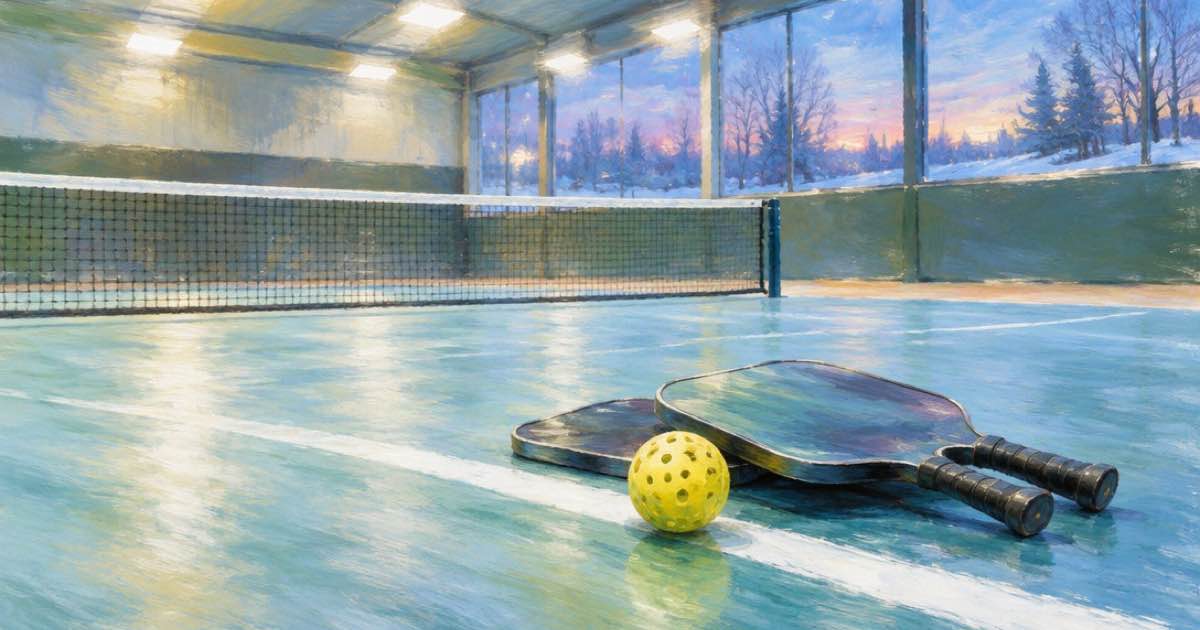
A pickleball club can pin its winter league schedule card on top of court footage with Sume timeline compose in overlay mode, and the compose job is a flat $0.02. A 6-second Gemini Omni Flash 1.1 court clip at 720p adds $0.75, so the signup post costs $0.77.
The card carries the facts that matter: the nights, the start date, the divisions and the signup link. The clip carries the feeling of a court on a cold evening. Keeping them separate means the text is exactly what you typed, and the footage is whatever the model made.
Why a separate card
Generated images and video garble small text, so do not ask any model to write your schedule. Build the card in a design tool, as a plain still with large type, and store it in your workspace assets so it has a media.sume.com URL; the media inputs docs explain how assets reach the workspace. The still must probe as a still, or the job returns compose_image_not_still.
The footage is a generated 6-second clip. Gemini Omni Flash 1.1 takes 3 to 10 seconds in 16:9 or 9:16 with synced sound (read 2026-10-10, Video Generation docs). Ask for an indoor court, overhead lights, a slow pass along the net, and the sound of a ball on paddles.
How overlay places the card
In the compose docs, overlay keeps the video full-frame and pins the still on it as a plate. You choose position (top, center or bottom), width_ratio from 0.05 to 1 (default 0.9) and margin_ratio from 0 to 0.45 of the height (default 0.05). The plate keeps its own aspect ratio. Do not send stack keys such as split or ratio, which return a 400.
Output length follows the video, up to 300 seconds, and the card stays on screen the whole time. The default output is 1080 by 1920. If your clip is 16:9, set output.width and output.height to match so the shot is not rescaled twice.
import os, requests

body = {
    "operation": "overlay",
    "image": {"url": "https://media.sume.com/artifacts/artf_demo/card.png"},
    "video": {"url": "https://media.sume.com/artifacts/artf_demo/court.mp4"},
    "layout": {"position": "bottom", "width_ratio": 0.9},
}
r = requests.post(
    "https://api.sume.com/v1/timeline-1.0/compose",
    json=body,
    headers={"Authorization": "Bearer " + os.environ["SUME_API_KEY"],
             "Idempotency-Key": "league-card-001"},
    timeout=30,
)
print(r.status_code, r.json().get("id"))
Cost
Gemini Omni Flash 1.1 is $0.125 per second at 720p on Sume (list $0.10 times 1.25), so 6 seconds is $0.75. Compose is $0.02 flat per job.
| Step | Tool | Price |
|---|---|---|
| Court clip, 6 s, 720p | Gemini Omni Flash 1.1 | $0.75 |
| Pin the schedule card | Timeline compose, overlay | $0.02 |
| Total | $0.77 |
Designing a card that survives a phone
Treat the card like a road sign. Use a dark background and large white type, four lines at most: the league name, the night, the start date and one signup instruction. Leave generous padding, because the overlay margin and the platform interface can both cover edges. Export at a size close to the plate width you will use so the compose job does not scale a tiny image up.
Check the result on a phone before you post. If the card covers the net action, move the position to top or reduce the width ratio. Compose is $0.02 per attempt, so trying two or three placements is cheaper than reshooting anything.
Keeping the card current
The card is a file, so a new schedule means a new still and a new $0.02 compose, not a new clip. Keep the court footage and re-run compose each time the dates move. For the stacked layout instead of an overlay, see the cleaning service before-after post, and for sound-led court prompts the food truck clip post shows the prompt shape.
Sources
Related posts
More in Use cases
- Pilates intro offer: one vertical clip, a square copy for 2 cents
Make one 9:16 pilates intro clip with MiniMax H3 Max for $1.00, then crop a 1:1 copy for the studio site with Sume video filter for $0.02.
- Pizzeria holiday catering clip with native audio: H3 Max prices
A pizzeria can promote office catering orders with a MiniMax H3 Max clip that has native stereo audio. 8 s at 768p is $0.80. Price table and caveats.
- Podia video cap by plan: 500, 1,000 or unlimited lessons
Podia counts video files per plan: Mover 500, Shaker 1,000, Earthquaker unlimited. Join a Sume intro bumper into each lesson render so it is one file, not two.
- Pop-up shop teasers: one still, three 5-second videos, dated cues
Plan a three-day pop-up shop teaser series on Sume: one Nano Banana 2.1 still, three Wan 3.0 jobs, three caption cue jobs. Chain and limits, read 2026-10-10.
Written by Sume