
Instagram photos stop at 3:4: crop a 9:16 frame to 1080x1440
Instagram says photos run from 1.91:1 to 3:4 and crops anything else. Crop a 1080x1920 clip to 1080x1440 with Sume's video filter, then pull the still.
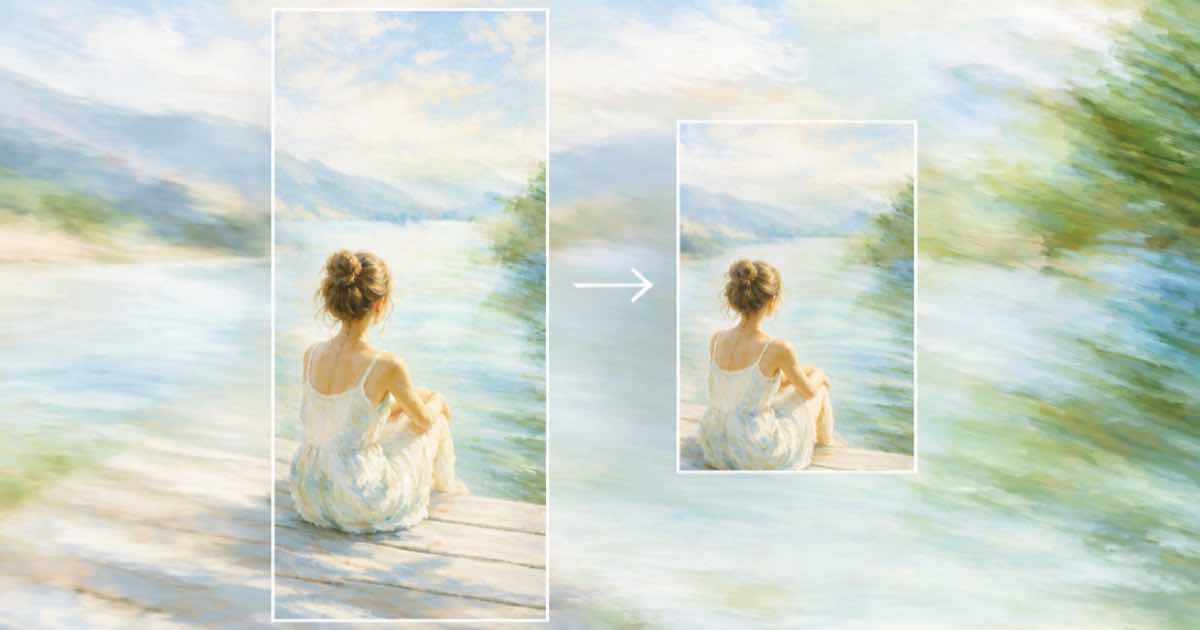
Instagram's help page on photo resolution says photos can have an aspect ratio between 1.91:1 and 3:4, which at 1080 pixels wide means a height between 566 and 1440. A 9:16 frame, 1080x1920, is taller than that, so Instagram would crop it for you. To choose what is cut, crop the clip to 1080x1440 with Sume's video filter and pull the still from the result.
The limits are from Image resolution of photos you share on Instagram (read 2026-10-03). It says that if a photo's aspect ratio is not supported, it will be cropped to fit a supported ratio. It does not say where the crop falls, which is why choosing it yourself is safer.
The crop arithmetic
Going from 1080x1920 to 1080x1440 keeps the full width and 75 percent of the height, 1440 / 1920. That removes 480 pixels in total. Centred, 240 come off the top and 240 off the bottom, so the crop starts at y = 0.125 of the frame. If a face sits high in the shot, start higher, for example y = 0.05, and the crop ends at 0.80.
Crop with video filter
Video filter takes crop rectangles as fractions of the source frame: x and y from 0 to 1, width and height from 0.05 to 1, with the sum of each pair at most 1. The compiler rounds to even sizes for yuv420p. You can run the free POST /v1/video-filter/check first. An encode costs $0.02, and the source clip can run to 300 seconds.
curl -X POST https://api.sume.com/v1/video-filter \
  -H "Authorization: Bearer $SUME_API_KEY" \
  -H "Content-Type: application/json" \
  -H "Idempotency-Key: crop-3x4-001" \
  -d '{
    "video_url": "https://media.sume.com/artifacts/artf_demo/clip.mp4",
    "ops": [{ "op": "crop", "x": 0, "y": 0.125, "width": 1, "height": 0.75 }]
  }'
Pull the still at source size
Video frames extracts stills at the times you name, as durable image artifacts. Leave max_edge out to keep the source size, and pass format: "png" if you want it lossless. Point video_url at the cropped MP4 and pick the instant with at, in seconds. The 1080x1440 result sits at the tall end of Instagram's photo range.
Width matters too
The same page says photos between 320 and 1080 pixels wide keep their resolution, photos wider than 1080 are reduced to 1080, and photos under 320 are enlarged to that minimum. So 1080 wide is the useful ceiling, and a 2160-wide still only adds file size.
| Width | What Instagram does |
|---|---|
| Under 320 px | Enlarged to 320 |
| 320 to 1080 px | Kept, if the ratio is supported |
| Over 1080 px | Reduced to 1080 |
Sources
Related posts
More in Media tools
- Instagram Reel aspect range in pixels: 1080x566 to 1080x1920
Instagram allows Reels between 1.91:1 and 9:16. At 1080 wide that is 1080x566 to 1080x1920. Check a size with Sume's unbilled Timeline plan before you render.
- Instagram Reel cover at 420x654 (1:1.55): crop and pull the frame
Instagram recommends a 420x654 (1:1.55) Reel cover. A 1080x1920 frame is taller, so crop 123 px top and bottom with Sume's video filter and pull the still.
- Instagram Reels need 30 FPS minimum: conform a 24 fps AI clip
Instagram's Reel help page lists a 30 FPS minimum. Probe a clip's frame rate, then conform 24 or 25 fps footage to 30 with Sume's video trim output.fps.
- Instagram auto captions vs burned-in captions: when to burn them in
Instagram says captions are worth including even with text overlays. When to rely on its auto captions and when to burn captions in with Sume video captions.
Written by Sume