
Same character in three AI video shots: Omni reference image
Keep one character across separate Gemini Omni clips by sending the same reference image with every request on Sume. Request shape, prompt tags, 3-shot cost.
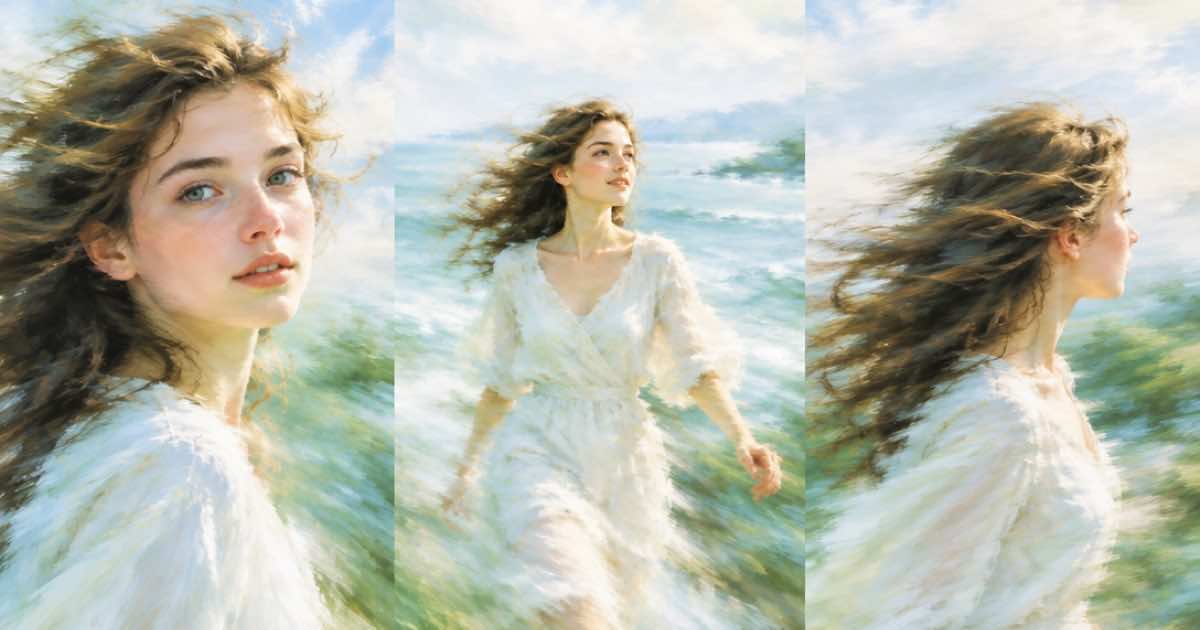
To keep the same character across several Gemini Omni shots, send the same reference image in input_references on every request and refer to it as <IMAGE_REF_0> in the prompt. Each shot is its own job; nothing carries over between jobs on Sume, so the image is the memory. Google's overview page names character consistency as a strength of Omni (read 2026-10-07), but it is a tendency, not a guarantee, so review each clip.
Three 6-second shots at 720p cost $2.25 in total.
Why a reference and not a first frame
Sume infers the mode from the field you use. frame_images pins an exact opening frame (image-to-video). input_references gives the model a subject to reuse in a new scene (reference-to-video). For a character in three different places you want the second: the Sume doc says a single reference image conditions the full clip rather than fixing frame one.
The Video Router doc lists Omni reference limits: up to 10 images and 3 video clips of at most 3 seconds each, addressed as <IMAGE_REF_0> and <VIDEO_REF_0>. It accepts no audio reference.
Three requests, one image
Describe the character once in words too (outfit, hair), and repeat those words in every prompt. The image anchors the face and the words anchor the wardrobe.
import os, requests

H = {'Authorization': 'Bearer ' + os.environ['SUME_API_KEY']}
REF = 'https://example.com/hero.png'  # public HTTPS image
SHOTS = [
    'Wide shot: <IMAGE_REF_0> walks through a night market, red jacket, handheld camera.',
    'Close-up: <IMAGE_REF_0> in a red jacket tastes street food and smiles.',
    'Medium shot: <IMAGE_REF_0> in a red jacket boards a tram at dawn.',
]
for i, p in enumerate(SHOTS):
    body = {'model': 'gemini-omni-flash-1.1', 'prompt': p, 'duration': 6,
            'resolution': '720p', 'aspect_ratio': '16:9',
            'input_references': [{'type': 'image_url', 'image_url': {'url': REF}}]}
    r = requests.post('https://api.sume.com/v1/videos',
                      headers={**H, 'Idempotency-Key': f'hero-shot-{i}-v1'},
                      json=body, timeout=60)
    print(i, r.status_code, r.json().get('id'))
What it costs
Billing is per output second at provider list times 1.25, rounded up to the cent per job.
| Resolution | Per second | One 6s shot | Three shots |
|---|---|---|---|
| 360p | $0.0375 | $0.23 | $0.69 |
| 720p | $0.125 | $0.75 | $2.25 |
| 1080p | $0.1875 | $1.13 | $3.39 |
Checks before you edit them together
Review face, outfit and prop in each clip against the reference. If one shot drifts, re-run only that shot; the others are unaffected. Keep the same aspect ratio across shots (Omni offers 16:9 and 9:16 only) so a timeline join needs no cropping. A frame-accurate look is easier with the video frames endpoint, which extracts stills from a Sume-hosted clip.
- Use a sharp, front-facing, evenly lit reference; a blurred one transfers blur.
- Do not mix other people into the same reference image.
- If the face keeps drifting, the Sume catalog also lists other models with reference support; check
supported_input_referencesinGET /v1/videos/models.
Failure modes to expect
A consistent character is not the same as a locked one. Expect small drift in hair, jacket details and age between shots, and larger drift when the camera angle changes a lot. Wide shots lose facial likeness first because the face is small in frame. If a wide shot drifts, add a close-up of the same character and cut to it. Do not put two different people in one reference image; the model will not know which one you mean. If you need to replace a person in an existing video instead of generating a new one, Sume lists a separate recast model, and its limits are different from Omni's.
Sources
Related posts
More in Models
- ChatGPT Image 2 vs 2.5 at medium quality, 16:9: price on Sume
At 16:9 and medium quality, ChatGPT Image 2 bills $0.0525 per image on Sume and ChatGPT Image 2.5 bills $0.0105: five times less. Table, batch math and a swap.
- Do low, medium and high mean the same on every Sume image model?
No. On Sume only ChatGPT Image 2, 2.5 and Ideogram 4.5 accept low, medium and high, and the tiers change price in different ways. Defaults and the tier ladders.
- Does GPT Image 1 still work on October 7, 2026? 16 days left
OpenAI's deprecations page lists the GPT Image 1 shutdown for 2026-10-23, 16 days after 2026-10-07. What still works, what Sume serves and what to move to.
- Gemini Omni video edit on Sume: video_url price by output second
Edit a clip with gemini-omni-flash-1.1 by sending video_url and a prompt. Sume bills $0.125 per second at 720p default, so a 6-second edit is $0.75.
Written by Sume