
Change only one thing in an AI image edit: prompt template and mask
How to edit one detail of an image without the rest drifting: a keep-and-change prompt template for GPT Image 2.5, then a mask_url fallback. Code and prices.
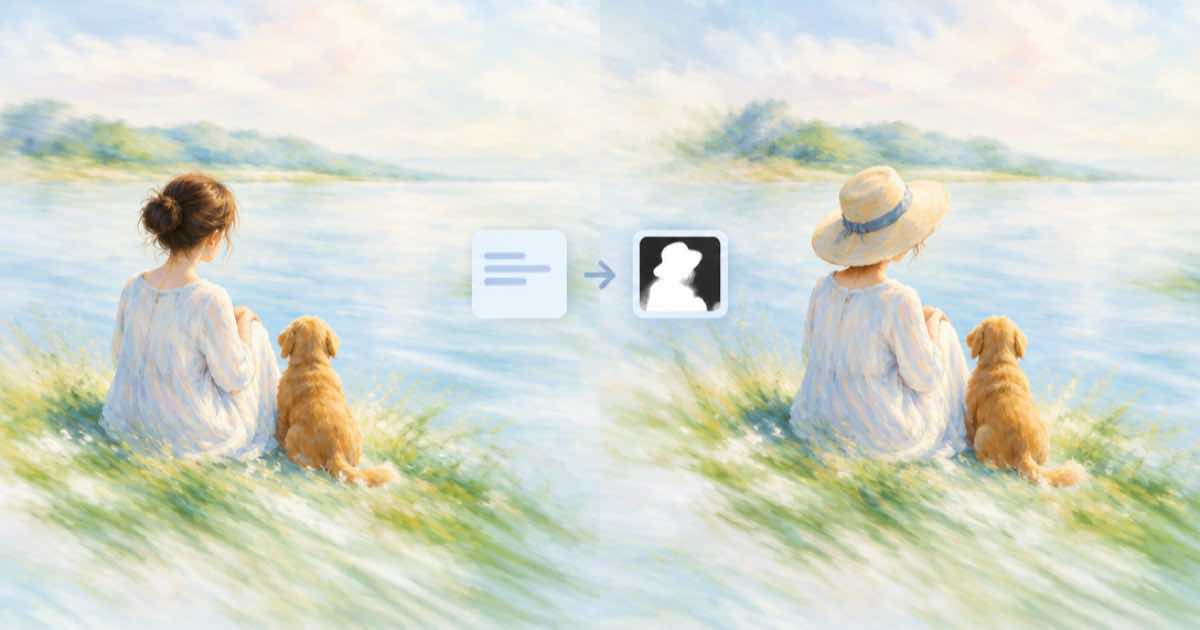
To change only one thing in an image, send the image as an input_references entry, name the single change, and list what must stay identical. If the prompt alone still shifts other parts, add a mask_url so only the masked region can change. Both are GPT Image 2.5 features on Sume.
The failure to avoid is a vague edit like "make it nicer". The model has no way to know which parts you like, so it may redraw them all.
A template that holds
Write three short sentences. First the change: "Change the bicycle color from red to teal." Second the keep list: "Keep the person, the street, the lighting, the framing and every shadow exactly as they are." Third the guard: "Do not add or remove any object." Order matters little, but the keep list must be explicit.
The fal Sunburst page describes the variant as built for editing precision and scoped edits, so move to openai/gpt-image-2.5-sunburst when Flare still drifts. Set aspect_ratio to auto so the output keeps the source frame.
| Lever | Field | When |
|---|---|---|
| Keep list in prompt | prompt | Always |
| Edit-tuned variant | model: openai/gpt-image-2.5-sunburst | Flare drifts |
| Region mask | mask_url | Prompt still moves other parts |
| Source frame | aspect_ratio: auto | Keep the original shape |
| Lossless source | PNG reference | Chained edits |
Request
Reference URLs must be public HTTPS, and Sume answers 400 input_media_unreachable when it cannot download one. A file on your laptop needs a public upload first, for example through the assets upload flow.
import os, requests
H = {"Authorization": f"Bearer {os.environ['SUME_API_KEY']}"}

def generate(body):
    r = requests.post("https://api.sume.com/v1/images", headers=H, json=body, timeout=60)
    if r.status_code != 200:  # 202 = still running, read data.status_url
        raise SystemExit(f"{r.status_code}: {r.text[:300]}")
    return r.json()["data"][0]["url"]
from io import BytesIO
from PIL import Image

url = generate({
    "model": "openai/gpt-image-2.5-sunburst",
    "prompt": "Change the bicycle color from red to teal. Keep the person, street, lighting, framing and every shadow exactly as they are. Do not add or remove any object.",
    "input_references": [{"type": "image_url", "image_url": {"url": "https://example.com/street.png"}}],
    "aspect_ratio": "auto",
    "quality": "high",
})
Image.open(BytesIO(requests.get(url, timeout=60).content)).save("edited.png")
print("saved edited.png")
Cost of an edit
GPT Image 2.5 is billed on tokens. The fal pages list $30 per million output image tokens, $8 per million image input tokens and $5 per million text input tokens. Sume bills the provider list price times 1.25. The table is output-only, so reference and prompt tokens add a little on top of it.
| Quality | Provider list | Sume at list x 1.25 |
|---|---|---|
| medium | $0.0132 | $0.0165 |
| high | $0.0527 | $0.0658 |
Mask fallback
When the prompt is not enough, create a mask image the same size as the source, host it at a public HTTPS URL and add it as mask_url. Keep the prompt focused on the masked area. With several references, check which image the mask applies to before you ship, as the related mask post explains.
If the call returns 202
POST /v1/images waits up to 30 seconds and returns 200 with the images. A slow job falls back to a 202 job envelope, and you read the images from GET /v1/jobs/{id}/result. The code above exits on any non-200 so you notice, and a failed synchronous job returns 502 and is not billed.
Check what moved
Put the source and the result side by side and flip between them at 100 percent. Look at the edges of the changed object first, then at faces, text and shadows, which drift most. If something else moved, add it to the keep list by name and run again at low quality to save cost. Save each accepted result as a PNG, because a JPEG in the middle of a chain adds compression you cannot undo.
Sources
Related posts
More in Use cases
- Change the camera angle of an existing video: Sume edit options
Seedance 2.5 advertises camera perspective change. On Sume, the documented video edit is Gemini Omni Flash 1.1 with a source video and a prompt. How to try it.
- Partner onboarding: one avatar clip per module, not one long video
Split reseller training into 20-45 second Sume avatar clips, one per module. A 20-second Standard clip is $3.68, and you re-render only the module that changes.
- Check that a recorded ad says the required disclaimer: STT words
Transcribe an ad with Sume STT, match the disclaimer in words[], and fail the check if it is missing or starts in the last seconds. Python, 1 cent per minute.
- Check an AI thumbnail stays readable at 320x180 with a Pillow sheet
Generate a 1280x720 thumbnail with GPT Image 2.5, then shrink it to 640x360, 320x180 and 160x90 side by side to catch tiny text and weak contrast.
Written by Sume